







How to Use a Social Media Wall for Trade Shows & Exhibitions
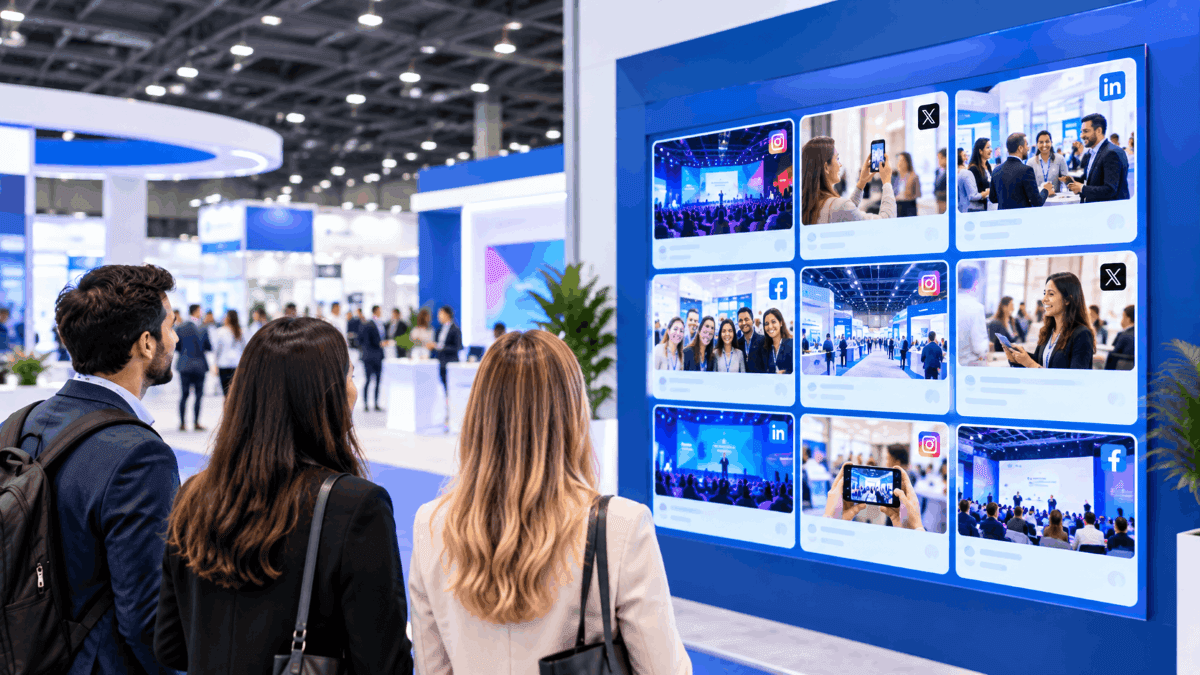
A social media wall for trade shows displays real-time attendee posts, boosts booth engagement, and makes exhibitions more interactive. Connect your event hashtag and social accounts, moderate the content, and display selected posts on screens around the venue. You can also let visitors upload photos and videos through a QR code.
With 87% of event attendees sharing their experiences on Instagram, social content is already a natural part of the event experience. For example, an attendee can share a booth photo using the event hashtag, and the wall can collect, moderate, and display it live. You can also showcase product launches, sponsor content, contests, announcements, and booth activities. Set up the wall before the show, make participation easy, and keep the content fresh throughout the event.
TL;DR: To use a social media wall for trade shows and exhibitions, connect your event hashtag, social accounts, or QR-based content collection, set up moderation, customize the display, and show approved content on screens across the venue. Use it to highlight exhibitors and booths, showcase attendee photos and videos, run contests, promote sponsors, share event updates, encourage networking, and keep visitors engaged throughout the trade show.
What is a Social Media Wall for Trade Shows?
A social media wall for trade shows is a live digital display that collects and showcases relevant social media posts and attendee-generated content during an exhibition. Content can come from hashtags, mentions, accounts, keywords, or direct submissions.
It can display:
- Attendee photos and videos
- Event hashtag posts
- Exhibitor content
- Product launches and demonstrations
- Sponsor content
- Event announcements
- Contest entries
The content can be displayed on LED walls, TVs, digital signage, and other screens across the exhibition.
How Does a Social Media Wall Work at a Trade Show?
A trade show social wall collects content from social media and direct submissions and displays selected content on event screens. The basic process is:
Connect → Collect → Moderate → Customize → Display → Measure
- Connect: Add relevant social accounts, hashtags, mentions, or keywords.
- Collect: Gather attendee, exhibitor, sponsor, and event content.
- Moderate: Review content and filter spam, irrelevant posts, or unsuitable submissions.
- Customize: Match the wall’s design to your event branding.
- Display: Show approved content on TVs, LED walls, digital signage, or other exhibition screens.
- Measure: Track available content, participation, views, interactions, and other event metrics.
This setup aligns closely with how current social wall platforms describe the process: connect sources, configure the display, moderate content, and go live.
Set Up Your Live Social Wall Now
Connect hashtags, accounts, mentions, and other content sources before your show.
Create Your Social Wall
Why Use a Social Media Wall at a Trade Show?
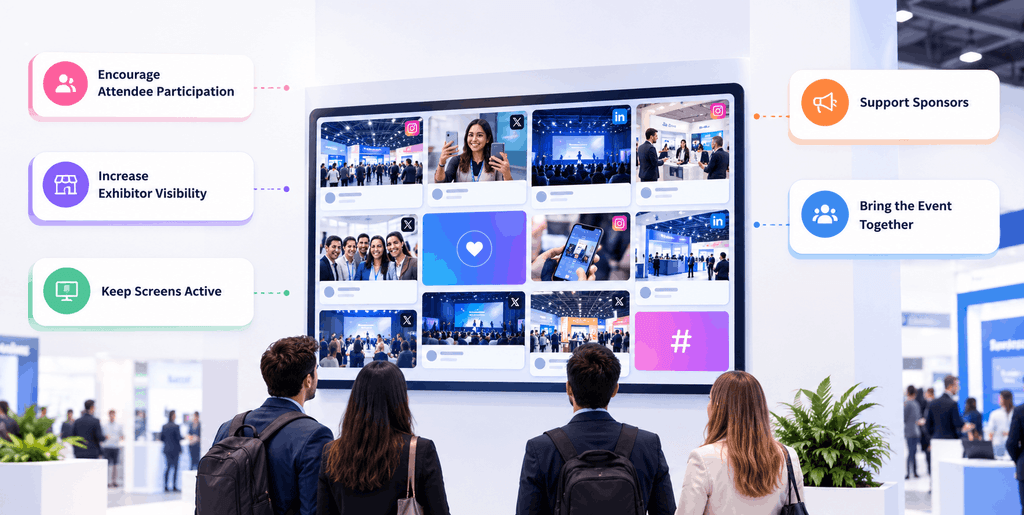
A trade show social wall can support attendee engagement while giving exhibitors, sponsors, and organizers more visibility.
Encourage Attendee Participation
Attendees can share photos, videos, reactions, and event moments. Seeing others on the screen also gives new attendees a clear idea of how to participate.
Increase Exhibitor Visibility
Product demos, booth activities, launches, and attendee reactions can appear on shared screens beyond the physical booth.
Keep Screens Active
Fresh attendee and exhibitor content gives screens something useful to show between presentations, demonstrations, and meetings.
Support Sponsors
Sponsors can have branded segments, featured posts, challenges, hashtags, or announcement slides within the wider event content.
Bring the Event Together
A social media wall can bring attendees, exhibitors, speakers, sponsors, and organizers into one shared event conversation.
What Are 10 Ways to Use a Social Media Wall for Trade Shows & Exhibitions?
A social media wall for trade shows can turn attendee posts, exhibitor content, and event updates into a live part of the exhibition experience. Use it to showcase UGC, promote exhibitors, support booth activities, share important announcements, and create more opportunities for attendee interaction.
1. Create a Live Trade Show Hashtag Wall
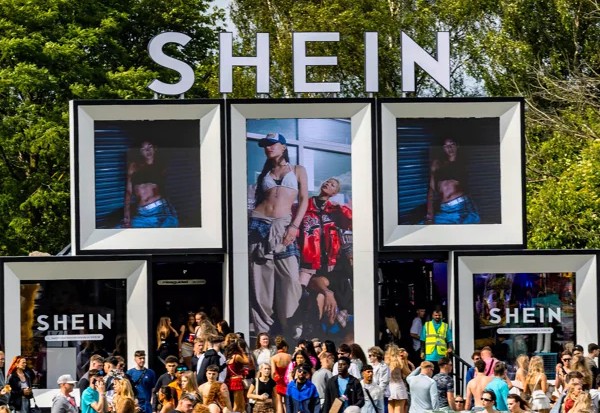
The idea: Create one official hashtag, either before or during the event, that brings attendee and exhibitor posts onto the live trade show hashtag wall.
How to use it: Choose a short, easy-to-remember or catchy hashtag and promote it before the event on registration emails, on badges, event pages, booth graphics, and signage. You can even run a social media contest before your event and announce the results on the day of the event. During the show, remind visitors to use it when sharing photos, booth visits, or event experiences. Collect relevant posts, moderate them, and display approved content on your screens.
Where it works best: Main exhibition floors, entrances, registration areas, and high-traffic zones.
Why people participate: Attendees get to see their content featured live, while exhibitors gain visibility when visitors post about their booths and products. Contests also give attendees an extra reason to participate and share their content.
Keep event displays fresh with attendee content, exhibitor posts, and live updates.
 No Credit Card Required
2. Showcase Attendee Photos and Videos
The idea: This is the real game wherein you can turn real attendee experiences into live content by showcasing booth photos, product demonstrations, networking moments, behind-the-scenes clips, and favorite discoveries.
How to use it: Ask visitors to share photos and videos using the event hashtag. You can also add a QR-based content collection for people who want to submit content directly. Moderate submissions and display selected photos and videos throughout the event.
Where it works best: Booth areas, registration and help desks, networking spaces, lounges, and screens across the main exhibition floor.
Why people participate: It’s basic social proof. When people see others participate, it ignites something in them to join the crowd too; visitors can easily share their experience and see it become part of the event. Exhibitors also benefit when attendees create content around their booths and products.
3. Spotlight Exhibitors and Organizers
The idea: This is the perfect time to give exhibitors visibility beyond their physical booths and show the faces behind your successful event.
How to use it: Feature exhibitor posts, product launches, live demonstrations, booth activities, customer reactions, and product photos. Organizers can rotate featured exhibitors or use spotlight sections to give different brands visibility during the event or even show the people who were responsible for running the event successfully.
Where it works best: Entrances, exits, main exhibition floors, alleys, coffee spaces and networking areas.
Why people participate: Exhibitors get another channel to showcase what they offer, while attendees can discover products, companies, and demonstrations they may have missed.
4. Turn Booth Visits Into Social Moments
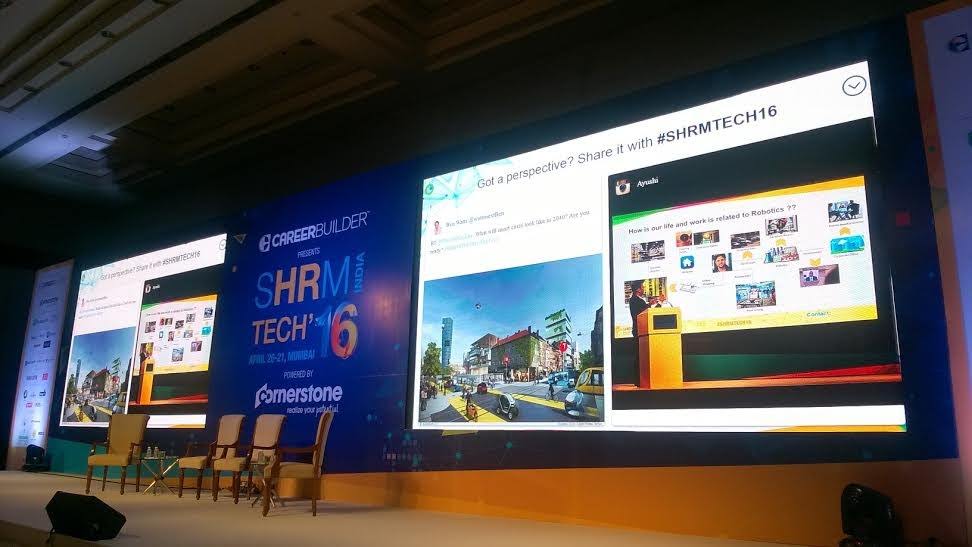
The idea: Turn your booth into a must-visit spot. Give visitors a reason to come to your booth, and to create and share social media content.
How to use it: Add clear prompts such as:
- Take a photo at our booth.
- Share your favorite product.
- Use the event hashtag.
- Tell us what you think about the demo.
- Tag the exhibitor.
Pair the prompt with a photo opportunity, product demonstration, interactive display, or quick activity. Display selected posts on a nearby screen.
Where it works best: Individual booths, product demo areas, and interactive installations.
Why people participate: There’s a lot of anticipation and you can make it interesting by using activities like spin-the-wheel or something. The activity gives visitors something easy to do and share, while exhibitors get attendee-generated content around their brand.
5. Display Live Event Announcements and Updates
The idea: Make information easier to get across by using the wall as a newsbearer of announcements and what makes it even greater is that it’s all done live.
How to use it: Entrances, registrations, during breaks, between booths and different lanes and floors, contest winners and keeps getting updated as it happens live.
Where it works best: Entrances, registration areas, stages, breakout areas, and the main exhibition floor.
Why people participate: Attendees get useful information while staying connected to what other people are posting. Organizers also have a live channel for important event updates.
6. Run Social Contests and Giveaways
The idea: : The fun of taking part, the anticipation of winning, and the simple thrill of seeing who wins can give attendees another reason to participate. A social media wall for events can support simple contests that encourage them to create and share content.
How to use it: Run activities such as a best booth photo, best product-demo reaction, favorite exhibitor, event photo challenge, or hashtag contest. Keep the rules simple, display selected entries, and announce winners on the wall.
Where it works best: Exhibitor booths, contest areas, networking zones, and high-traffic parts of the exhibition.
Why people participate: A clear challenge gives attendees a reason to create content and take part, while exhibitors can use relevant contests to draw attention to their booths or products.
7. Give Sponsors their Due Visibility
The idea: Sponsors always want their brand or their name to shine, make this take place with the help of our spotlight feature. Create sponsor moments within the wall without turning the entire display into advertising.
How to use it: Add sponsor logos, branded content, featured sponsor posts, sponsor challenges, dedicated wall segments, or branded announcement slides. Keep sponsored content alongside regular attendee and event content.
Where it works best: Sponsor zones, stages, entrances, networking areas, and other high-visibility screens.
Why people participate: Sponsors get a visible presence within the event experience, while attendees continue to see a mix of useful event information and community content.
8. Create Networking and Community Moments
The idea: Most people are attending events to spark a conversation, spread about their business or learn something that they can apply in their lives. Use attendee content to help visitors discover people, conversations, exhibitors, and speakers they may want to connect with.
How to use it: Add simple prompts such as “Who are you looking to meet today?” or “What did you learn today?” or “Did you like the session?” and feature suitable responses on the wall.
Where it works best: Networking lounges, dining areas, break spaces, and areas around stages or community sessions.
Why people participate: Attendees can discover shared interests and potential connections, while exhibitors and speakers get another way to gain visibility with relevant visitors.
9. Use Multiple Screens Across the Exhibition
The idea: It’s a well known rule repeated across industries. Repetition creates recall in human brains. Make this take place with a live social media wall that goes beyond one central display and make it part of the wider exhibition environment.
How to use it: Place screens wherever there are eyeballs; from the entrance, to registration area, stage area, breakout area, sponsor zones, and dining or rest areas. Adapt the content to each location’s purpose. For example, entrance screens can prioritize announcements, while booth-area screens can feature exhibitor and attendee content.
Where it works best: Large exhibitions with multiple halls, stages, booths, and visitor zones.
Why people participate: Visitors have more opportunities to see their posts and event updates throughout the venue. Exhibitors and sponsors can also appear in areas where their audiences are most likely to see them.
10. Turn Trade Show Content Into Post-Event Content
The idea: Continue using relevant content collected during the exhibition after the event ends. Use this content later as well for whenever you want to host another event.
How to use it: With the appropriate permissions, select attendee photos, videos, and social posts for event recaps, social media posts, attendee galleries, highlight reels, sponsor reports, or marketing for the next edition.
Where it works best: After the event, across the event website, social channels, email campaigns, and sponsor communications.
Why people participate: Attendees get another opportunity to have their event experiences featured, while organizers and exhibitors can continue using relevant user-generated content for exhibitions after the show.
Put attendee content, exhibitor highlights, and live updates where visitors can see them.
No Credit Card RequiredHow Can Exhibitors and Sponsors Use a Social Media Wall?
A social wall for trade shows lets exhibitors and sponsors turn their presence into live, shareable content. They can use it to highlight activities, encourage participation, and stay visible across the exhibition.
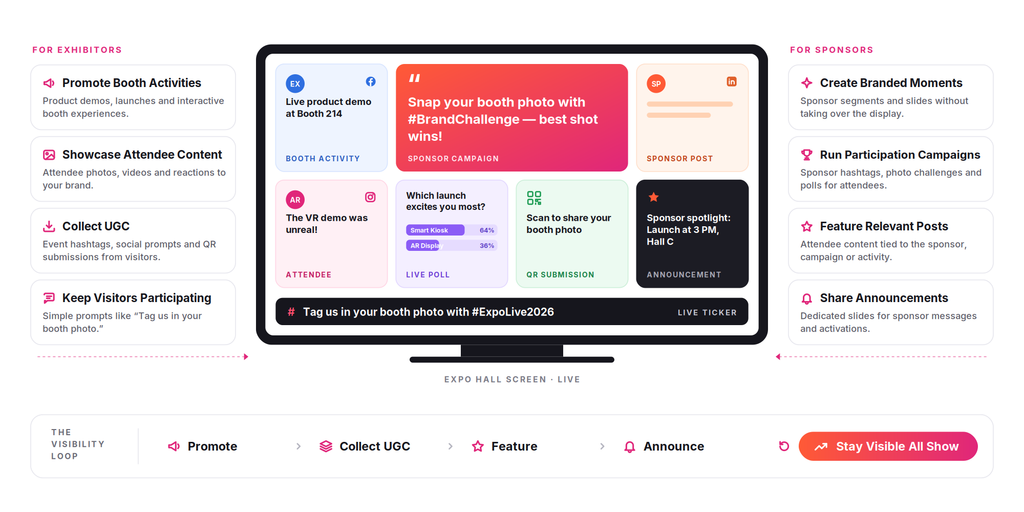
For Exhibitors
- Promote booth activities: Highlight product demos, launches, interactive experiences, and other booth activities.
- Showcase attendee content: Feature relevant attendee photos, videos, and reactions to the brand or product.
- Collect UGC: Use event hashtags, social prompts, or QR-based submissions to encourage visitors to create content.
- Keep visitors participating: Add simple prompts such as “Share your experience” or “Tag us in your booth photo.”
For Sponsors
- Create branded moments: Use sponsor-branded wall segments, slides, or featured content without taking over the entire display.
- Run participation campaigns: Use sponsor hashtags, photo challenges, polls, or other activities to involve attendees.
- Feature relevant posts: Showcase attendee content related to the sponsor, campaign, or event activity.
- Share announcements: Use dedicated slides or wall placements for sponsor messages, activations, or event announcements.
Real-World Examples of Social Media Walls at Events
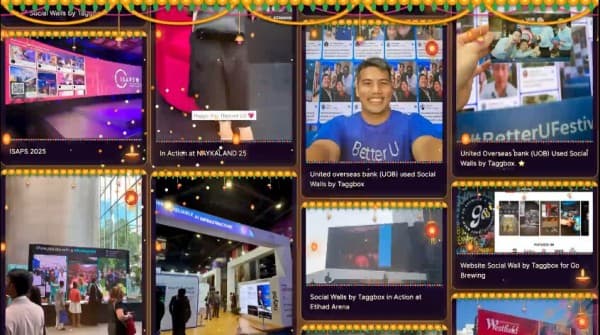
Social media walls are already being used by brands and organizations to make live events more interactive and bring attendee content onto event screens. Here are a few examples from Social Walls by Taggbox:
Sungrow
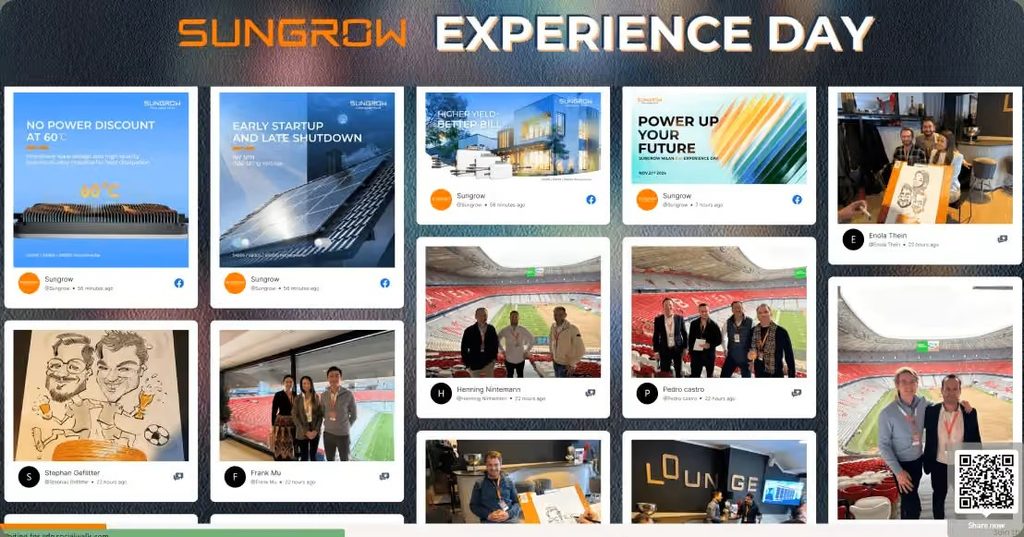
Sungrow used Social Walls by Taggbox to bring social media content into its event experience and showcase audience engagement on event displays. The case study demonstrates how a branded social wall can turn attendee-generated content into part of the live event environment.
Royal Enfield
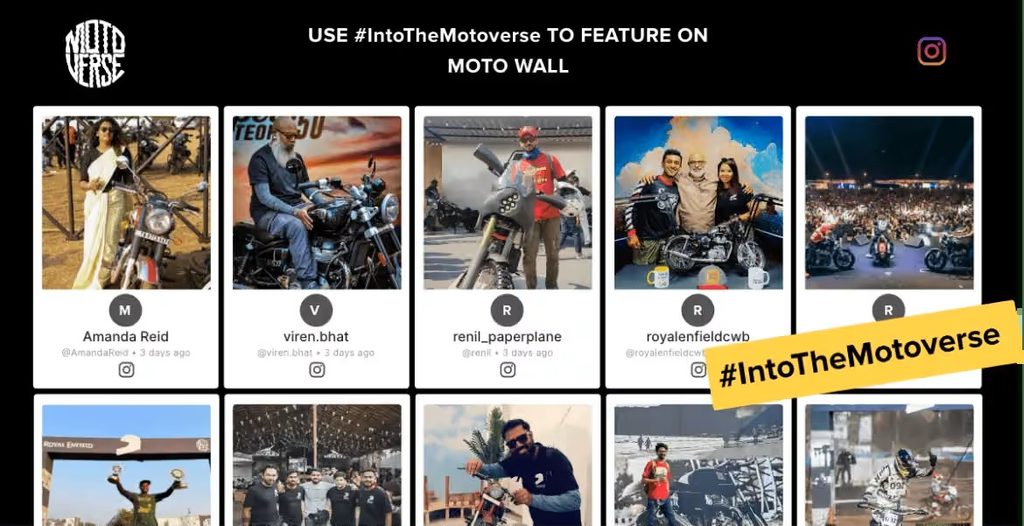
Royal Enfield used Social Walls by Taggbox to bring social media content into its event experience and create a more interactive environment for its audience. It shows how brands can use live social content to extend audience participation beyond individual social media feeds.
These examples show how Social Walls by Taggbox can be used to collect, moderate, customize, and display social content as part of a live event experience.
Bring live social content and attendee-generated content to your next event.
No Credit Card RequiredFrequently Asked Questions
A social media wall for a trade show displays social media content in real time during the event. It can have a variety of videos, learnings, lessons, interactions, announcements, submissions, and even hashtagged content.
Create a social media wall by connecting your social media accounts, event hashtags, mentions, keywords, or QR-based content sources. Then moderate the collected content, customize the wall to match your event branding, and display approved posts on exhibition screens.
Display attendee photos and videos, event hashtag posts, exhibitor content, product demonstrations, speaker highlights, sponsor content, event announcements, contest entries, and booth activities. Use moderation to keep the displayed content relevant and event-appropriate.
Exhibitors can showcase product launches, demonstrations, booth activities, attendee reactions, and visitor-generated content. They can also use social prompts and QR-based submissions to encourage booth visitors to participate.
Encourage attendees to post by promoting the event hashtag on badges, booths, signage, and screens. Create photo challenges, contests, polls, and other interactive activities, and let attendees see their content featured on the event screens. QR-based submissions also make it easy for visitors to share photos and videos.