 Events
  Digital Signage
  Hybrid Events
  Instagram Wall
 Twitter Wall
  TikTok Wall
 Hashtag Campaign
 Social Media Aggregator
 Linkedin Wall
 Facebook Wall
 Studio
 SnapUp
 Spotlight
 Analytics
 Moderation
 Customization
 Reactions
 Photo Booth
 Education
 Fitness
 Hospitality
 Healthcare
 Retail
 Agencies
 Sports
 Finance
 Non-profit
 News & Entertainment
 Ecommerce
 Blog
Blog Support
 Our Clients
 Integration
 Case Studies
 Get Inspired


Tagboard Review – Features, Limitations, Alternatives, and Everything You Need to Know
Author: Upendra Goswami
8 minute read
Table of Content:
When planning an event, running a marketing campaign, or simply looking to display social content in real time, choosing the right social media aggregation tool is critical. Tagboard is one such platform that promises real-time social wall capabilities and UGC aggregation. But is it really worth your time and investment? This Tagboard review will walk you through its features, limitations, user feedback, and even provide alternatives so you can make an informed decision.
Let’s dive in.
What is Tagboard ?
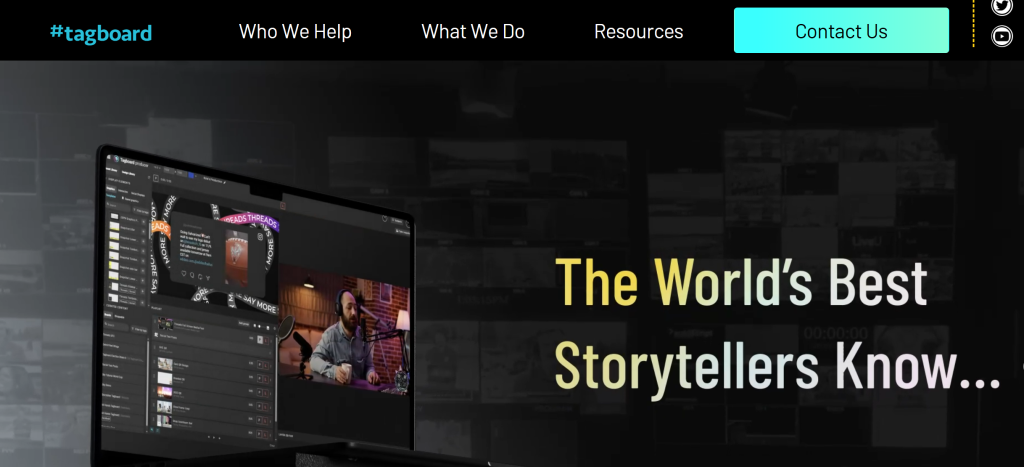
Tagboard is a social media aggregation and display platform designed for brands, marketers, and event organizers. It allows you to collect content from multiple social networks—like Instagram, X (formerly Twitter), Facebook, LinkedIn, and YouTube—and display it in a live, interactive social wall.
Businesses and event managers use Tagboard to:
- Engage audiences with live content during events or on websites.
- Showcase user-generated content (UGC) in marketing campaigns.
- Increase brand visibility through curated social media posts.
According to Tagboard reviews, its key appeal lies in its real-time content updates and ability to turn social posts into engaging displays for audiences. However, like any platform, it comes with both strengths and shortcomings, which we’ll cover below.
What Tagboard Offers: Core Capabilities
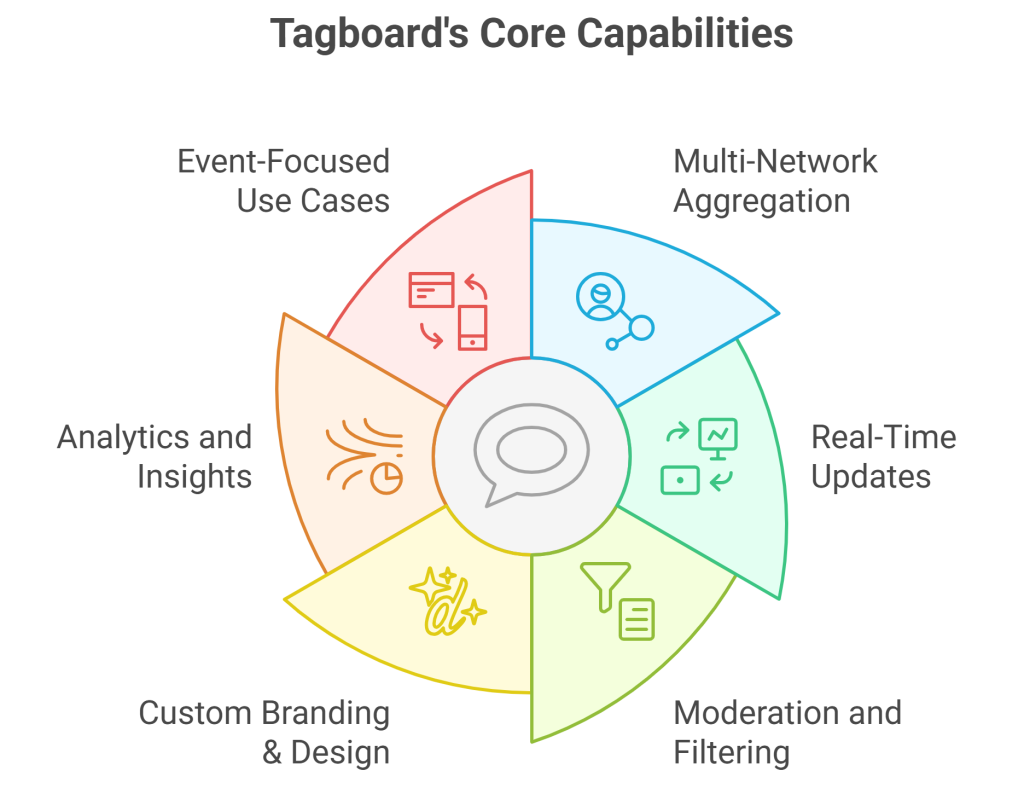
Tagboard offers a range of tools for social media aggregation, content curation, and display:
1. Multi-Network Aggregation
Tagboard can pull posts from:
- X (Twitter)
- YouTube
- TikTok (limited integration depending on API)
This makes it easy for brands to display a live feed from multiple platforms without switching tools.
2. Real-Time Updates
One of Tagboard’s strongest points is its ability to update social walls in real time. For events, this means audiences see fresh content as it’s posted.
3. Moderation and Filtering
Tagboard includes tools for:
- Manual content approval
- Keyword or hashtag filters
- User-specific content moderation
While these options help maintain brand safety, Tagboard reviews suggest moderation can be time-consuming for large campaigns, especially when dealing with high volumes of UGC.
4. Custom Branding & Design
Tagboard allows you to customize banner, layouts, colors, and backgrounds, making the social wall match your brand aesthetics. Sponsors can also be featured directly on the wall for added marketing opportunities.
5. Analytics and Insights
With Tagboard, you can track engagement metrics such as impressions, post reach, and top contributors, helping you measure the effectiveness of your social campaigns.
6. Event-Focused Use Cases
Tagboard is especially popular for:
- Conferences and trade shows
- Digital signage in lobbies or retail spaces
- Hybrid and virtual events
- Website embeds featuring live UGC
Limitations of Tagboard
While Tagboard is a robust platform, real user feedback highlights several limitations:
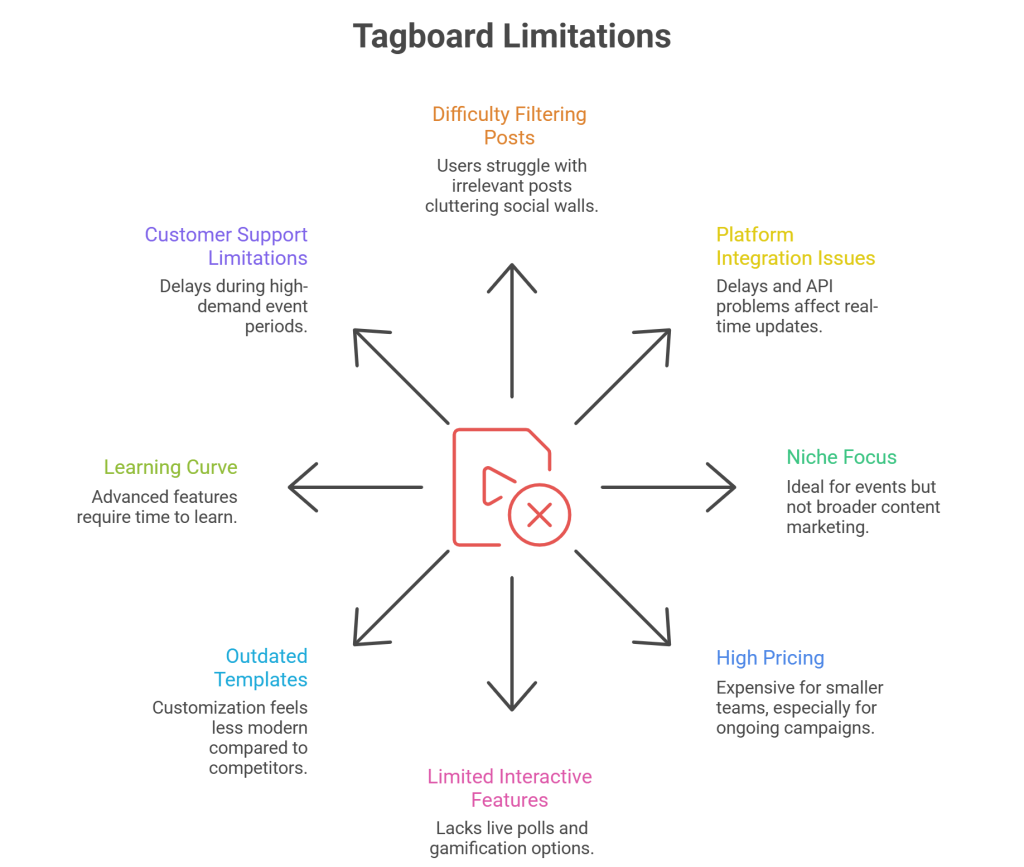
- ❌Difficulty Filtering Irrelevant Posts: Users often complain about “hashtag surfers”—posts that match a hashtag but are off-topic. This can clutter the social wall during live events.
- ❌Platform Integration Issues: Occasional delays or API access issues with Instagram and X can affect real-time updates.
- ❌Niche Focus: Tagboard is ideal for events and marketing displays, but it may not suit broader content marketing needs.
- ❌High Pricing: Smaller teams often find it expensive, especially for ongoing campaigns.
- ❌Limited Interactive Features: Missing live polls, Q&A, gamification, or interactive contests.
- ❌Outdated Templates: Customization options exist but feel less modern compared to competitors.
- ❌Learning Curve: Advanced features like moderation, sponsor placements, or multi-source aggregation require time to learn.
- ❌Customer Support Limitations: While responsive, some users report delays during high-demand event periods.
User Feedback Overview
Tagboard reviews on sites like Capterra, G2, GetApp, and Glassdoor show a mix of praise and criticism:
Positive Takeaways:
- Reliable real-time social wall display
- Easy-to-use interface for basic social content aggregation
- Good support for live event applications
Common Critiques:
- Learning curve for advanced moderation and customization
- Occasional integration delays with Instagram/X
- Pricing can be steep for smaller teams or frequent campaigns
Main Use Cases Highlighted in Reviews:
- Displaying live social content during corporate events or trade shows
- Showcasing user-generated content for brand campaigns
- Embedding social feeds on websites to enhance credibility
- Creating sponsor-friendly walls for marketing activations
Move Beyond Tagboard
Aggregate more sources with advanced controls and better value at Social Walls

 No Credit Card Required
Feature Highlights – What Tagboard Has (and What It Lacks)
To help you understand the full picture, here’s a clear breakdown.
Tagboard Feature Highlights:
- Multi-network social aggregation
- Real-time updates
- Manual and automated moderation
- Customizable branding and layouts
- Analytics dashboards for engagement tracking
- Sponsor-friendly layouts for events
Where Tagboard Falls Behind:
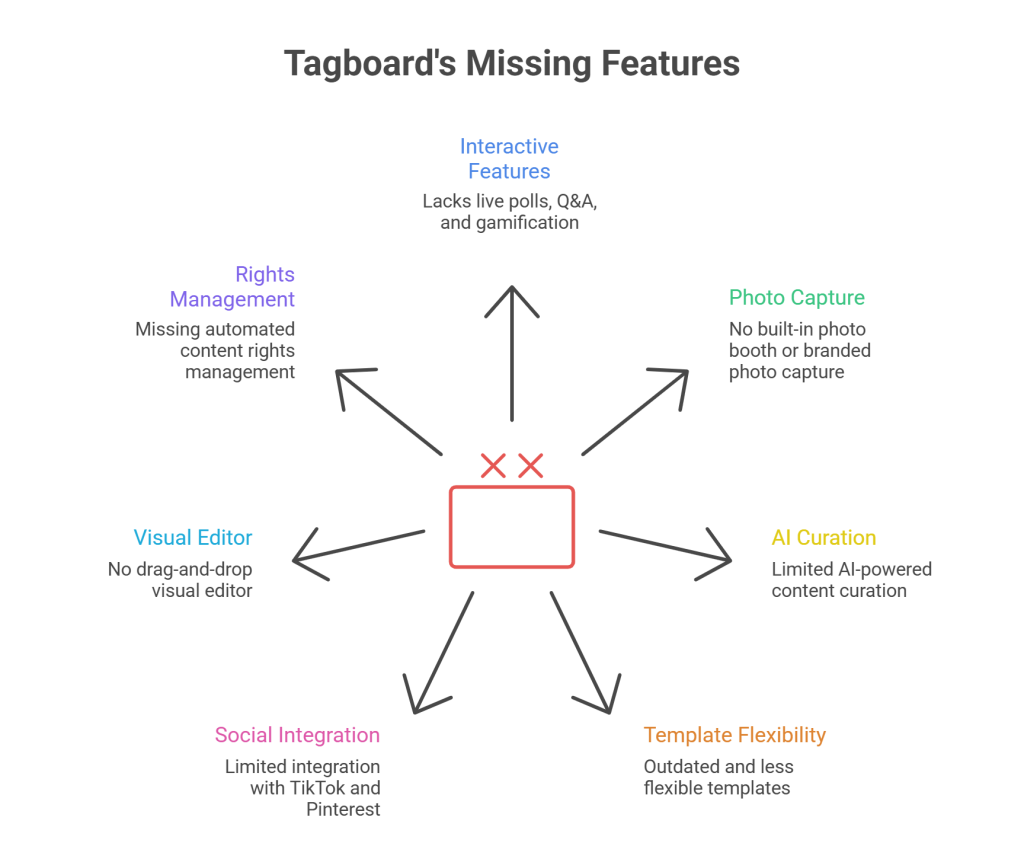
- ❌ Lacks interactive features like live polls, Q&A, or gamification
- ❌ No built-in photo booth or branded user photo capture
- ❌ Limited AI-powered content curation
- ❌ Templates feel outdated and less flexible
- ❌ Limited integration with TikTok and Pinterest
- ❌ No drag-and-drop visual editor for ease of design
- ❌ Missing automated content rights management
All of these missing features ARE available on Social Walls.
Additional features from Social Walls that Tagboard lacks include:
- Real-time on-screen announcements
- Interactive ticker messages
- Custom fonts & advanced themes
- Drag-and-drop visual editor
- Automated content rights management
- Shoppable content options
- Multi-language support
- Private feed uploads
- AI-powered content curation
This becomes important if your event or campaign needs to excite audiences and drive participation—not just display social content. With Social Walls, every post, poll, and interactive element is designed to engage viewers and encourage real-time involvement, making it a far more modern solution for events, marketing campaigns, and hybrid experiences.
Choose a More Powerful Tagboard Alternative
Access modern layouts, advanced moderation tools, and pricing that scales with your needs
No Credit Card RequiredPros and Cons of Tagboard (Based on Real User Reviews)
| Aspect | Pros | Cons |
|---|---|---|
| Moderation | Manual and automated filtering | Can be cumbersome with large UGC volumes |
| Integrations | Supports major social platforms | Some API delays, Instagram/X limited updates |
| Ease of Use | Simple for basic social walls | Advanced features require learning |
| Design & Branding | Custom layouts, sponsor placements | Limited modern templates |
| Analytics | Tracks impressions, engagement | Less advanced than newer dashboards |
| Event Use | Reliable for live events | Missing interactive engagement features |
| Pricing | Solid for enterprise events | Expensive for smaller teams |
Alternatives to Tagboard
If Tagboard doesn’t fully meet your needs, several other platforms offer similar social media aggregation capabilities, often with more advanced interactive features, modern templates, and better engagement tools. Exploring these alternatives can help you find the right solution for your events, marketing campaigns, or brand displays.
1. Social Walls by Taggbox
Social Walls is a feature-rich platform that combines social aggregation with interactive engagement tools. Brands and event organizers choose it for modern UI, real-time updates, and advanced UGC moderation. It’s ideal for events of all sizes, hashtag campaigns, and hybrid experiences.
Features:
- 20+ social and content sources
- Drag-and-drop visual editor
- AI-powered content curation
- Digital photo booth for attendee engagement
- Live polls and Q&A sessions
- Gamification and leaderboard features
- Custom branding and ready-made templates
2. Everwall
Everwall focuses on live event displays, ensuring stable real-time social walls. Event professionals rely on it for conferences, expos, and corporate gatherings. Its strong moderation and sponsor-friendly layouts make it suitable for high-stakes events.
Features:
- Multi-platform social feed aggregation
- Real-time updates for live events
- Manual moderation and filtering options
- SMS and text-to-screen integration
3. Flockler

Flockler is a clean, user-friendly platform for brands wanting to embed curated social feeds on websites. Its simplicity and website focus make it ideal for digital campaigns, though it’s less suitable for interactive live events.
Features:
- Social media aggregation
- Grid, carousel, and wall layouts
- Website embed options
- Easy content moderation
4. Juicer
Juicer is an affordable, minimalist social feed aggregator. Best for small businesses and websites, it offers easy integration with embed codes and multiple layouts but lacks interactive or event-focused features.
Features:
- Aggregates posts from multiple social platforms
- Several layout options (grid, slideshow, wall)
- Simple embed codes for websites
- Manual and automated moderation
5. Miappi

Miappi emphasizes brand storytelling and rights-managed UGC. It’s perfect for marketing campaigns, influencer content curation, and eCommerce, but less focused on real-time event displays.
Features:
- AI-powered content discovery
- UGC rights management
- Influencer content sourcing
- Multi-platform aggregation
Social Walls vs Tagboard — Comparison Table
| Feature | Tagboard | Social Walls |
|---|---|---|
| Real-Time Updates | ✔ Yes | ✔ Yes |
| Multi-Network Support | Major platforms | 20+ platforms including TikTok & Pinterest |
| Moderation Tools | Manual & automated | Advanced AI + manual |
| Interactive Features | ✖ No | ✔ Photo booth, polls, live Q&A |
| Custom Branding | ✔ Basic layouts | ✔ Advanced themes & drag-and-drop editor |
| Analytics | ✔ Basic dashboards | ✔ Advanced engagement insights |
| Pricing | Premium | Affordable tiers for events of all sizes |
| Ideal For | Events & marketing campaigns | Events, brands, hybrid & virtual engagement |
Level Up Your Event Displays Today
Move beyond basic feeds with smarter curation, modern layouts, and real-time control
No Credit Card RequiredConclusion
Tagboard is a reliable social aggregation platform, ideal for event-focused social walls and UGC displays. It works well if your main goal is to show real-time social content in a visually appealing manner.
However, if your events or campaigns require more interactive engagement—like polls, Q&A, gamification, or AI-powered UGC curation—you may find Tagboard limiting. Platforms like Social Walls by Taggbox offer a more modern, feature-rich alternative with better pricing options.
Before choosing, evaluate your event size, engagement goals, budget, and desired interactivity. Reading Tagboard reviews from real users can also help set expectations and avoid surprises during live campaigns.
Frequently Asked Questions
-
What are the biggest limitations of Tagboard?
Filtering irrelevant posts, limited interactivity, outdated templates, high pricing, and occasional integration issues.
-
Is Tagboard suitable for all social media platforms?
It supports major networks, but TikTok and Pinterest integrations are limited.
-
Is Tagboard easy to set up?
Yes, basic walls are easy, but advanced features have a learning curve.
-
What are the best Tagboard alternatives?
The best Tagboard alternatives include Social Walls by Taggbox, Juicer, and Miappi—each offering unique features like interactive feeds, AI-powered curation, and modern social wall experiences.
-
Is Tagboard worth the investment?
For large events and basic social walls, yes. For interactive experiences, alternatives like Social Walls are recommended.

Upendra leads the marketing team at Social Walls, bringing over 9 years of expertise in event marketing and SaaS growth strategies....