 Events
  Digital Signage
  Hybrid Events
  Instagram Wall
 Twitter Wall
  TikTok Wall
 Hashtag Campaign
 Social Media Aggregator
 Linkedin Wall
 Facebook Wall
 Studio
 SnapUp
 Spotlight
 Analytics
 Moderation
 Customization
 Reactions
 Photo Booth
 Education
 Fitness
 Hospitality
 Healthcare
 Retail
 Agencies
 Sports
 Finance
 Non-profit
 News & Entertainment
 Ecommerce
 Blog
Blog Support
 Our Clients
 Integration
 Case Studies
 Get Inspired


Interactive Polls Twitter – How to Create, Launch, and Display Live Engagement
Author: Dakshit Mathur
9 minute read
Table of Content:
Remember when radio shows used to say, “Call now to vote”? Yeah, interactive polls Twitter are the 2025 version of that, faster, louder, and far more fun.
Interactive polls on Twitter (or X, if we’re pretending to move on) are turning simple tweets into live audience interactions.
One question, multiple options, and instantly, you’ve got opinions coming in.
Whether you’re testing ideas, hyping events, or just sparking conversation, Twitter interactive polls make your audience stop scrolling and actively participate.
Read on as we discuss how you can use interactive live polls for amplified marketing!
What Are Interactive Polls on Twitter ?
Interactive polls X are short, clickable questions you post where followers can vote on a set of options. The results for these interactive poll Twitter posts update in real time.

Unlike a regular tweet, polls don’t just sit there waiting for likes; they invite action. Users tap, vote, and feel part of a mini crowd decision.
It’s quick, addictive, and oddly powerful for shaping content or just sparking conversation, even if no one can actually see who voted (yep, that’s private).
Why Use Interactive Polls on Twitter?
Interactive polls on Twitter are a sneaky-smart way to spark interaction instead of just hoping for likes. One quick question, a few smart options, and you’ve got opinions rolling in.
For Brands & Marketers
- Product or feature feedback – Let your audience tell you what’s working (or not) before you spend big.
- Real-time sentiment checks – Measure how people feel about a launch, ad, or even a meme.
- Pre-launch testing – Float an idea quietly, see what sticks before going public.
- Fast customer insights – It’s not a focus group, but it sure acts like one.
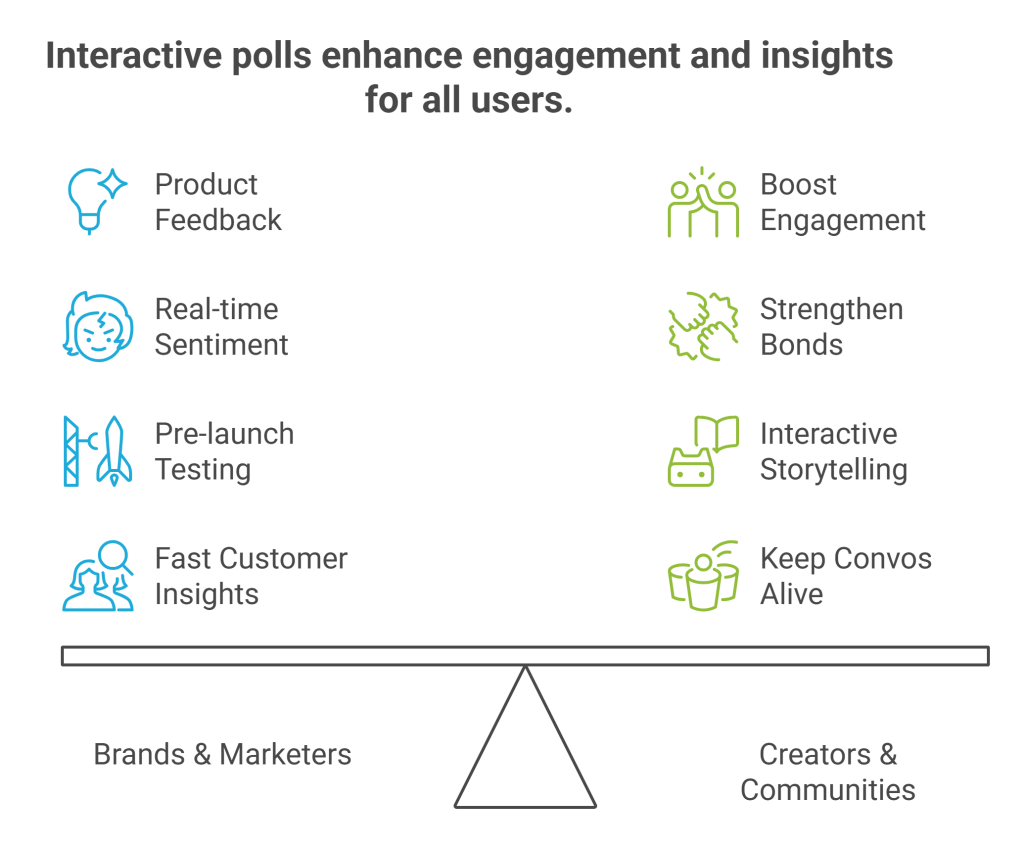
For Creators & Communities
- Boost engagement – Polls are quick taps, not long replies, so more people jump in.
- Strengthen bonds – Followers love being asked what they think. Makes them stick around.
- Interactive storytelling – Use polls as story choices, trivia, or to pick “what happens next.”
- Keep convos alive – Polls often turn into fun debates in the replies.
interactive Twitter polls aren’t just posts; they’re mini conversations that trigger reactions, data, and good ol’ curiosity in one click.
Turn Tweets Into Live Crowd Moments
Display Twitter polls live on screens, websites, or event walls with Social Walls

 No Credit Card Required
How to Create a Poll on Twitter (Step-by-Step Guide)
Let’s learn how you can create a poll on Twitter, step-by-step.
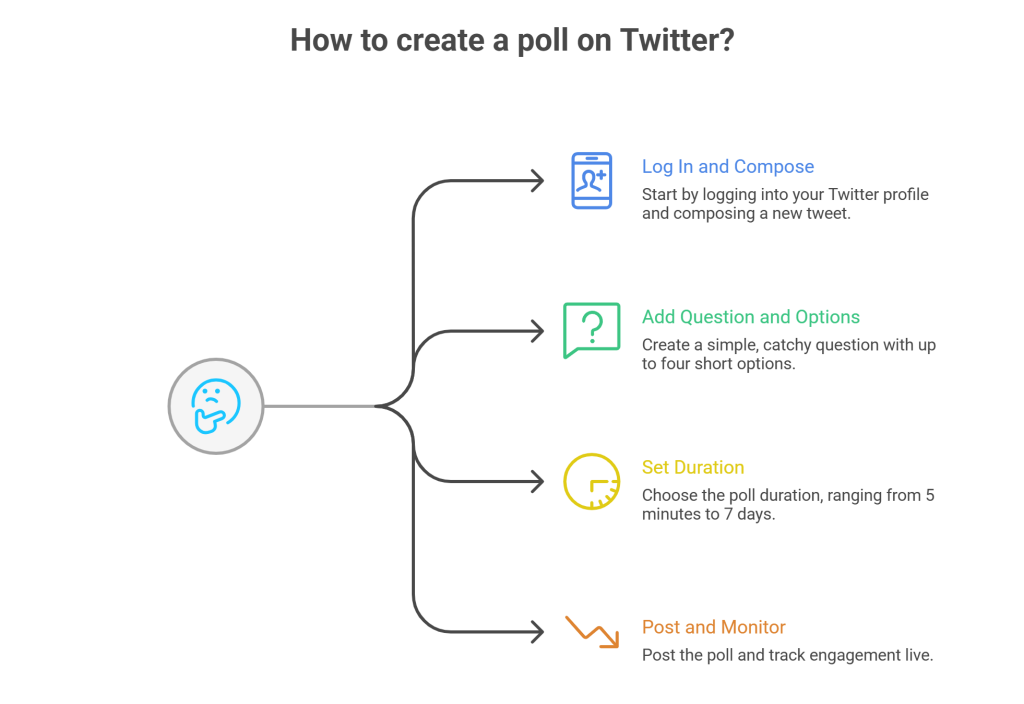
Step 1 — Log In and Compose a Tweet
Head to your X profile, hit that “What’s happening?” box, and click the poll icon.
Step 2 — Add Your Poll Question and Options
Ask something simple, catchy, or just plain funny. You can add up to four options.
Example: “Which feature should we launch next?”
Keep it short – no one’s reading a paragraph to vote.
Step 3 — Set Poll Duration
Choose how long your poll should run, anywhere from 5 minutes to 7 days. Quick polls are great for instant feedback, longer ones for gathering more votes.
Step 4 — Post and Monitor Engagement
Hit post. You can track votes and percentages live as they roll in. Each tap means someone paused scrolling to engage with you.
Upgrade From Basic Twitter Polls
Use these simple steps and start displaying interactive Twitter polls
No Credit Card RequiredHow to See Who Voted on Twitter Polls – Limitations
Here’s the catch: you can’t see who voted on your interactive polls Twitter. It’s private as per Twitter’s policy to keep voting anonymous.
But don’t worry. You can still analyze audience engagement:
- Check total votes and impressions.
- See replies, retweets, and quote tweets to understand sentiment.
- Use audience engagement tools to get a better sense of who’s interacting.
Interactive Polling Beyond Basic Twitter Features
Interactive polls on Twitter are great, but basic. Two to four options, no fancy visuals, no deep analytics. If you want more control, you should step into advanced interactive polling.
Best Tool for Creating Advanced Polls
Platforms like Social Walls let you go way beyond what Twitter offers. You can create polls with custom branding, more answer choices, images, or even sliding scale votes. These polls don’t just live inside Twitter; you can embed on websites, event pages, or live streams.
Integration’s usually simple:
- X API connection – Connect your account so votes cast in the poll reflect or trigger tweets.
- Embed codes – Copy-paste a code into your website, blog, or hashtag campaign landing page, and boom, your poll shows up live.
Benefits of Displaying Live Polls
- Higher participation during events – People love voting when they see results update in real time.
- Real-time audience involvement – Perfect for Q&As, launches, or any big reveal.
- Cross-platform reach – Poll once, display everywhere: social, email, even digital billboards if you’re feeling fancy.
- Better engagement data – External tools give you better analytics features as compared to normal Twitter polls.
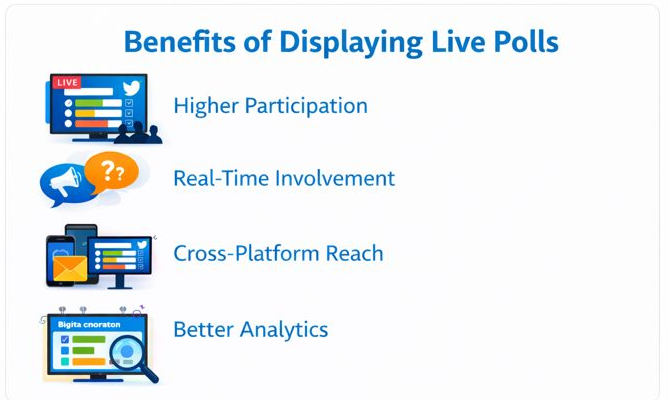
Advanced interactive X polls transform a simple tweet into a multi-channel engagement machine, especially when you need more than just “yes/no” answers.
Integrating Polls for Marketing and Events
When done effectively, even a simple interactive poll X can turn out to be a great marketing move for events. It can turn your passive guests at the events into active participants.
Embedding Polls in Event Walls

Live events, webinars, or launches feel flat without a bit of audience noise. Embedding interactive polls on X into twitter walls or live screens lets people vote, react, and see results update instantly. Tools like Social Walls with native embed features make it easy.
Just drop a code snippet, connect your poll, and see the action in real time. It works perfectly for conferences, brand expos, or online summits where interaction matters.
Driving Conversions Through Engagement
The trick is subtle, polls make people participate, and participation breeds connection. Ask for their opinions on a product, a feature, or a giveaway. Let them choose what’s launched next. When users feel heard, they click through more, buy faster, and share wider.
Engagement here isn’t fluff; it’s the start of a conversion path. Basically, interactive polls turn attention into momentum. Not bad for a tweet with four buttons, huh?
Displaying Twitter Polls Live with Social Walls
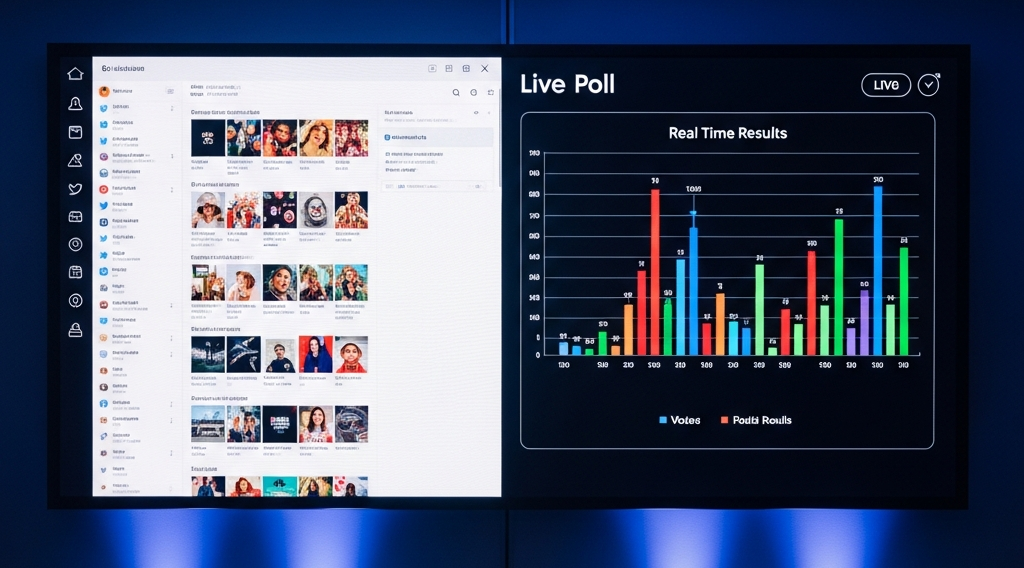
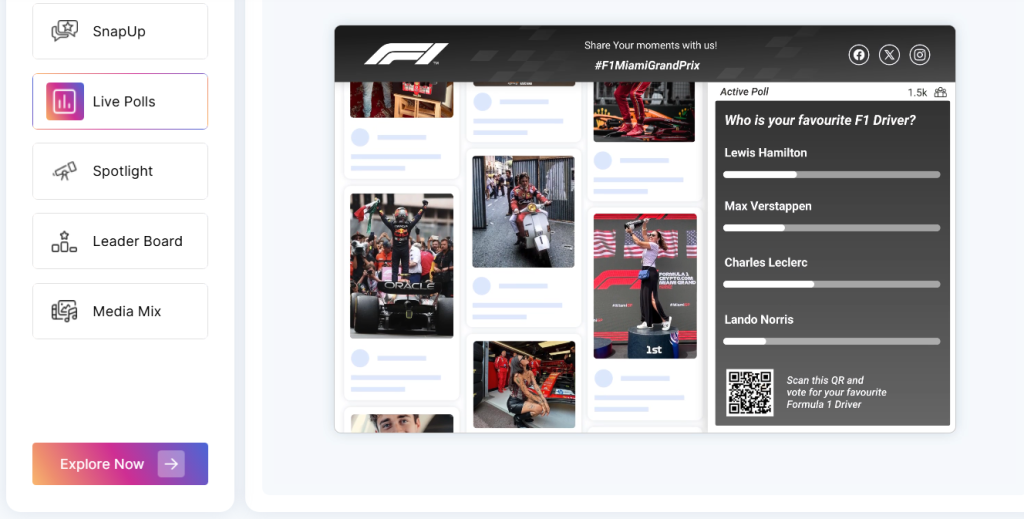
Displaying Twitter polls live with Social Walls lets you transform real-time votes into dynamic visuals on big screens or websites, keeping your event audience hooked on the action.
Social Walls make it possible to embed live, interactive polls right into your event wall, no coding needed. Participants can vote instantly, and the social wall updates with live results for everyone to see.
Why display polls on Social Walls?
Live poll displays keep people focused, make sessions feel more interactive, and boost the energy in the room. Showing Twitter poll trends live encourages more votes and participation; people love seeing their input actually move the needle in real time.
It also works wonders for panel debates, Q&As, and crowd-driven decisions where you want voices heard, not just counted.
These integrations work through easy APIs or embed codes; just plug your Twitter poll (or custom one) into Social Walls, and you’re set.
In short: turn passive viewers into an active crowd, right there on the event floor or your website.
Display Poll Results in Real Time
Show live voting trends on big screens, digital signage, or websites to spark more participation
No Credit Card RequiredHow to display live Twitter polls with Social Walls –
Want to display live Twitter feeds and polls using Social Walls? Here’s how to do it –
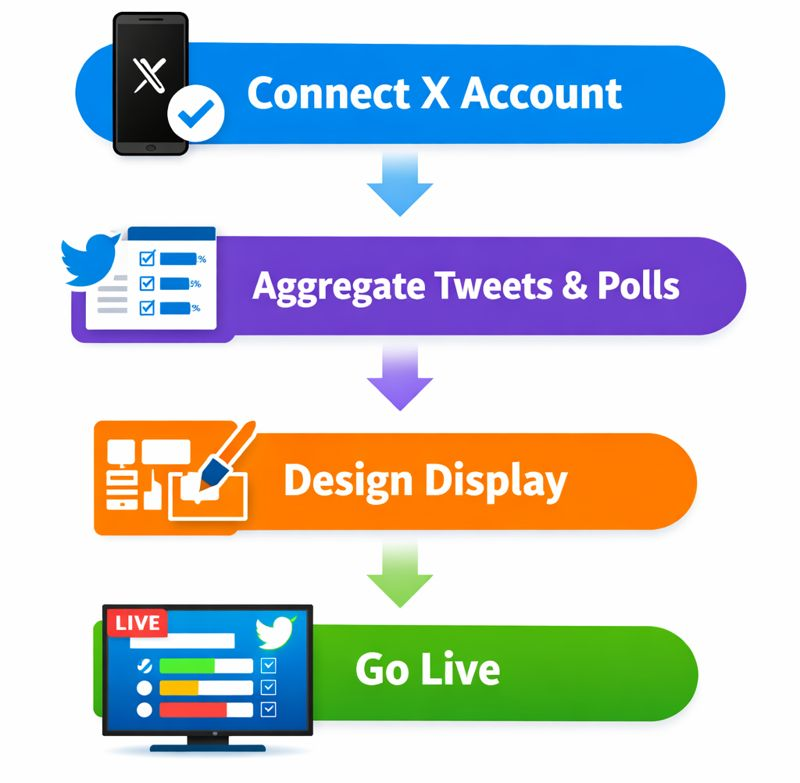
Connect Your X Account
First, connect your Twitter/X account inside Social Walls. Authorize it so Social Walls can pluck your tweets, polls included.
Aggregate Tweets & Polls
Social Walls will fetch all your tweets updates automatically. However, for polls to get displayed on your website or display wall, you’ll have to create a custom poll using that specific Twitter poll link.
No manual copy-pasting, just a real-time feed that keeps refreshing like a hyperactive toddler.
Design the Display
Pick from over 25 stylish, customizable wall layouts. Fancy grids, sleek carousels, or simple streams, design it your way to match your vibe.
Go Live
Lastly, display your interactive Twitter polls on big screens, digital signage, or embed them effortlessly on your website.
And done! Your live Twitter polls now turn heads and click fingers across event floors or websites, making voting a live, shared thrill.
Smart Ways to Use Interactive Polls on Twitter
Whether you’re a brand or just getting comfy with Twitter polls, here are some real-deal use cases that actually work.
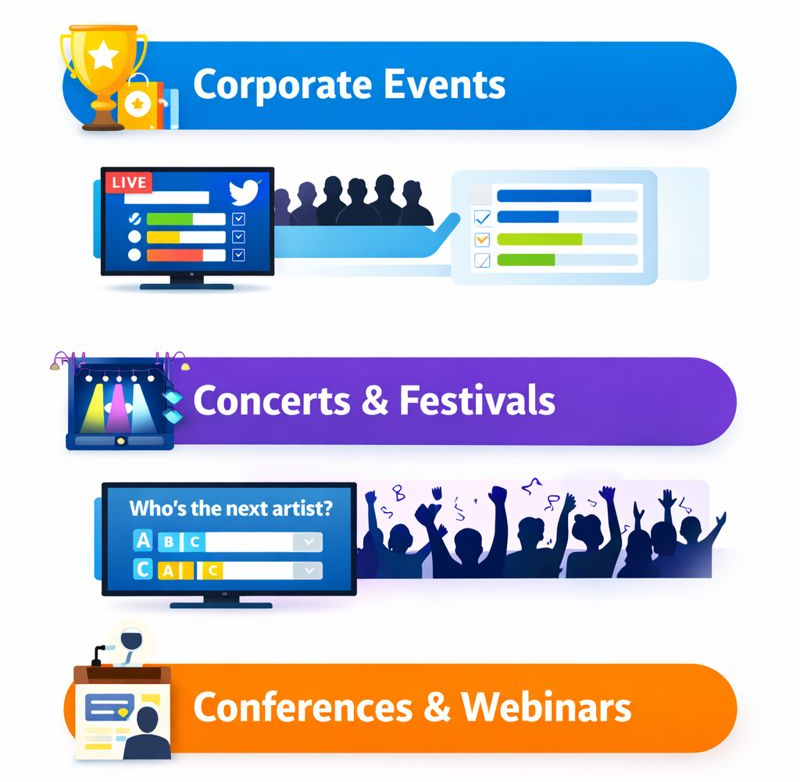
- Corporate Events: Run live product feedback polls or vote-based giveaways that get people talking (and maybe buying).
- Concerts & Festivals: “Who’s the next artist?” polls get the crowd hyped and feeling part of the show.
- Conferences & Webinars: Check audience sentiment between sessions with quick polls, which helps speakers know if they’re on point or totally lost the room.
These quick hits do more than just get clicks; they spark genuine engagement and keep your audience hooked the whole time.
Ready to Turn Polls Into Real Engagement?
Go beyond basic Twitter polls and bring live audience reactions to screens, events, & websites
No Credit Card RequiredWrapping Up With Social Walls
Polls aren’t just for quick answers. They’re for connection, conversation, and a little chaos (the good kind). Every vote is a micro-moment that pulls your audience closer, whether it’s a brand, creator, or event crowd.
If you want those moments to come alive on screens, Social Walls is your go-to. It turns Twitter polls into real-time visuals that make audiences feel part of the story. Ready to try it?
Frequently Asked Questions
-
How to use Twitter polls to engage with your audience?
Ask clear, fun questions that matter to your crowd. Polls are quick clicks, so keep it simple to boost votes and start conversations.
-
What are some of the best interactive Twitter polls examples?
Brands running live giveaways, music festivals, voting on the next artists, and webinars polling audience mood in real time are top examples.
-
Can you see who voted in your Twitter poll?
No, Twitter itself doesn’t let you see who voted in your poll. However, tools like Social Walls offer analytics features that track engagement metrics, helping you measure participation and interaction without breaking confidentiality.
-
Can polls be used in hybrid or virtual events?
Absolutely! They’re perfect for sparking engagement, whether people are in the room or joining online.
-
Can I embed my Twitter poll on a website or event screen?
Yes, tools like Social Walls let you embed live Twitter polls on websites or big event screens with real-time updates.

With a total experience of 7 years in content writing, Dakshit Mathur is well-versed with various types of content, including blogs,...