





Twitter 互动投票 – 如何创建、发起和展示实时互动

作者: Dakshit Mathur/8 一分钟阅读/
Interactive polls twitter

Remember when radio shows used to say, “Call now to vote”? Yeah, interactive polls Twitter are the 2025 version of that, faster, louder, and far more fun.

Interactive polls on Twitter (or X, if we’re pretending to move on) are turning simple tweets into live audience interactions.

One question, multiple options, and instantly, you’ve got opinions coming in.

Whether you’re testing ideas, hyping events, or just sparking conversation, Twitter interactive polls make your audience stop scrolling and actively participate.

Read on as we discuss how you can use interactive live polls for amplified marketing!

What Are Interactive Polls on Twitter ?

Interactive polls X are short, clickable questions you post where followers can vote on a set of options. The results for these interactive poll Twitter posts update in real time.

Unlike a regular tweet, polls don’t just sit there waiting for likes; they invite action. Users tap, vote, and feel part of a mini crowd decision.

It’s quick, addictive, and oddly powerful for shaping content or just sparking conversation, even if no one can actually see who voted (yep, that’s private).

Why Use Interactive Polls on Twitter?

Interactive polls on Twitter are a sneaky-smart way to spark interaction instead of just hoping for likes. One quick question, a few smart options, and you’ve got opinions rolling in.

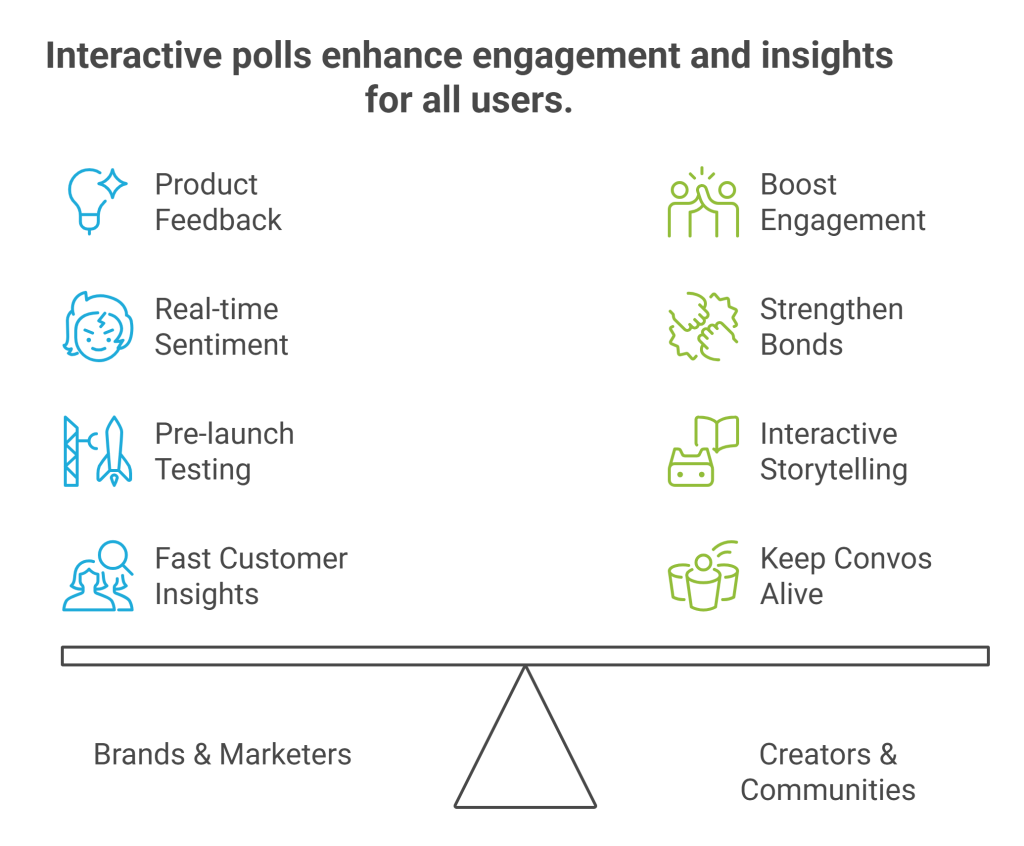
For Brands & Marketers

  • Product or feature feedback – Let your audience tell you what’s working (or not) before you spend big.
  • Real-time sentiment checks – Measure how people feel about a launch, ad, or even a meme.
  • Pre-launch testing – Float an idea quietly, see what sticks before going public.
  • Fast customer insights – It’s not a focus group, but it sure acts like one.
Interactive polls twitter

For Creators & Communities

  • Boost engagement – Polls are quick taps, not long replies, so more people jump in.
  • Strengthen bonds – Followers love being asked what they think. Makes them stick around.
  • Interactive storytelling – Use polls as story choices, trivia, or to pick “what happens next.”
  • Keep convos alive – Polls often turn into fun debates in the replies.

interactive Twitter polls aren’t just posts; they’re mini conversations that trigger reactions, data, and good ol’ curiosity in one click.

How to Create a Poll on Twitter (Step-by-Step Guide)

Let’s learn how you can create a poll on Twitter, step-by-step.

Interactive polls twitter

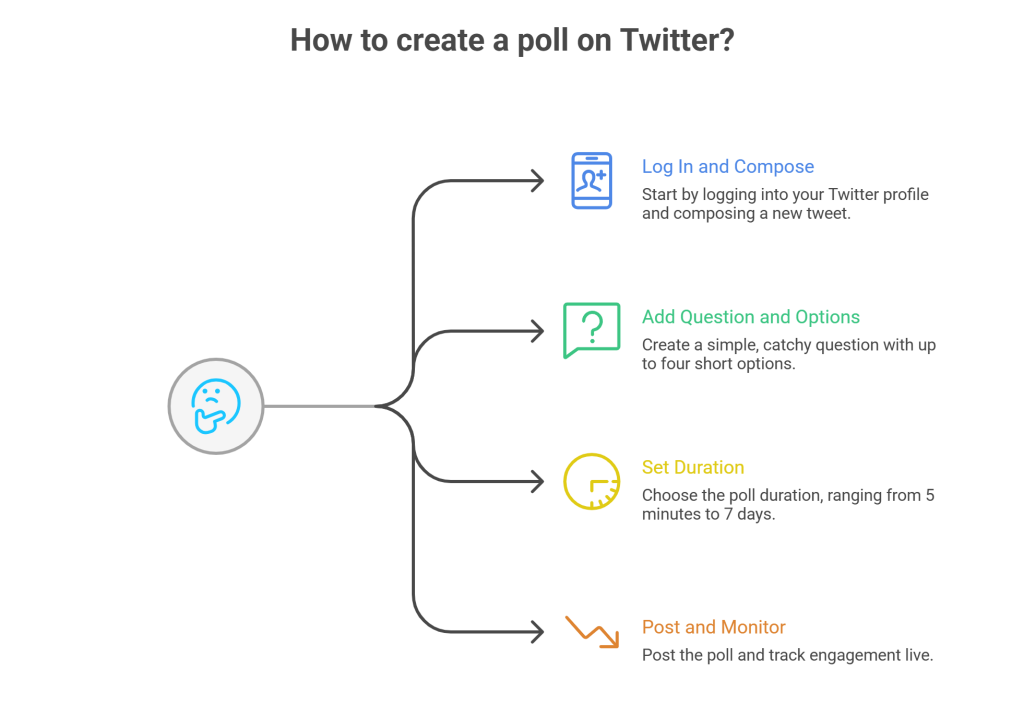
Step 1 — Log In and Compose a Tweet

Head to your X profile, hit that “What’s happening?” box, and click the poll icon.

Step 2 — Add Your Poll Question and Options

Ask something simple, catchy, or just plain funny. You can add up to four options.
Example: “Which feature should we launch next?”
Keep it short – no one’s reading a paragraph to vote.

Step 3 — Set Poll Duration

Choose how long your poll should run, anywhere from 5 minutes to 7 days. Quick polls are great for instant feedback, longer ones for gathering more votes.

Step 4 — Post and Monitor Engagement

Hit post. You can track votes and percentages live as they roll in. Each tap means someone paused scrolling to engage with you.

How to See Who Voted on Twitter Polls – Limitations

Here’s the catch: you can’t see who voted on your interactive polls Twitter. It’s private as per Twitter’s policy to keep voting anonymous.

But don’t worry. You can still analyze audience engagement:

  • Check total votes and impressions.
  • See replies, retweets, and quote tweets to understand sentiment.
  • Use audience engagement tools to get a better sense of who’s interacting.

Interactive Polling Beyond Basic Twitter Features

Interactive polls on Twitter are great, but basic. Two to four options, no fancy visuals, no deep analytics. If you want more control, you should step into advanced interactive polling.

Best Tool for Creating Advanced Polls

Platforms like Social Walls let you go way beyond what Twitter offers. You can create polls with custom branding, more answer choices, images, or even sliding scale votes. These polls don’t just live inside Twitter; you can embed on websites, event pages, or live streams.

Integration’s usually simple:

  • X API connection – Connect your account so votes cast in the poll reflect or trigger tweets.
  • Embed codes – Copy-paste a code into your website, blog, or hashtag campaign landing page, and boom, your poll shows up live.

Benefits of Displaying Live Polls

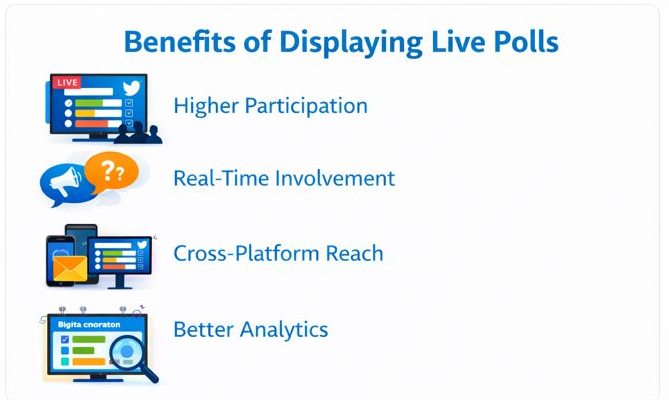
  • Higher participation during events – People love voting when they see results update in real time.
  • Real-time audience involvement – Perfect for Q&As, launches, or any big reveal.
  • Cross-platform reach – Poll once, display everywhere:  social, email, even digital billboards if you’re feeling fancy.
  • Better engagement data – External tools give you better analytics features as compared to normal Twitter polls.

Advanced interactive X polls transform a simple tweet into a multi-channel engagement machine, especially when you need more than just “yes/no” answers.

Integrating Polls for Marketing and Events

When done effectively, even a simple interactive poll X can turn out to be a great marketing move for events. It can turn your passive guests at the events into active participants.

Embedding Polls in Event Walls

Live events, webinars, or launches feel flat without a bit of audience noise. Embedding interactive polls on X into twitter walls or live screens lets people vote, react, and see results update instantly. Tools like Social Walls with native embed features make it easy.

 Just drop a code snippet, connect your poll, and see the action in real time. It works perfectly for conferences, brand expos, or online summits where interaction matters.

Driving Conversions Through Engagement

The trick is subtle, polls make people participate, and participation breeds connection. Ask for their opinions on a product, a feature, or a giveaway. Let them choose what’s launched next. When users feel heard, they click through more, buy faster, and share wider. 

Engagement here isn’t fluff; it’s the start of a conversion path. Basically, interactive polls turn attention into momentum. Not bad for a tweet with four buttons, huh?

Displaying Twitter Polls Live with Social Walls

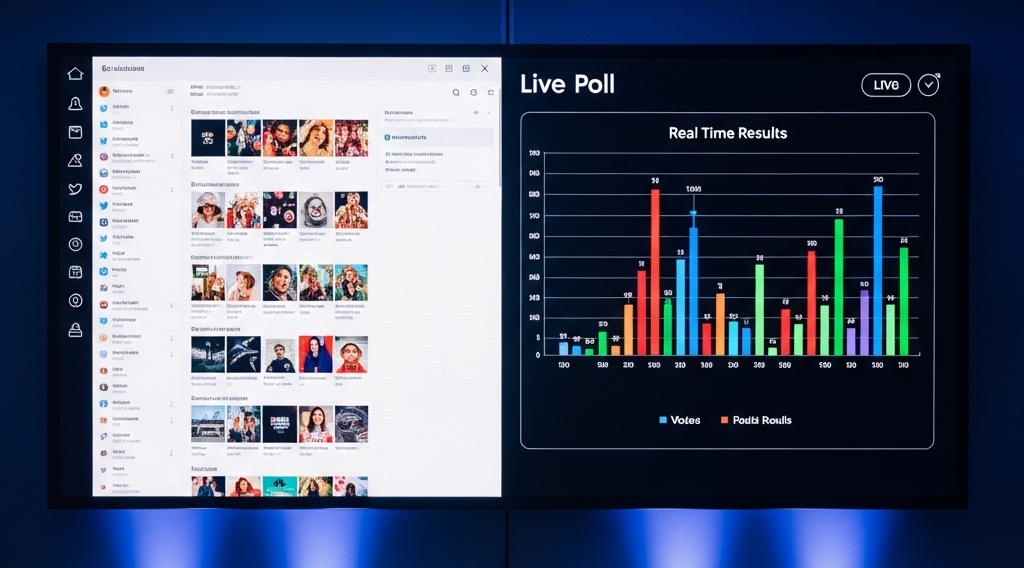
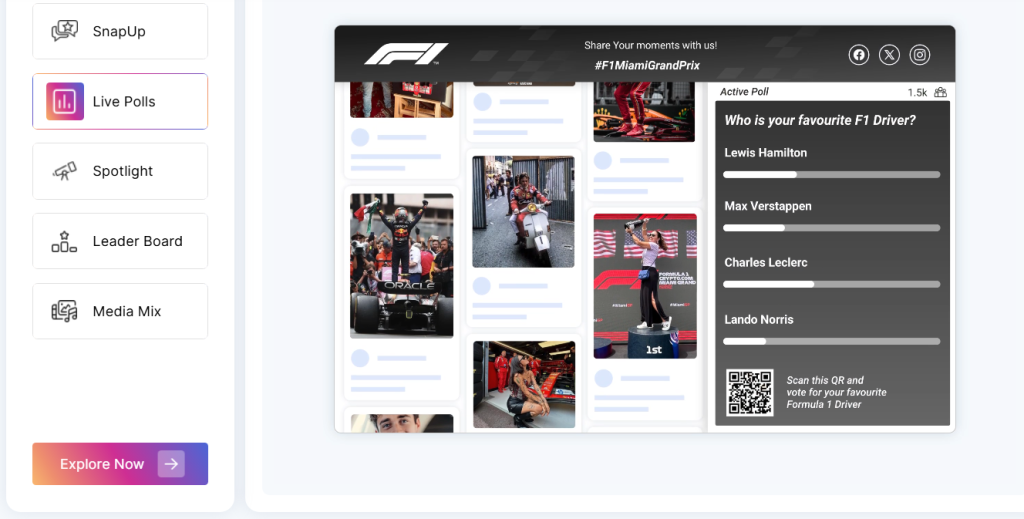
Displaying Twitter polls live with Social Walls lets you transform real-time votes into dynamic visuals on big screens or websites, keeping your event audience hooked on the action.

Social Walls make it possible to embed live, interactive polls right into your event wall, no coding needed. Participants can vote instantly, and the social wall updates with live results for everyone to see.​

Why display polls on Social Walls?

Live poll displays keep people focused, make sessions feel more interactive, and boost the energy in the room. Showing Twitter poll trends live encourages more votes and participation; people love seeing their input actually move the needle in real time. 

It also works wonders for panel debates, Q&As, and crowd-driven decisions where you want voices heard, not just counted.​

These integrations work through easy APIs or embed codes; just plug your Twitter poll (or custom one) into Social Walls, and you’re set. 

In short: turn passive viewers into an active crowd, right there on the event floor or your website.​

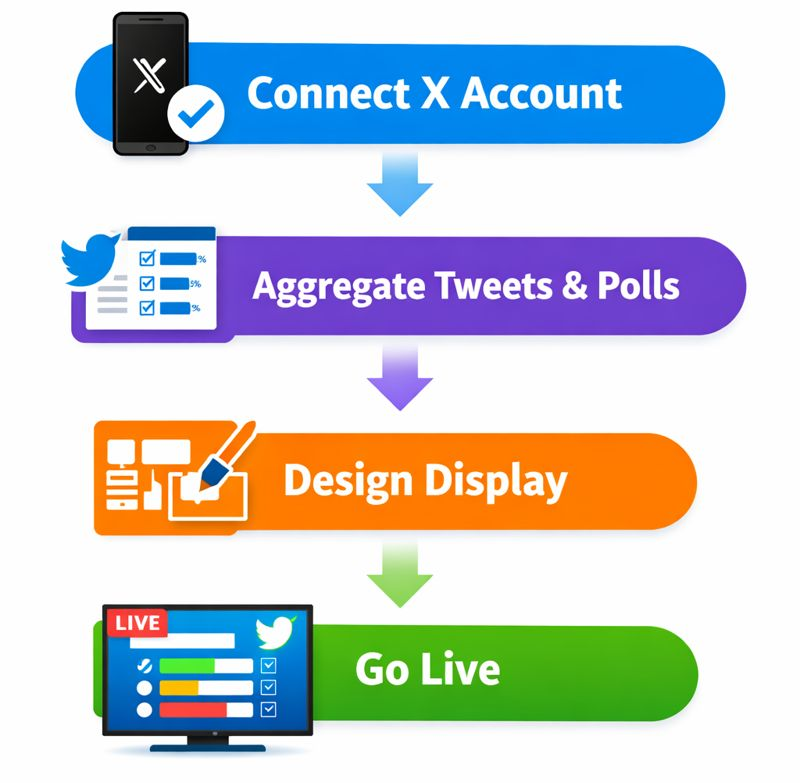
How to display live Twitter polls with Social Walls – 

Want to display live Twitter feeds and polls using Social Walls? Here’s how to do it –

Connect Your X Account

First, connect your Twitter/X account inside Social Walls. Authorize it so Social Walls can pluck your tweets, polls included.

Aggregate Tweets & Polls

Social Walls will fetch all your tweets updates automatically. However, for polls to get displayed on your website or display wall, you’ll have to create a custom poll using that specific Twitter poll link. 

No manual copy-pasting, just a real-time feed that keeps refreshing like a hyperactive toddler.

Design the Display

Pick from over 25 stylish, customizable wall layouts. Fancy grids, sleek carousels, or simple streams, design it your way to match your vibe.

Go Live

Lastly, display your interactive Twitter polls on big screens, digital signage, or embed them effortlessly on your website.

And done! Your live Twitter polls now turn heads and click fingers across event floors or websites, making voting a live, shared thrill.

Smart Ways to Use Interactive Polls on Twitter

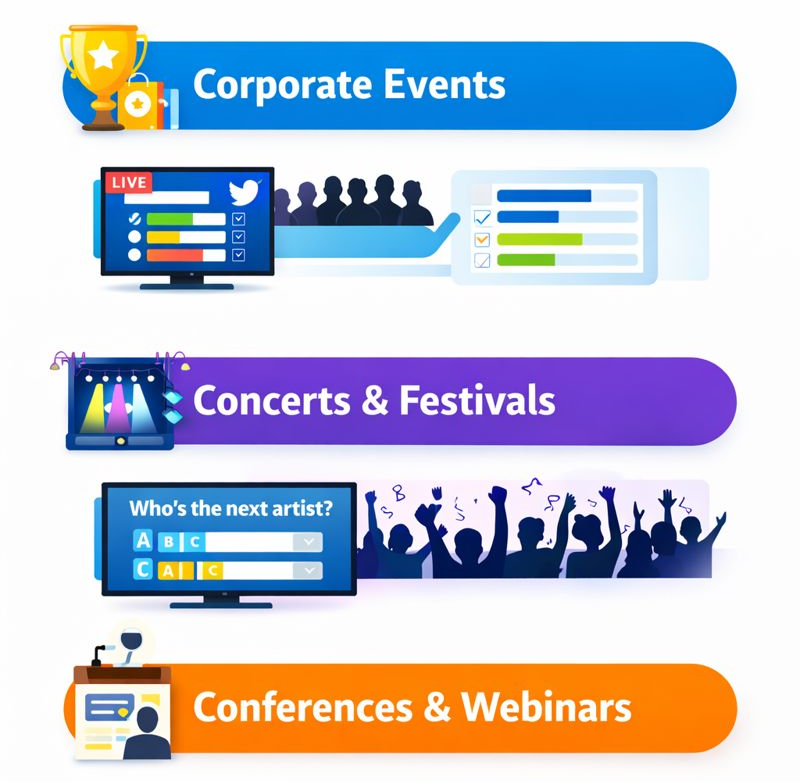
Whether you’re a brand or just getting comfy with Twitter polls, here are some real-deal use cases that actually work.

  • Corporate Events: Run live product feedback polls or vote-based giveaways that get people talking (and maybe buying).
  • Concerts & Festivals: “Who’s the next artist?” polls get the crowd hyped and feeling part of the show.
  • Conferences & Webinars: Check audience sentiment between sessions with quick polls, which helps speakers know if they’re on point or totally lost the room.

These quick hits do more than just get clicks; they spark genuine engagement and keep your audience hooked the whole time.

Wrapping Up With Social Walls

Polls aren’t just for quick answers.  They’re for connection, conversation, and a little chaos (the good kind). Every vote is a micro-moment that pulls your audience closer, whether it’s a brand, creator, or event crowd. 

If you want those moments to come alive on screens, Social Walls is your go-to. It turns Twitter polls into real-time visuals that make audiences feel part of the story. Ready to try it? 

Frequently Asked Questions

Ask clear, fun questions that matter to your crowd. Polls are quick clicks, so keep it simple to boost votes and start conversations.

Brands running live giveaways, music festivals, voting on the next artists, and webinars polling audience mood in real time are top examples.

No, Twitter itself doesn’t let you see who voted in your poll. However, tools like Social Walls offer analytics features that track engagement metrics, helping you measure participation and interaction without breaking confidentiality.

Absolutely! They’re perfect for sparking engagement, whether people are in the room or joining online.

Yes, tools like Social Walls let you embed live Twitter polls on websites or big event screens with real-time updates.

相关文章

推特

Best Twitter Aggregators to Increase Social Media Engagement

X, formerly known as Twitter, has a vast user base of 335.7 million people, making it a massive marketing space.  People constantly visit Twitter to read and post about the latest news or trending topics. These posts are often User-Generated Content that brands can use. Twitter’s user strength makes it an ideal platform for businesses […]

Upendra Goswami
Upendra GoswamiAugust 21, 2024
Best Twitter Aggregators to Increase Social Media Engagement
推特

如何为活动展示实时 Twitter Feed:2026 年完整指南

在当今互联网驱动的世界中,活动、网站和会议都依赖于参与度。如果您是活动营销专业人士,您就知道实时 Twitter Feed 的重要性。这些活动的实时 Twitter Feed 已成为捕捉和展示实时对话的强大工具,将被动参与者转变为积极的参与者。  Twitter (X) 提供了无与伦比的受众参与度,并且 […]

Upendra Goswami
Upendra GoswamiJuly 24, 2024
如何为活动展示实时 Twitter Feed:2026 年完整指南
推特

最佳推特查看器工具 – 收集和展示 X (推特) 内容

在围绕着像Twitter这样的社交媒体渠道运转的数字世界中,人们分享他们的想法并创造趋势,您是否知道超越Twitter的观看是一个简单的过程?您是否知道一些工具和应用程序可以轻松跟踪和理解Twitter上正在发生的事情?这就是Social Walls的用武之地——[…]

Dakshit Mathur
Dakshit MathurMay 22, 2024
最佳推特查看器工具 – 收集和展示 X (推特) 内容