







Cómo usar un muro de redes sociales para conferencias en 2026
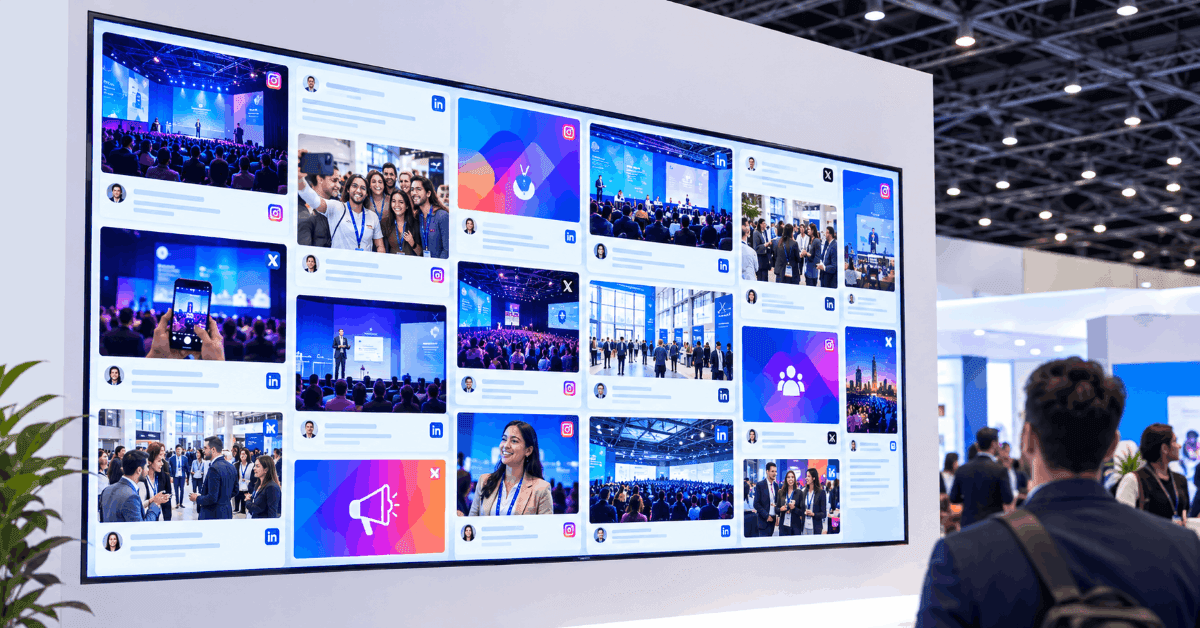
You can use a social media wall across stage screens, LED walls, registration areas, networking spaces, exhibition floors, and breakout rooms. With Social Walls by Taggbox, organizers can collect content from platforms such as LinkedIn and X, accept QR-based photos and videos, moderate posts, and add interactive features such as polls, reactions, Q&A, gamification, sponsor highlights, and live tickers.
The goal is simple: make the audience part of the conference, not just spectators. By bringing attendee conversations and event activity onto visible screens, a social media wall can encourage participation, highlight key moments, and keep engagement going between sessions.
Why Use a Social Wall at Conferences?
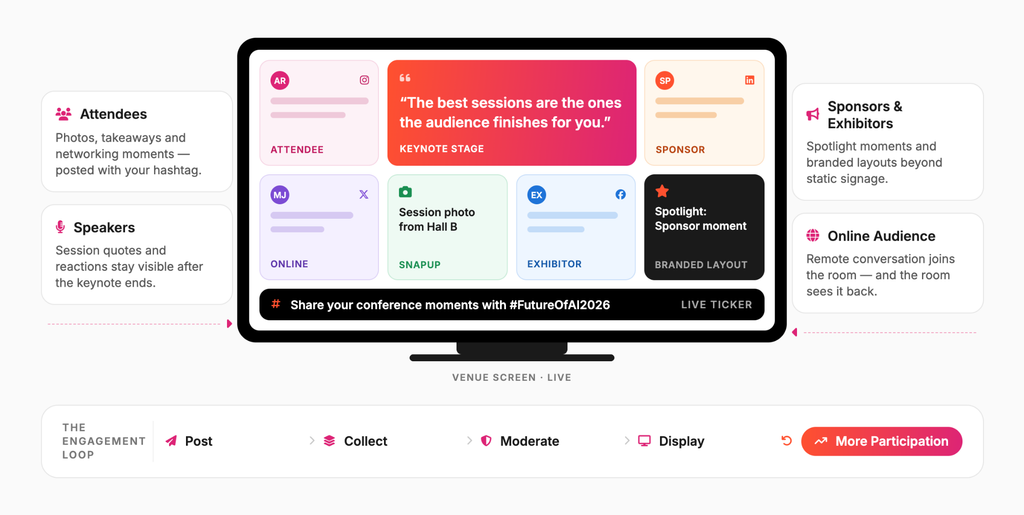
A conference social wall can connect attendees, speakers, sponsors, and exhibitors through one live visual experience.
1. Encourage Attendee Participation
When attendees see their posts appear on a large screen, they have a visible reason to participate.
Promote your conference hashtag before and during the event and encourage attendees to share:
- Session takeaways
- Photos and videos
- Speaker quotes
- Networking moments
- Conference highlights
- Questions and reactions
For example, you could display:
Share your conference moments with #FutureOfAI2026
When attendees know their content could appear on the big screen, posting becomes part of the event experience.
2. Increase Speaker Visibility
Conferences generate a constant stream of speaker-related content.
A social wall for conferences can bring selected speaker quotes, session photos, audience reactions, and relevant posts onto screens throughout the venue.
After a keynote, for example, you could display selected attendee reactions alongside approved speaker content.
This keeps conversations around sessions visible even after the speaker leaves the stage.
3. Increase Sponsor and Exhibitor Visibility
Sponsors are an important part of many conferences.
A social media wall for events can extend sponsor visibility beyond static banners and traditional signage.
You can showcase:
- Sponsor posts
- Sponsored sessions
- Branded hashtags
- Sponsor announcements
- Attendee posts from sponsor booths
- Partner content
- Exhibitor updates
You can also create dedicated sponsor moments using features such as Spotlight, branded layouts, and media content.
This gives sponsors another opportunity to become part of the live conference experience.
4. Connect Online Conversations With the Physical Event
One of the biggest advantages of a social wall conferences strategy is that it connects two audiences:
Online audience + In-person audience
Someone posting from the conference becomes part of the physical display, while someone inside the venue can see the wider online conversation.
This creates a continuous feedback loop:
Post → Collect → Moderate → Display → Encourage More Participation
Create a live social experience designed for conferences, venues, and event screens.
 No Credit Card Required
10 Best Ways to Use a Social Media Wall for Conferences
A social media wall for conferences can support almost every stage of an event, from registration and networking to sessions and post-event engagement.
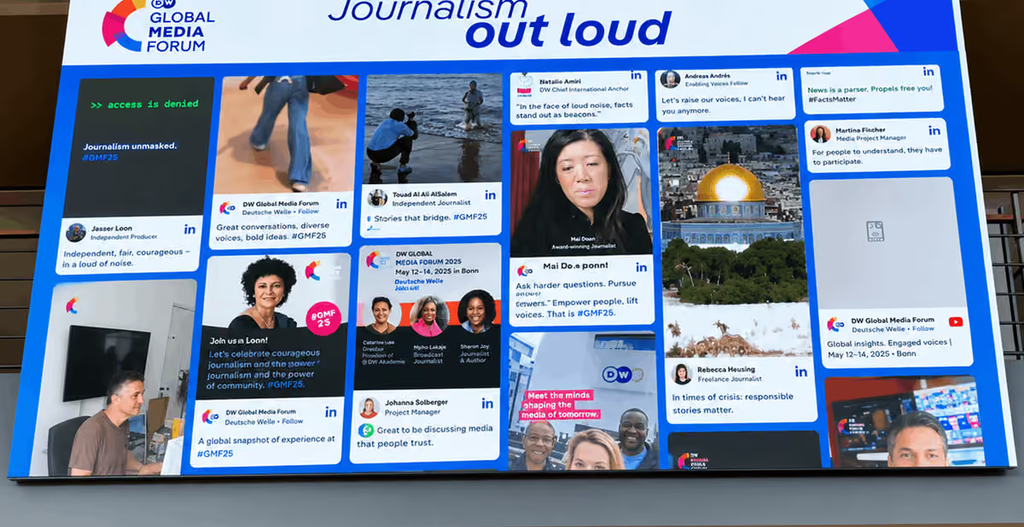
1. Create a Live Conference Hashtag Wall
Start with a dedicated conference hashtag.
For example:
#FutureOfAI2026
Collect posts using the hashtag and display selected content on screens throughout the venue.
Attendees can share:
- Photos
- Session highlights
- Speaker quotes
- Opinions
- Networking moments
- Behind-the-scenes content
Make the hashtag easy to discover by placing it on:
- Event signage
- Presentation slides
- Badges
- Registration screens
- Conference emails
- Social media posts
A live hashtag wall gives attendees a simple way to participate while helping organizers keep the event conversation visible.
2. Display Attendee Photos and Videos
Attendee-generated content can make a conference feel more active and participatory.
Use your social wall to showcase content from:
- Keynote sessions
- Networking areas
- Exhibition booths
- Breakout sessions
- Lunch and coffee breaks
- Conference activities
Not everyone wants to post publicly on social media. That’s where QR-based content collection can help.
Social Walls’ SnapUp allows attendees to submit photos and videos through a QR-based experience without requiring a social media login.
This gives conference organizers another way to collect UGC while keeping participation simple.
3. Keep Conversations Moving With a Live Ticker
Not every event update needs a full-screen moment.
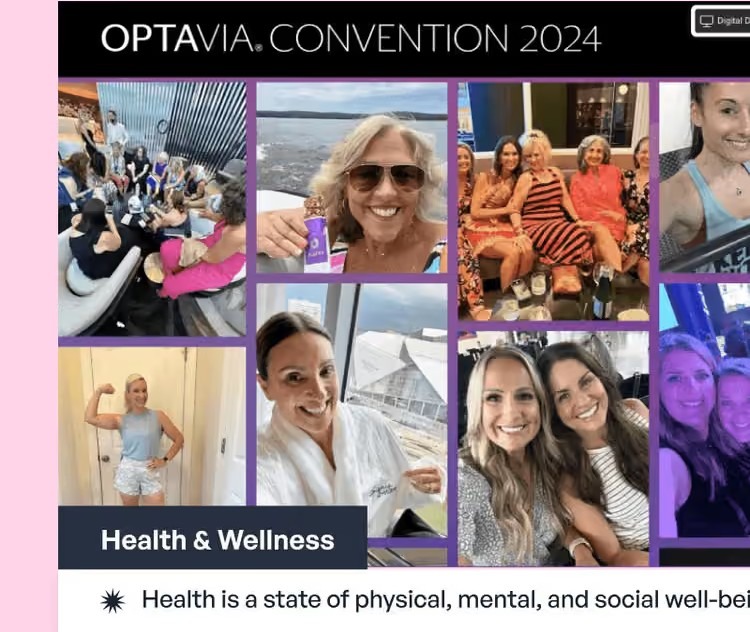
A live ticker can continuously surface shorter updates while other content remains on screen.
For example:
- “Just joined #FutureOfAI2026.”
- “Next session starts at 2:30 PM.”
- “What’s the biggest challenge facing your industry?”
- “Visit Booth D16.”
- “Live Q&A starts in 10 minutes.”
A ticker keeps screens active without competing with the main stage content.
It can be especially useful across multiple screens, where different areas of the venue may have different purposes.
4. Put LinkedIn and X Where People Can See Them
For B2B conferences, LinkedIn and X can extend the event conversation beyond individual feeds. Display attendee insights, speaker quotes, company updates, session reactions, and industry conversations on event screens.
This creates a simple loop: Post → Appear on screen → Get noticed → Encourage more posts.
5. Highlight Speaker Quotes and Session Takeaways
Don’t wait until the conference ends to turn sessions into content.
Create dedicated content streams around speakers and sessions.
For example:
Speaker: Jane Smith
Session: The Future of Customer Experience
Then display selected:
- Speaker quotes
- Audience reactions
- Session photos
- Key takeaways
- Related social posts
This gives attendees a quick way to discover what others are discussing and keeps important session moments visible throughout the venue.
From hashtag feeds and UGC to polls, Q&A, and sponsor highlights, make your event screens more interactive.
No Credit Card Required6. Turn Q&A Into a Live Experience
A conference social wall can also become part of the audience interaction strategy.
Instead of relying only on microphones, attendees can submit questions digitally.
Selected questions can then appear on screen for the speaker or moderator.
You can combine Q&A with:
- Live polls
- Reactions
- Audience voting
- Session-specific prompts
This makes the screen an interactive part of the conference rather than simply a content display.
7. Create a Networking Wall
Networking is a major part of many conferences.
Use your social wall to make networking more visible with prompts such as:
Who did you meet today?
or
What’s your biggest takeaway from today’s sessions?
Selected responses can appear in networking areas, giving attendees natural conversation starters.
8. Showcase Conference Highlights Between Sessions
Your social wall can remain active throughout the conference – not just during presentations.
Between sessions, display:
- Previous session highlights
- Attendee reactions
- Speaker content
- Upcoming sessions
- Event announcements
- Sponsor messages
- Conference photos
A ticker can also display event announcements and reminders.
This helps keep conference screens useful throughout the day.
9. Add Live Polls and Reactions
Turn the social wall into a two-way engagement channel.
Ask questions such as:
Which session are you most excited about?
What is the biggest challenge facing your industry?
Which topic should we discuss next?
Display the results live and let attendees react to content, sessions, or speakers.
Social Walls includes interactive features such as Reactions, Live Polls, Q&A, and gamification for event engagement.
10. Create a Sponsor or Exhibitor Spotlight
If your conference has an exhibition area, create dedicated content moments for sponsors and exhibitors.
You could display:
- Exhibitor announcements
- Booth activities
- Product launches
- Sponsor posts
- Attendee photos
- Special offers
- Speaker appearances
This connects the exhibition floor with the wider conference experience.
11. Display the Social Wall Across Multiple Screens
Large conferences rarely have a single audience area.
You may have:
- Registration
- Main stage
- Breakout rooms
- Networking lounges
- Exhibition areas
- Sponsor zones
- Dining areas
Instead of limiting the social wall to one display, distribute it across multiple screens.
An AI social wall display for conferences can be particularly useful here because event teams may need to manage large volumes of content while keeping displays relevant and moderated.
12. Keep the Conversation Going After the Conference
Your conference social wall doesn’t have to stop working when the final session ends.
The event hashtag may continue generating content after attendees leave.
You can use collected content for:
- Conference highlights
- Speaker recaps
- Attendee testimonials
- Photo collections
- Post-event social content
- Sponsor recaps
- Session summaries
This turns the social wall into a source of reusable event content rather than a one-day display.
Create an engaging social wall with live content and interactive features built for events.
No Credit Card RequiredReal Examples of Social Walls Used at Conferences
Here are two real examples of how conferences have used social walls to bring live social content into the event experience.
CII Partnership Summit 2025: A Social Wall Across 10 Screens
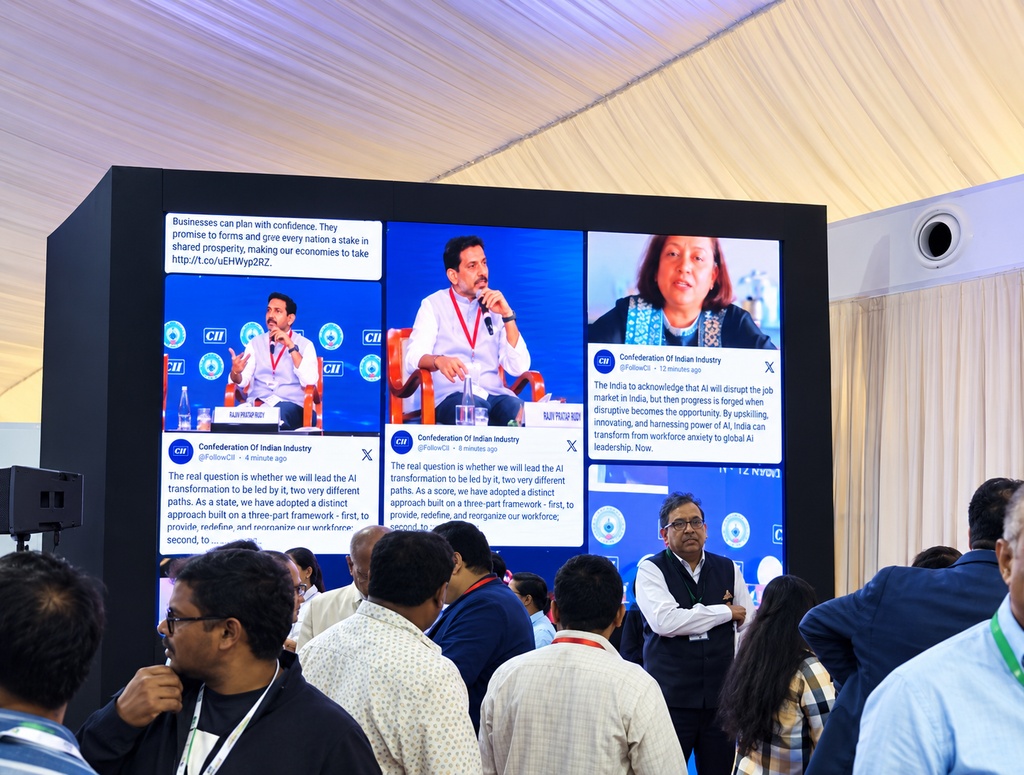
The CII Partnership Summit 2025 used Social Walls by Taggbox to display live event content across the venue.
The setup included 1 central social wall and 9 additional screens across registration areas, session halls, and networking lounges. The displays featured live X content, speaker insights, event hashtag posts, partner mentions, and audience reactions.
This multi-screen setup helped attendees stay connected with the online conference conversation wherever they were in the venue.
MSI Global Alliance: Bringing LinkedIn Content to the Event
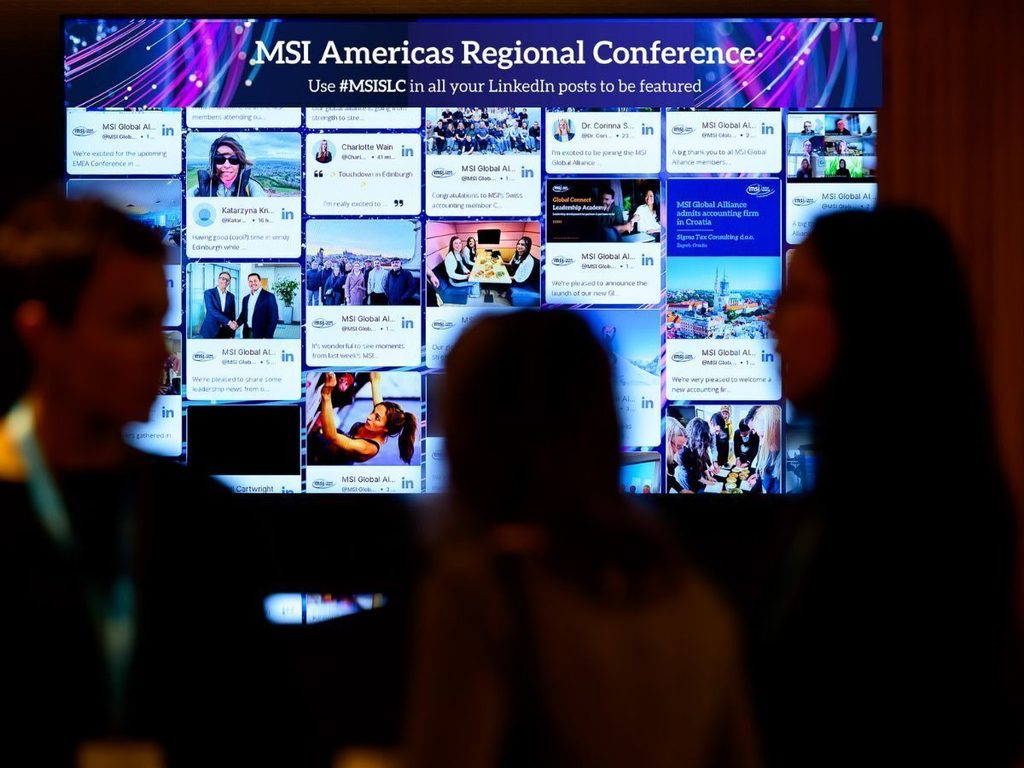
At the #MSI35 International Conference, MSI Global Alliance used Social Walls by Taggbox to display real-time LinkedIn content.
The social wall collected hashtag and account-based content while AI-Moderation helped control what appeared on screen. This gave attendees a live view of speaker insights, professional conversations, and event-related content.
Expert Take
“An engaging conference should give attendees more ways to participate than simply listening to sessions. Bringing social content, speaker insights, audience reactions, polls, and UGC onto event screens can make the experience more interactive and keep conversations visible throughout the venue. When attendees see their contributions become part of the event, they feel more connected to the speakers, brands, and people around them.”
— Upendra Goswami
Event Marketing Specialist
Final Thoughts
A social media wall for conferences can turn scattered social conversations into a visible part of the live event.
Instead of keeping attendee posts, photos, questions, reactions, and session conversations on individual devices, conference organizers can bring selected content onto event screens, LED walls, TVs, and digital signage throughout the venue.
The CII Partnership Summit 2025 demonstrates how this can work at scale, with one central social wall and nine additional screens placed across key areas of the conference venue.
The key is to plan the social wall as part of the conference experience from the beginning.
Choose your content sources, create your hashtag, establish your moderation process, decide where the displays will go, and give attendees a clear reason to participate.
With the right strategy, a social wall for conferences can support attendee engagement, speaker visibility, sponsor exposure, networking, audience interaction, and post-event content while turning the conversations your conference is already generating into a live experience.