







Temas de Halloween para tu muro social
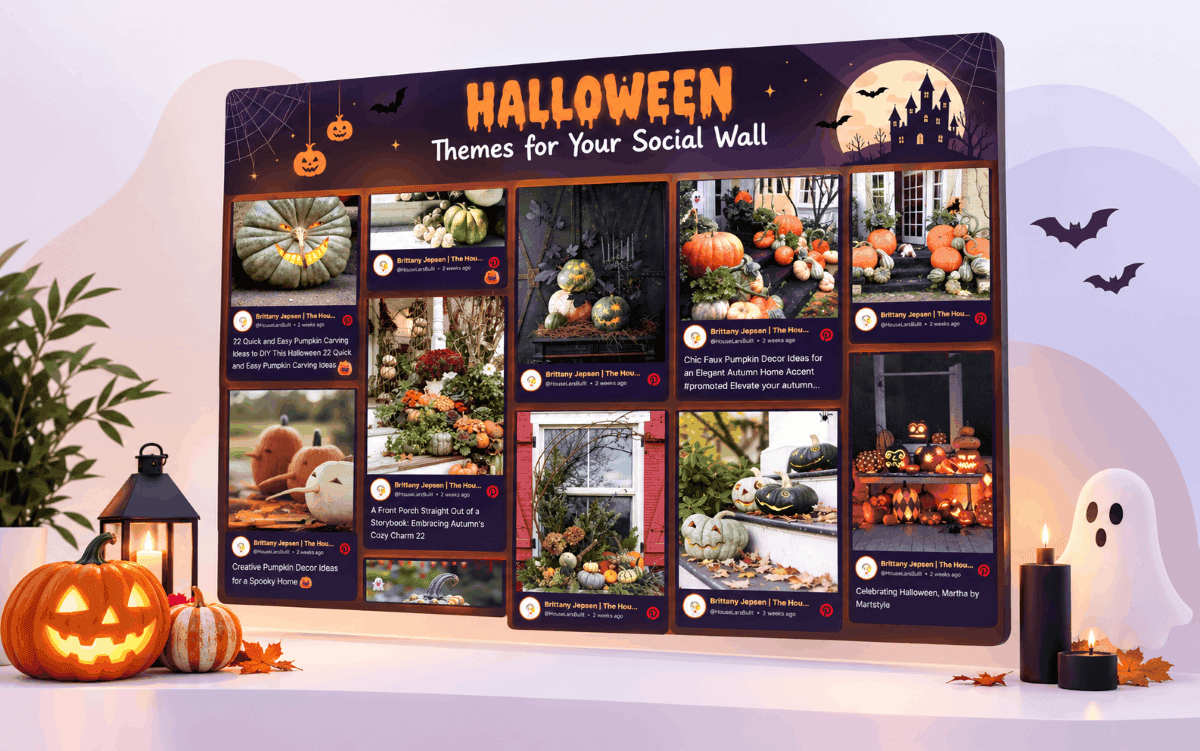
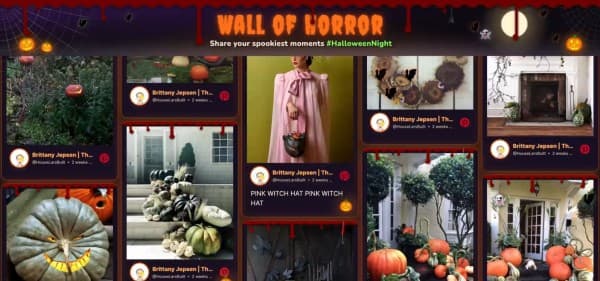
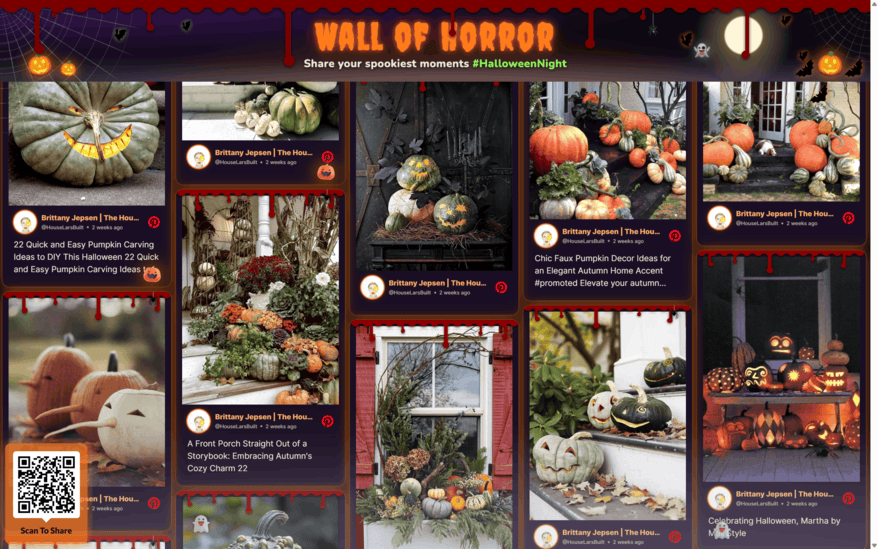
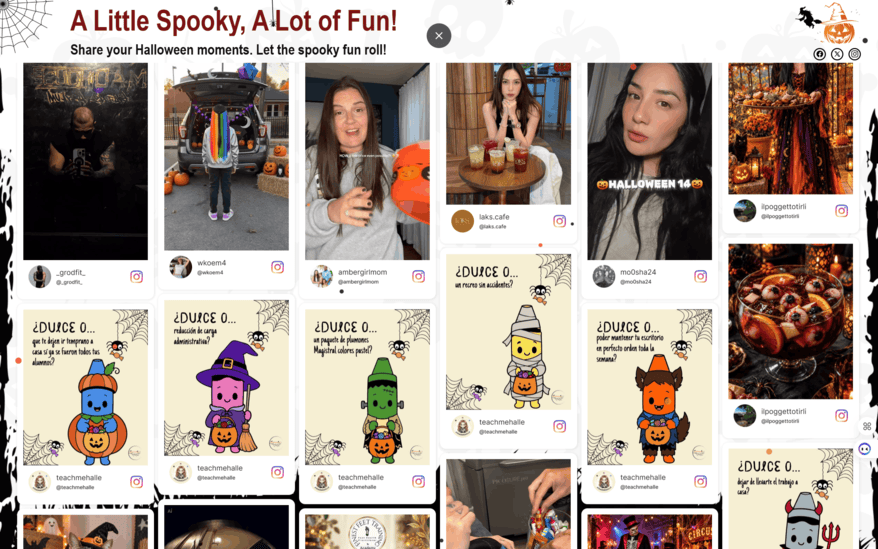
Halloween themes for your social wall are now live on Social Walls. Each theme is a pre-made, full-wall layout: one click dresses your entire display with a festive banner, ready-made headline text and a spooky background with floating icons.
Why Decorating a Social Wall Manually is a Hassle
If your event screen and display screens also look static and non-interactive, then you need to pay close attention to it.
Creating a Halloween wall usually takes briefing a designer for a banner, finding a relevant spooky font that anyone can read across a room, and getting techies to place cobweb icons in the corners.
Then, all of it has to be tested on the live screen to see how it looks, which takes another week.
So if your social media wall still looks like any other day, people would probably pass by and get no cue to join in. SocialWalls’ Halloween themes solve exactly this. Let’s explore more about it.
What You’ll Find in Each Halloween Theme
A well built Halloween theme handles the three things that usually take up your time: how the wall looks, what it says, and how it moves.
Full-Wall Halloween Styling
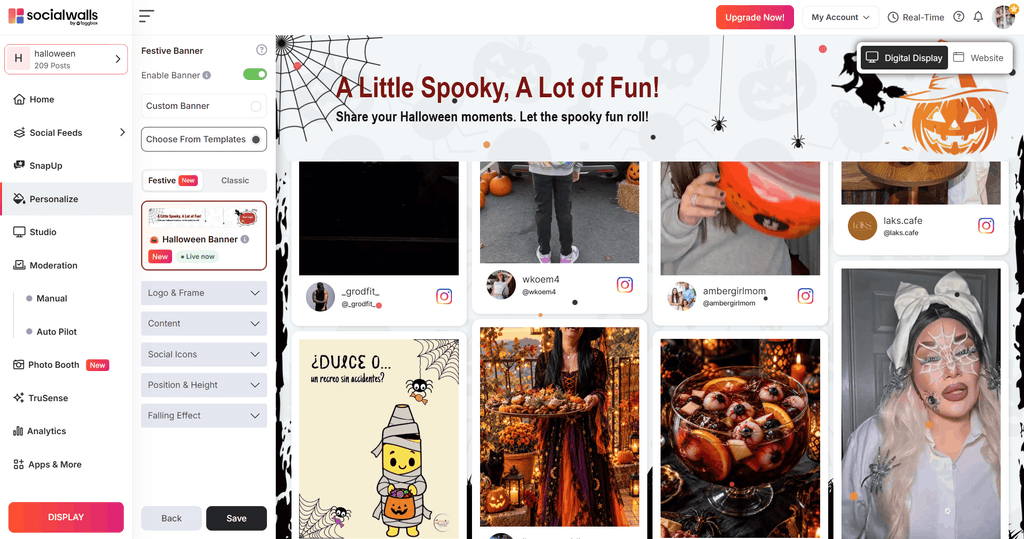
The background, the edges and the decoration around your posts change together, so the wall looks designed as a single piece. Your posts sit on top of the styling and stay easy to read, which matters more than any decoration.
Ready-Made Festive Banner Text
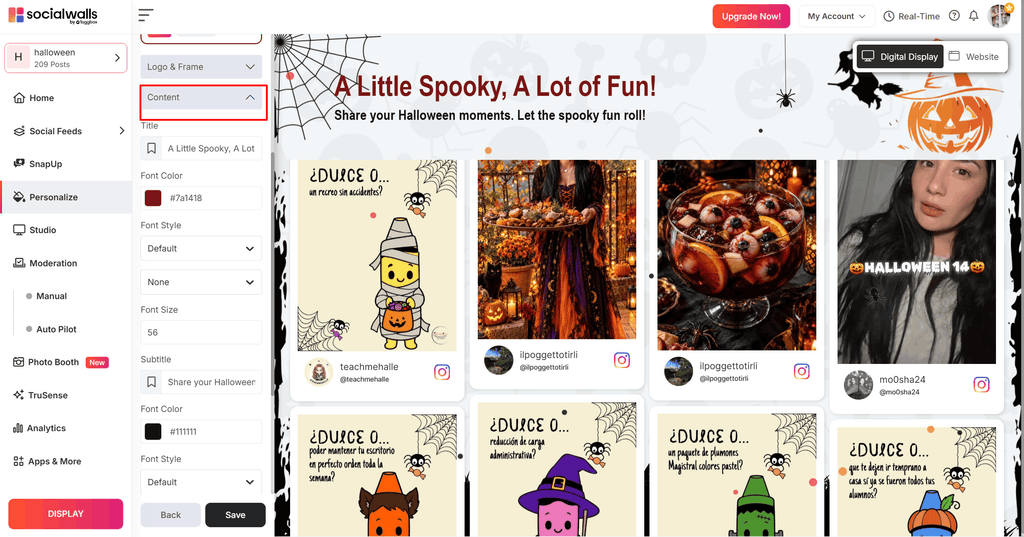
The festive banner includes ready-made header text with a Halloween tone. The best ones also serve a purpose: they prompt people looking at the screen to share their own Halloween posts. If you’d like your own line, the Content setting is available.
Floating Icons and Falling Effects
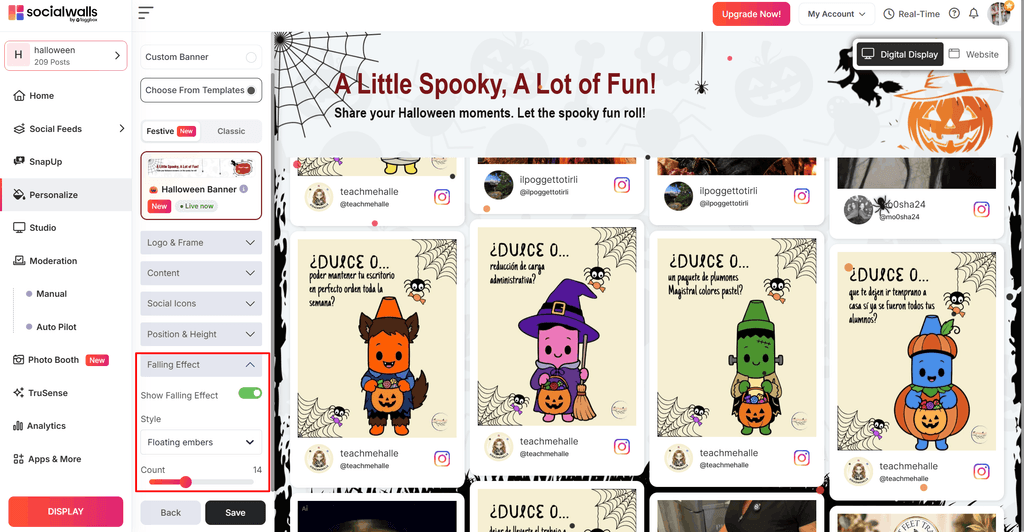
Floating icons and falling effects bring movement between new posts, so the wall catches the eye of anyone walking past. With the Falling Effect setting, you can control how much of it you see.
Brand Customization Controls
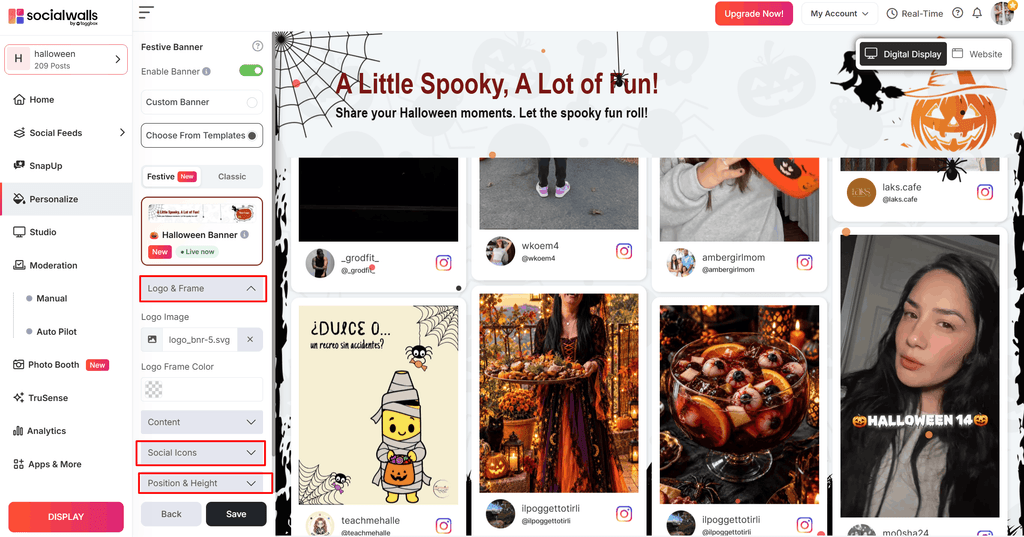
Add your logo and frame, pick which social icons appear, and set the banner’s position and height. The theme handles the styling, and you decide what makes it yours.
Works on Screens & on Website
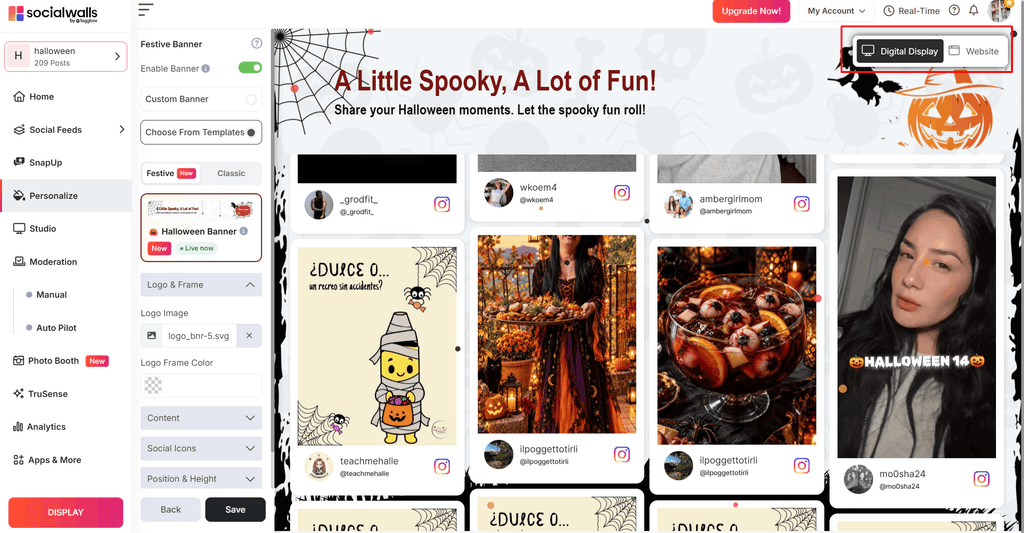
Preview any theme in both Digital Display and Website view before saving, so you know how it looks on a lobby screen and on an embedded page.
Explore Halloween styling, festive banner text, floating icons, and customization options for your displays.
 No Credit Card Required
How to Enable a Halloween Theme
Step 1: Turn on The Banner
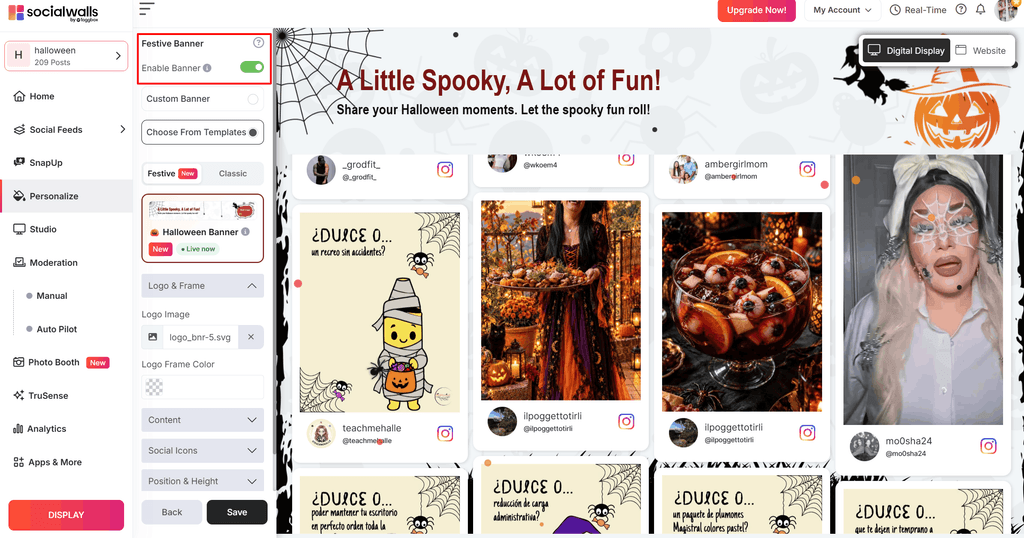
From the left menu, click Personalize, then navigate to Festive Banner and switch on “Enable Banner”.
Step 2: Pick Your Halloween Theme
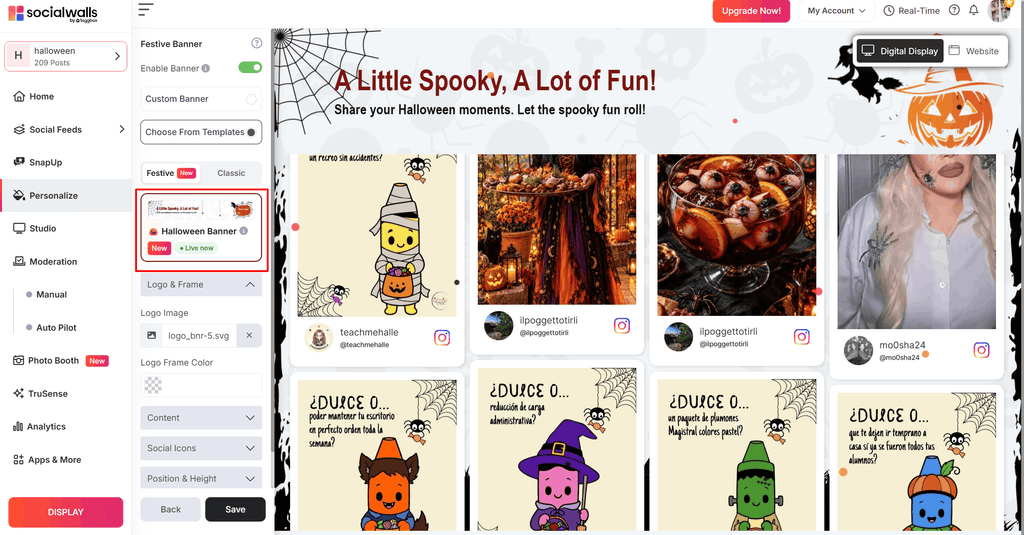
Click “Choose From Templates”, stay on the Festive tab, and pick a Halloween theme.
Step 3: Review and Save
In the top-right corner of the preview, use the “Digital Display” and “Website” toggle to check how it appears on each, make whatever adjustments you like, and then click “Save”.
Where a Halloween Social Wall Works Best
Storefront Windows & Lobby Displays
A Halloween-themed digital signage screen makes passersby stop in their tracks. Before they’ve read a single post, the festive banner shows them how to join in.
Restaurants and Cafés
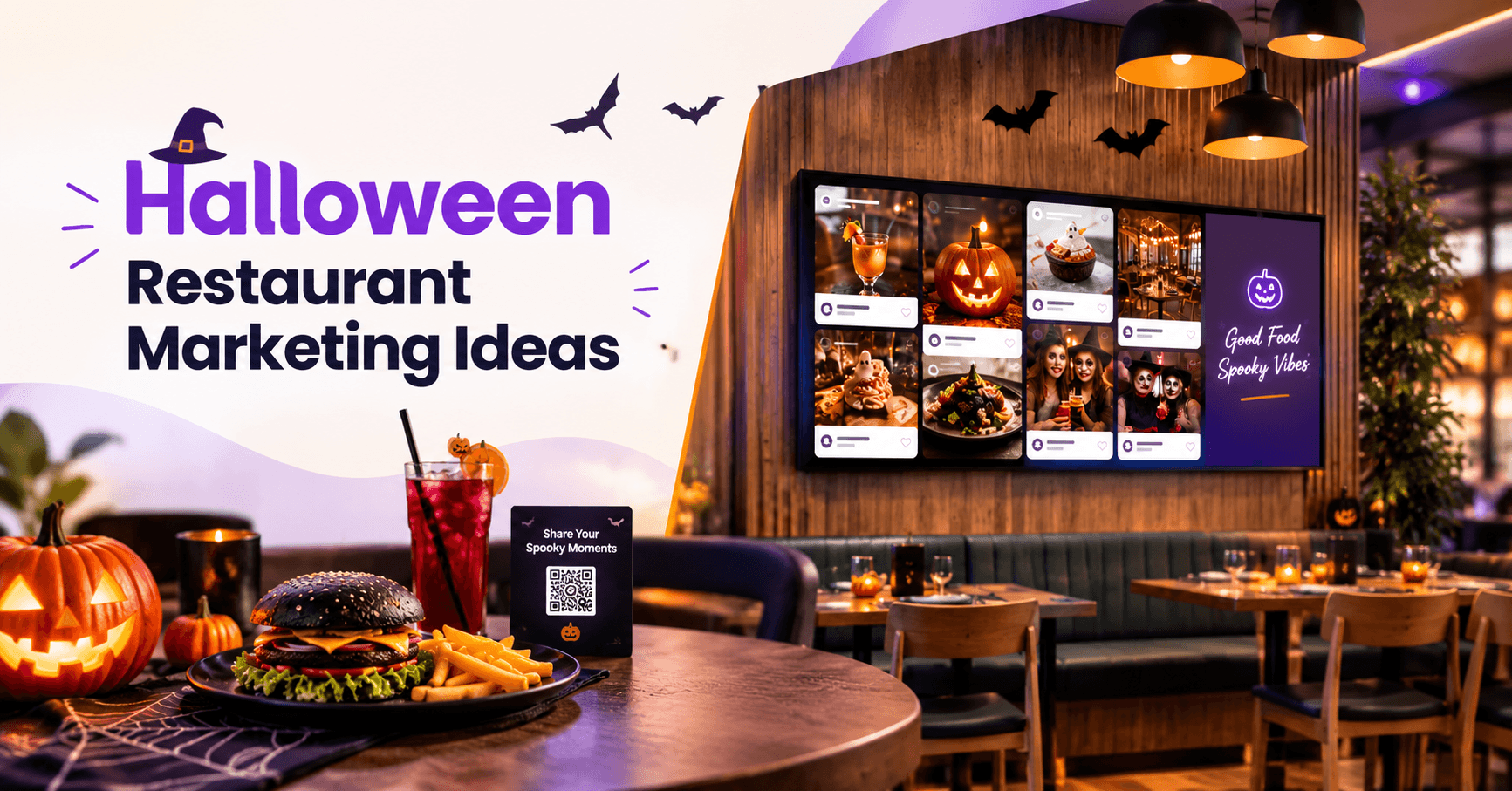
Place the social media wall near the counter, bar or entrance. Guests spot other people’s Halloween posts, from themed drinks to costume selfies, and share their own.
Want more ways to attract diners this Halloween? Explore our Halloween restaurant marketing ideas to promote seasonal menus, boost bookings, and engage customers.
Halloween Events and Parties
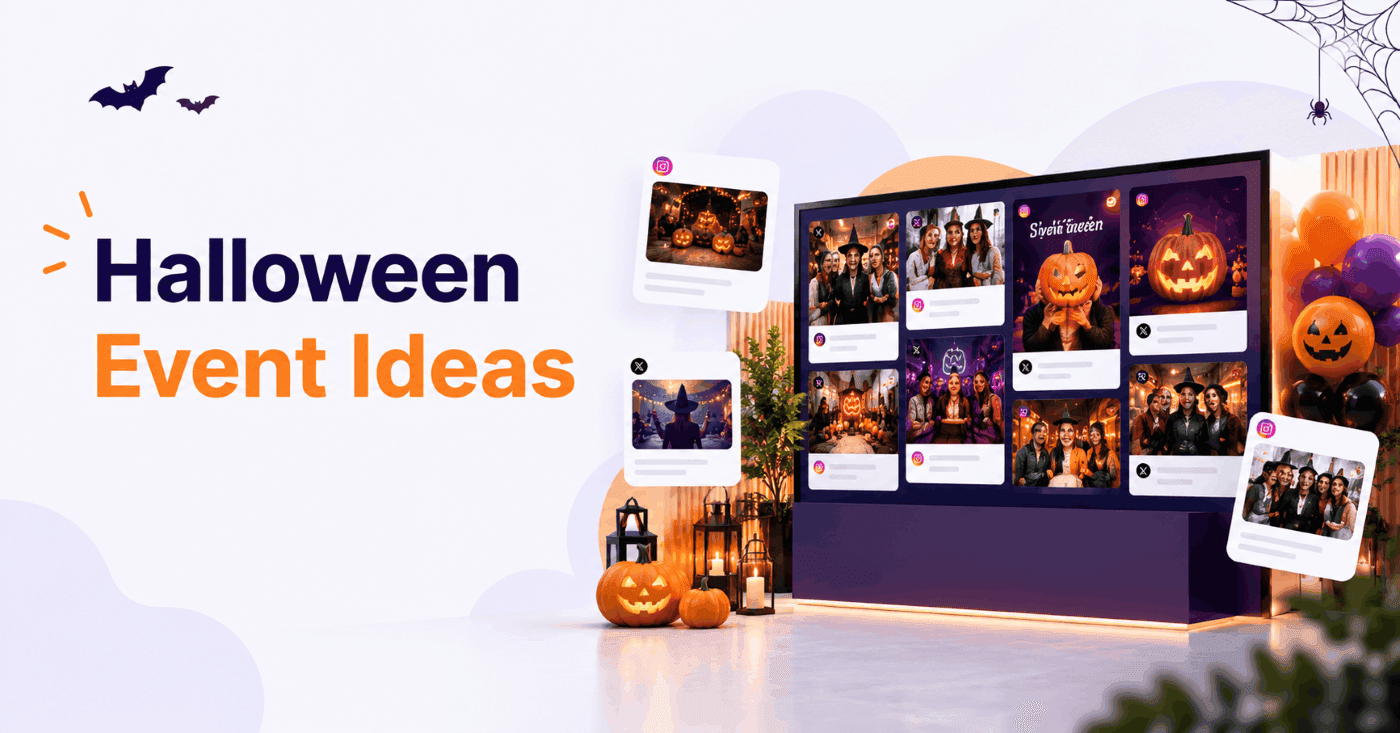
Put the live social wall on the big screen and let the crowd fill it in real time. It’s an easy way to boost event engagement and keep the energy high all night.
Looking for more ways to make your celebration stand out? Explore our Halloween event ideas for fun activities and creative ways to engage your guests.
Haunted Attractions and Theme Parks
Show guests’ scream-worthy reactions and group photos as they exit. Every shared post doubles as word-of-mouth marketing for your attraction.
Shopping Malls and Retail Stores
Run a Halloween hashtag campaign and display shoppers’ posts on in-store screens. It drives foot traffic, builds social proof and gives your seasonal promotions extra reach.
Corporate Offices and Employee Engagement
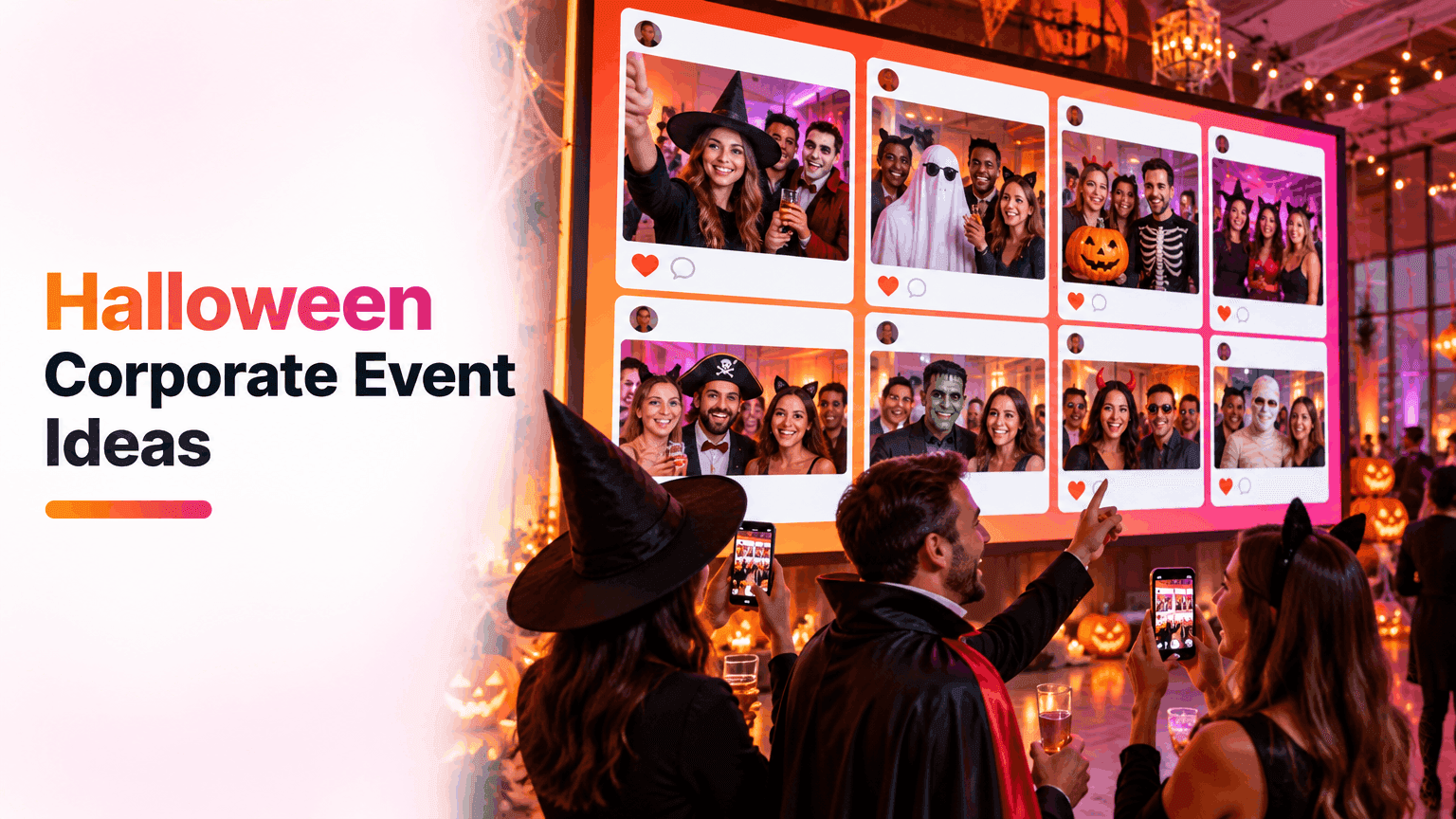
Host a Halloween costume contest and display entries on office screens or in your hybrid team’s virtual meetings. It’s a simple way to bring in-office and remote employees together.
Planning a Halloween celebration at work? Check out our Halloween corporate event ideas for creative ways to engage employees and make your office celebration memorable.
Your Website
Switch the preview to Website and embed the same spooky social feed on a campaign landing page or seasonal page to keep online visitors engaged.
In each of the four scenarios, display the Scan To Share QR code on the wall so people can post right away.
Choose a festive template, preview it on your screen, and save your Halloween social wall in just a few clicks.
No Credit Card RequiredHow to Get More Out of a Halloween Theme
The theme establishes the look. These habits determine whether people actually post.
- Choose one hashtag and include it in the banner. A single hashtag is simpler to remember than three, and your wall fills with posts you can use.
- Place the QR code where people tend to stop. Queues, tables and entrances work well, since people scan while they wait. Guests with private accounts can still upload through it. Our guide to QR codes for photo sharing explains placement in more detail.
- Enable moderation before the doors open. Under Moderation you can approve posts manually or turn on Auto Pilot, so nothing off-theme makes it to the screen.
- Combine the wall with a photo booth. Guests take themed photos and they appear on the wall. See how it works in our Halloween photo booth guide.
- Check the screen from where people will be standing. The preview is a good starting point, but view the actual display from a few metres back.
Still planning the night itself? Our Halloween event ideas make a good starting point.
Final thoughts
Halloween lasts only a few days, so your wall shouldn’t take a week to design. With a ready-made theme there’s no brief, no CSS and nothing to undo in November. Choose a Halloween theme, add your logo, show the QR code on screen and let your guests do the rest.
Preguntas frecuentes
No, no es necesario. Simplemente activa tu banner con un solo clic, elige un tema de Halloween y guarda.
Sí. Una vez que hayas seleccionado la plantilla, puedes ajustar el Logo, el Marco, el Contenido, los Iconos Sociales, la Posición, la Altura y el Efecto de Caída.
Regresar a Personalizar, luego Banner festivo, y deshabilitar el banner o seleccionar una plantilla diferente.
Sí, usa la configuración de Efecto de Caída para elegir cuántos movimientos aparecen en tu muro social de Halloween, desde sutil hasta completamente animado.
Activa la moderación antes de que comience tu evento. En Moderación, puedes aprobar cada publicación manualmente o activar el Piloto automático para que solo el contenido temático llegue a la pantalla.