How To Display Social Wall On Yodeck Digital Signage?

To display a Social Wall on Yodeck Digital Signage, you need to follow the given steps-

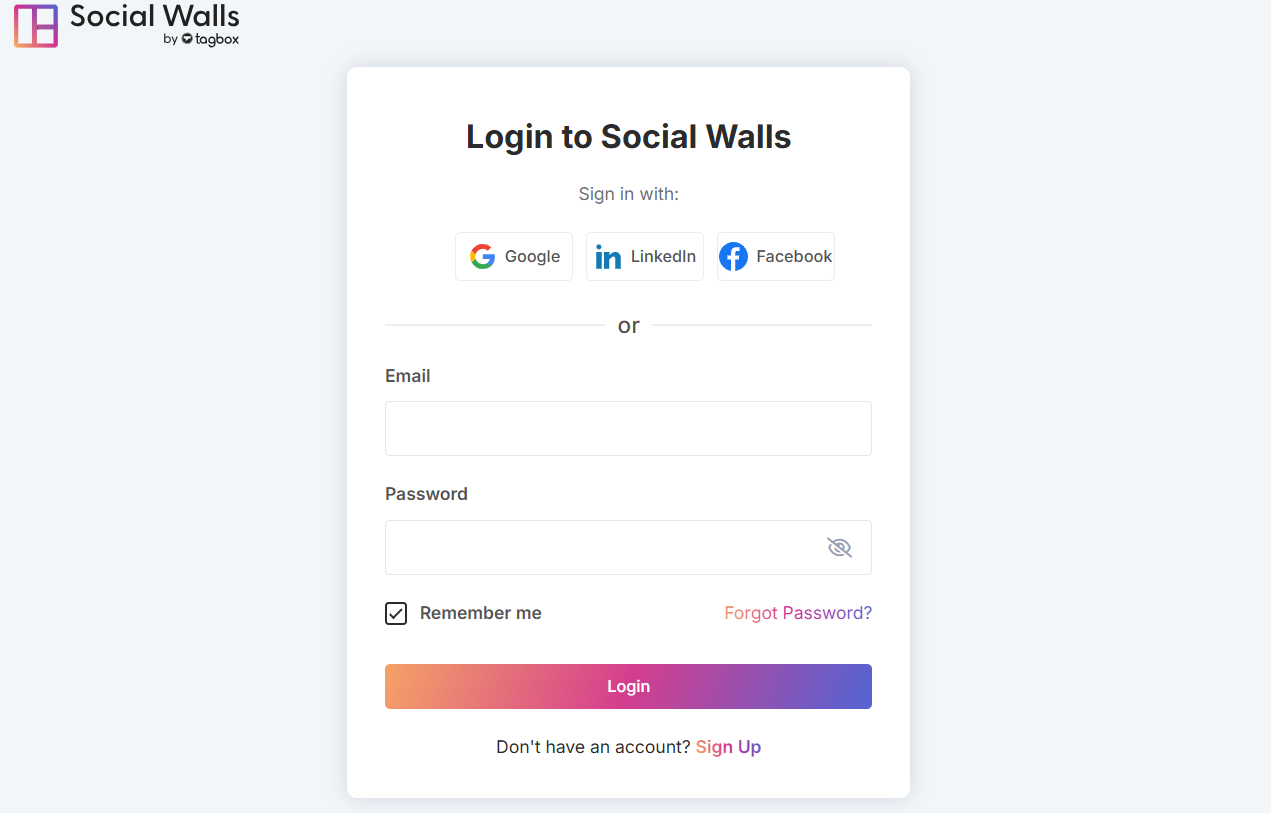
1. Log in to your social walls account. If you are a new user, you can create a free account.

social walls login account

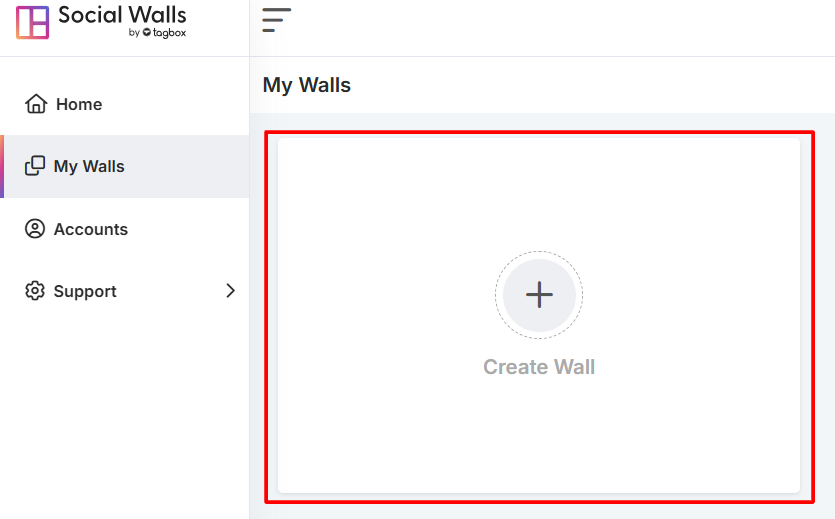
2. Go to the “My Walls” section and click on “Create Wall” to start.

create a wall

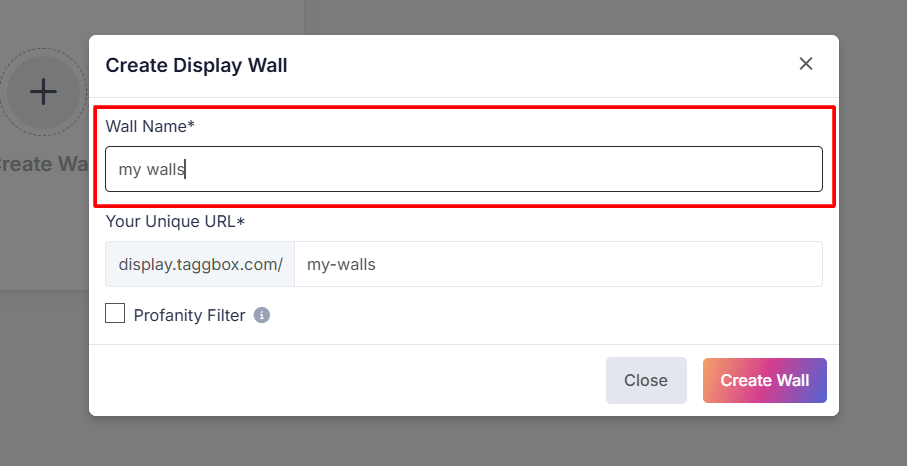
3. Give your social wall a name relevant to your event or campaign.

wall name

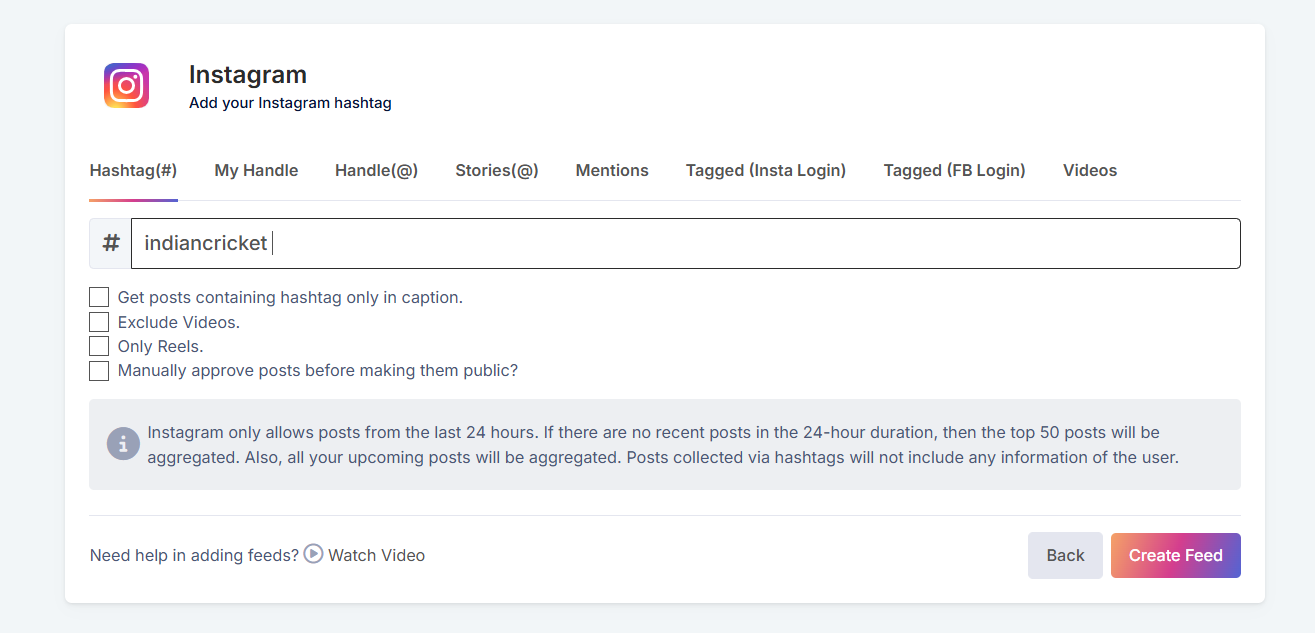
4. Select your preferred content aggregation source as hashtags, profiles, mentions, and more—depending on the social media platforms you want to pull from. And then click on the “Create Feed”.

wall hashtag

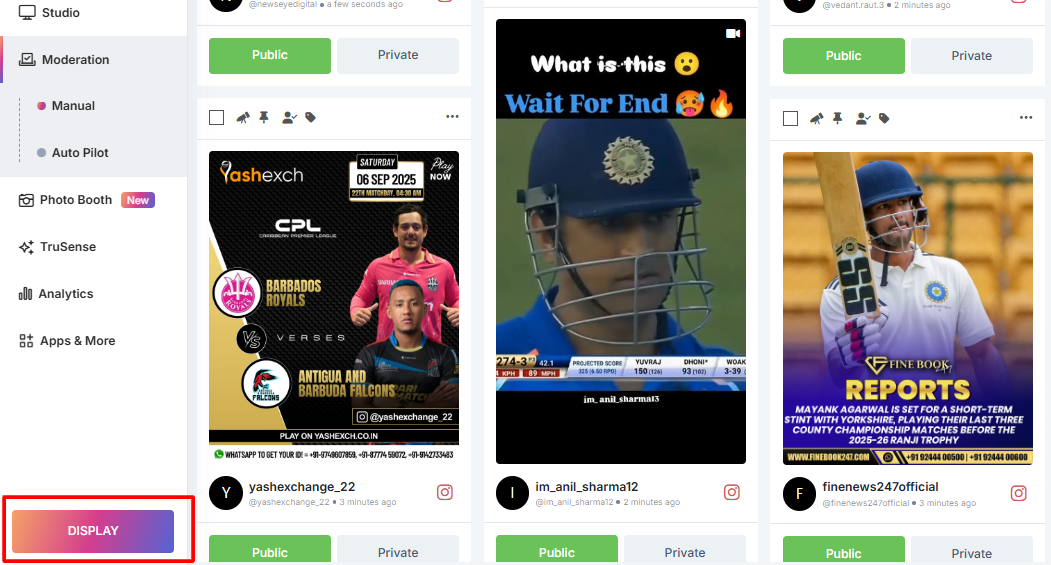
5. Preview your social wall and click the “Display” button.

social wall display

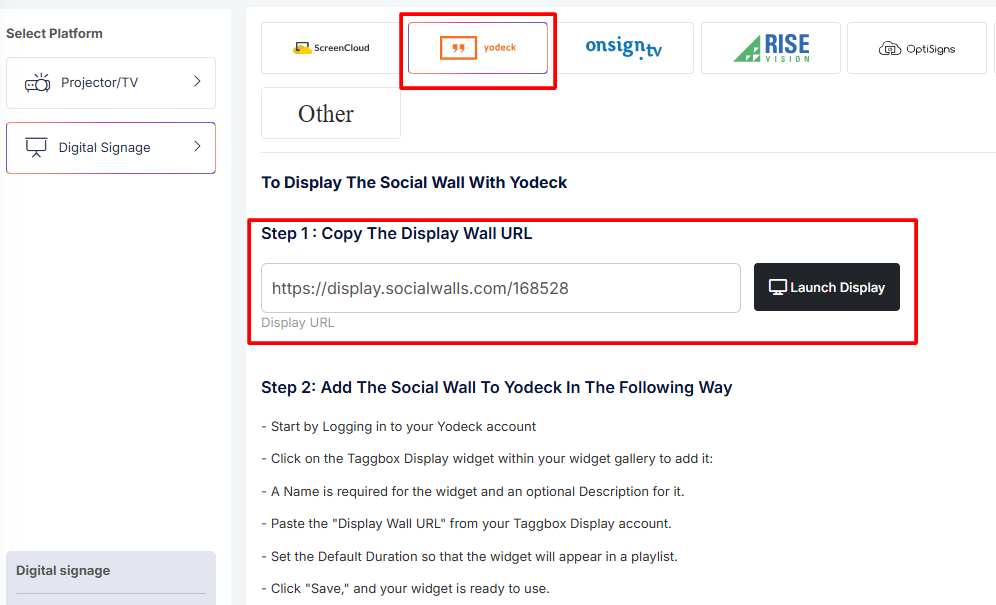
6. Go to the “Digital Display”, select “Digital Signage” and choose “Yodeck” from the options, then copy the display URL.

display wall url

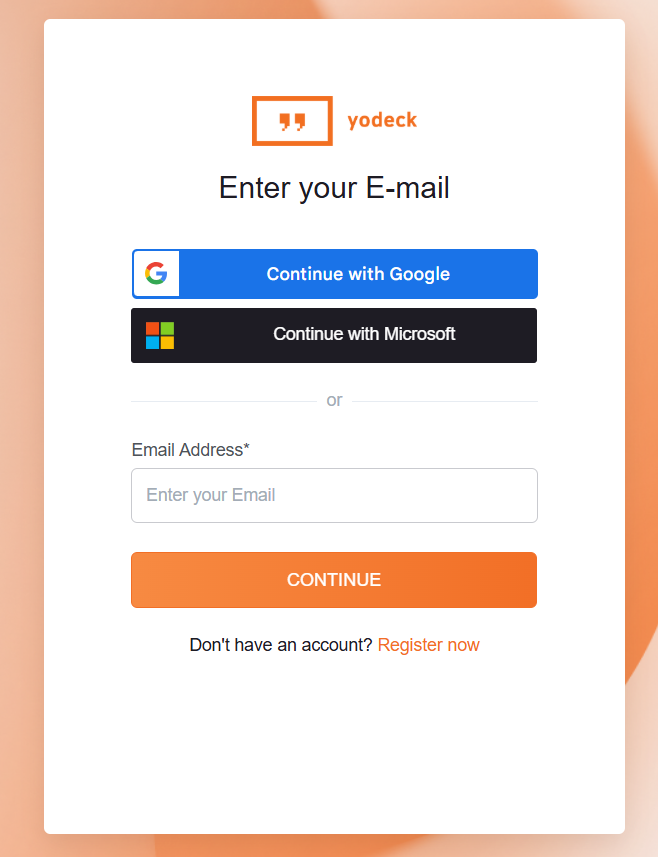
7. Log in to your Yodeck account at yodeck.

yodeck account

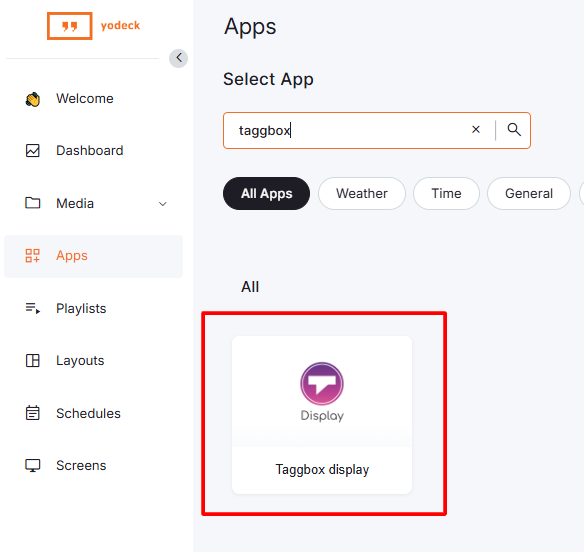
8. In Yodeck, go to the Apps and add the “Taggbox Display” widget.

taggbox display

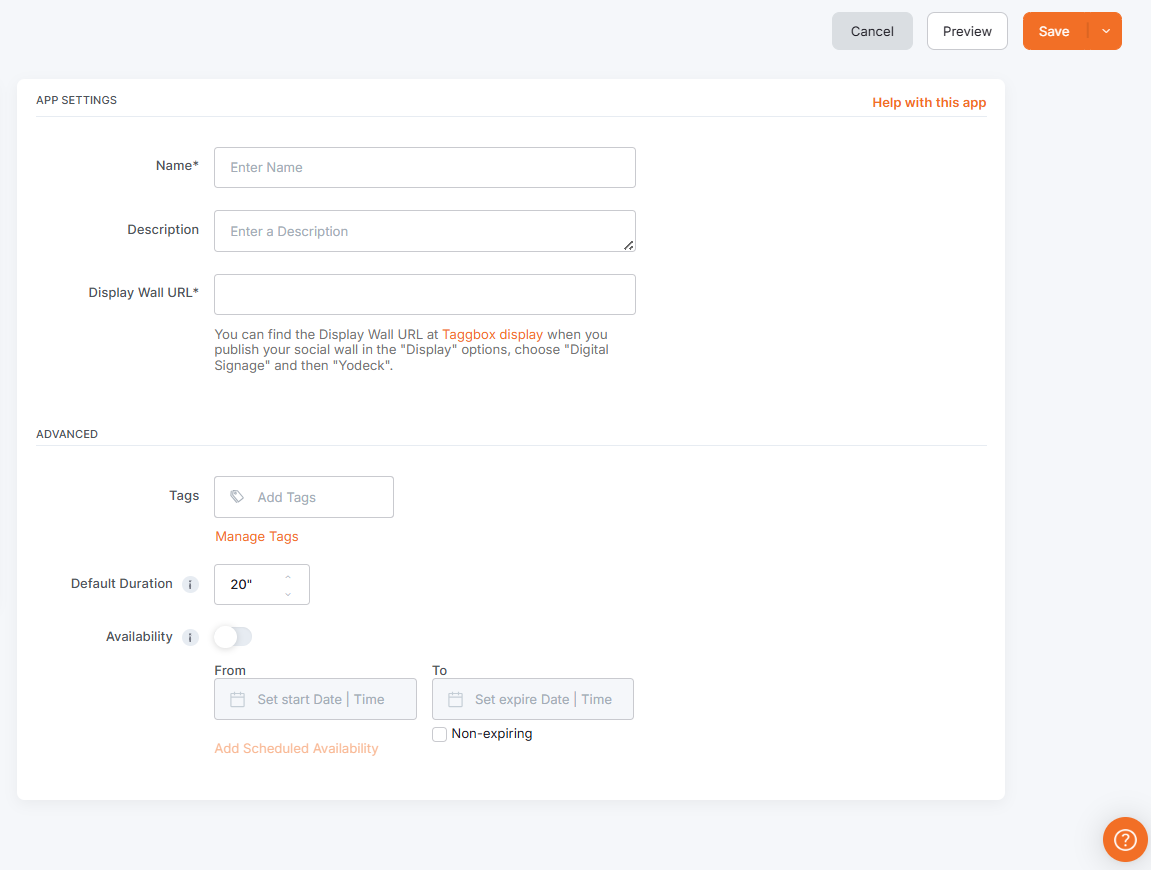
9. Name the widget and add a description. Paste the display wall URL that you copied from social walls. Set the tags, default duration, and availability for the widget’s appearance in your playlist.

yodeck aap settings

10. Click “Save” to finalize the widget setup.

In case of any support or queries, write to us at support@Social Walls.com

支持团队成员 1
支持团队成员 2
支持团队成员 3

24×7 现场活动专家随时为您服务

在您的活动之前、期间和之后获得专家支持,以确保每个社交墙都能顺利运行。

开始免费试用