







婚礼照片二维码:扫描、拍摄和分享
婚礼摄影部门在任何婚礼活动中都起着至关重要的作用。但我们都同意,管理它可能有点棘手,考虑到要关注哪里,要点击谁,要获得更好的角度,等等。
多亏了婚礼照片的二维码,这项任务变得简单了。二维码不仅使照片收集和展示变得轻松且经济高效,而且还成为了婚礼参与者的一项有趣的活动。它正在使婚礼活动的组织方式现代化。在这篇博客中,您将详细了解并发现它的好处。所以一直读到最后,因为这可能会改变您婚礼活动的格局。
使用婚礼照片二维码的好处
婚礼照片的二维码就像您婚礼照片分享派对的VIP通行证,让客人能够轻松捕捉和重温每一个#LoveVibes时刻。像Taggbox的社交墙这样的工具为您提供了一个SnapUp,它提供二维码,让参与者能够上传他们拍摄的照片。以下是您可以使用此功能享受的一些好处。
人人都能轻松分享照片
在您的婚宴桌上贴上婚礼照片的二维码,就像给客人递上一根魔杖,让他们可以即时分享照片,无需专业技术。客人只需拿出手机,无论是iPhone还是Android,扫描婚礼照片二维码,然后就可以在几秒钟内上传抓拍的照片或浏览图库。
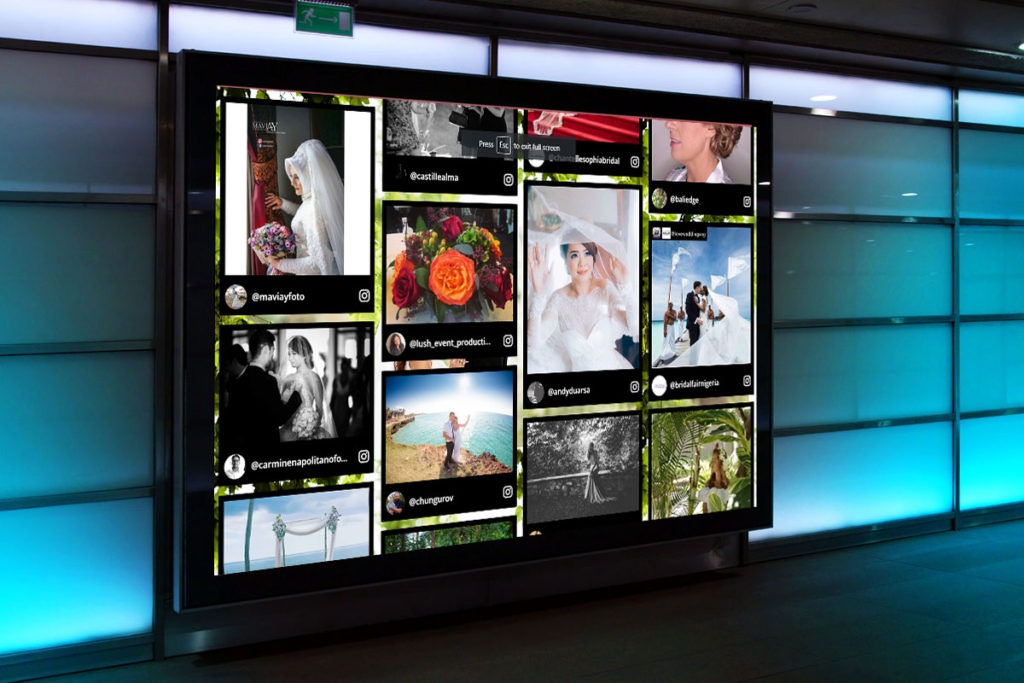
纯粹的轻松,这意味着即使是技术不熟练的奶奶也能加入进来,开心地分享她那张模糊的切蛋糕照片。社交墙让这一切更加顺畅,让宾客可以直接上传到实时动态,并在大屏幕上展示瞬间,从而提高参与度。
随时随地即时访问
婚礼照片的二维码让宾客可以在心情好的时候随时进入您的婚礼相册,无论他们是在招待会上翩翩起舞,还是在派对结束后在家中放松。只需用手机扫描婚礼照片二维码牌,他们就能立即链接到一个数字相册,里面充满了#FirstDance的快照或感人的誓言,无需等待专业摄影师的后期制作,据Wedibox称。
这种全天候访问意味着您在另一个时区的最好朋友可以在凌晨2点重温抛花球的时刻,让婚礼氛围保持鲜活。社交墙通过在现场直播展示这些照片来提升气氛,让宾客看到他们的上传闪耀,从而提高参与度。
节省空间,告别笨重的相册
忘掉搬运沉重的相册或打印300张照片吧;婚礼照片的二维码将一切数字化,节省了空间和精力。您所有的#WeddingVibes照片和视频都 live 在一个安全的云相册中,只需快速扫描即可访问。这意味着桌子上没有杂乱的相册,也没有浪费在可能被束之高阁的印刷品上的预算。您的场地保持时尚,您的记忆安全地保存在网上,随时可以下载。社交墙通过在大屏幕上展示这些数字快照来增添魅力,让宾客对花童跳舞等即兴表演感到兴奋,从而提升场地氛围。
新人可以节省高达的费用,这对您的钱包和您的美学都是一种胜利。这就像在不丢失任何一张记忆的情况下整理您的婚礼。
通过实时展示提升宾客互动
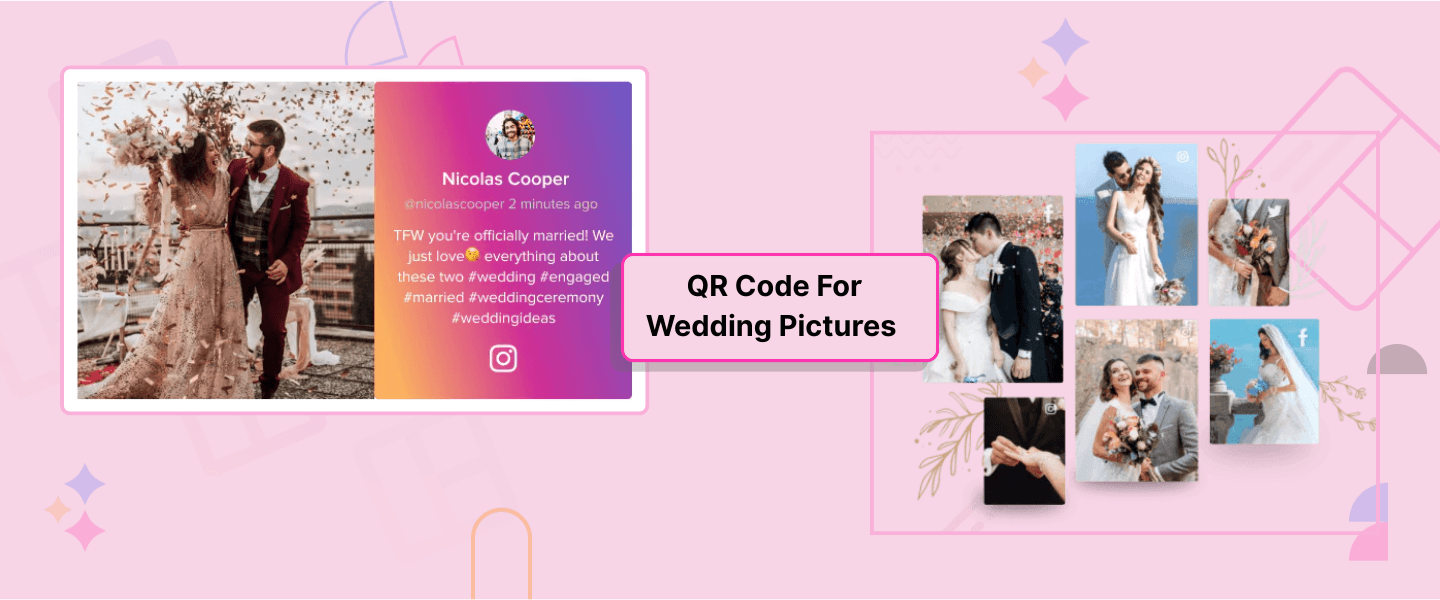
婚礼照片的二维码不仅仅是收集照片,它更是将您的婚礼变成一场互动派对,让宾客感觉自己像明星。宾客扫描婚礼二维码即可上传照片或视频,您可以在社交媒体婚礼墙上实时展示这些内容,创建实时照片集锦。想象一下,在婚宴期间,您表弟的搞怪照相亭照片或朋友感人的祝酒视频突然出现,引来欢声笑语,宾客互动十足。
实时展示让每个人都感觉参与其中,仿佛是共享故事的一部分。社交墙的AI审核确保只有最精彩的社交媒体内容脱颖而出,保持品牌一致性,避免模糊的食物照片抢了风头。
环保又省钱
既环保又省钱?婚礼照片二维码两全其美,是婚礼的明智之选。通过放弃实体打印品和相册,您可以减少纸张浪费和印刷成本,非常适合崇尚#可持续婚礼趋势的环保情侣。社交墙将所有内容存储在数字画廊中,让宾客扫描婚礼二维码即可免费获取照片或上传回忆,而不会伤害一棵树。
这项精打细算的举措意味着您可以将更多资金用于畅饮或史诗般的蜜月旅行,同时还能收集500多张宾客照片。此外,现场社交墙展示能保持高涨的热情,在大屏幕上展示您侄女的花冠自拍等#婚礼氛围快照,提高参与度。

 无需信用卡
无需信用卡如何为婚礼照片设置二维码
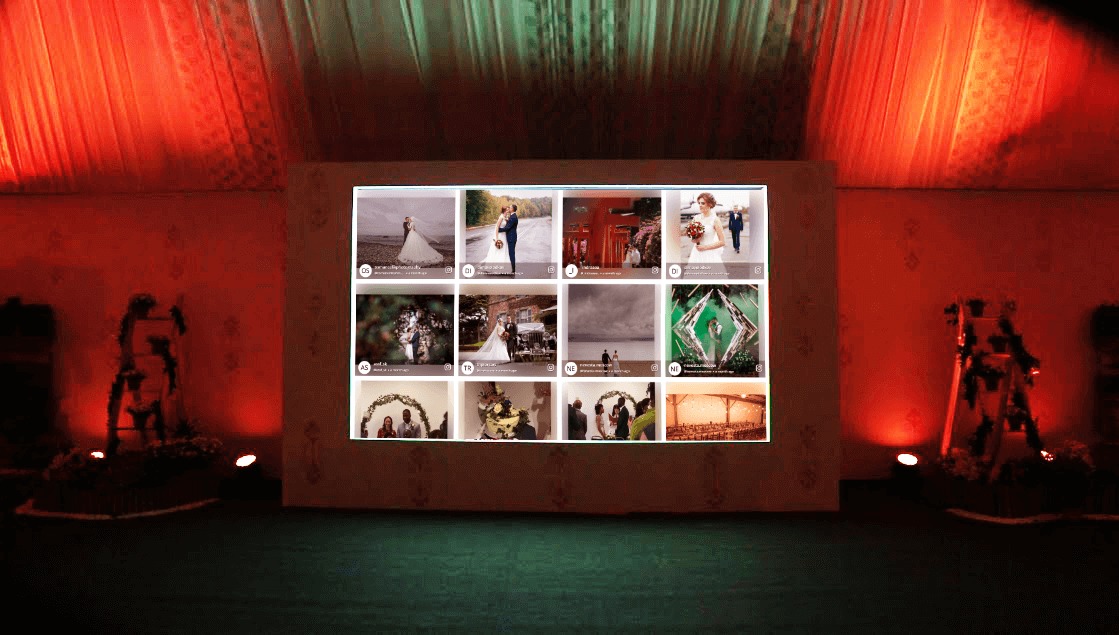
使用 Social Walls 设置婚礼照片二维码比挑选婚礼蛋糕口味更容易,只需三个快速步骤即可完成。
第一步:创建二维码
注册一个免费的 Social Walls 账户。使用 Snap Up 功能,您可以获得可以使用的二维码。您可以选择通过消息分享它们,或将其打印在婚礼请柬上。
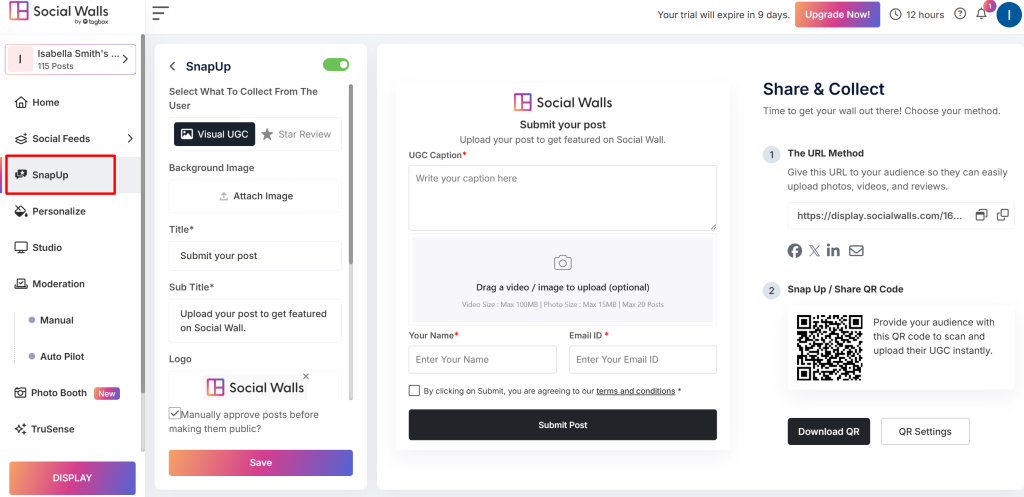
第二步:策略性地放置二维码
下载婚礼照片的二维码,并在场地展示,例如放在桌卡、欢迎牌上,甚至投影在数字社交屏幕上。社交墙允许您将二维码集成到实时动态中,宾客上传的内容会即时显示,从而提高参与度。
第三步:宾客扫描并分享
宾客拿出手机,扫描婚礼照片二维码标识,直接上传照片或视频到您的社交墙或画廊。例如,在海滩婚礼上,您表亲的日落自拍或#FirstDance视频可以实时显示在社交墙上,让每个人都感觉像明星。AI审核可确保内容符合品牌形象,确保您的二维码照片上传婚礼设置无缝且无压力。
婚礼上放置二维码的位置
放置您的婚礼照片二维码的关键在于让它脱颖而出,让宾客无法错过。
- 立牌很受欢迎。在场地入口处或舞池附近设置一个醒目的大型婚礼照片二维码牌,并搭配您的婚礼色彩。想象一下,一个时尚的牌子写着“扫描分享 #LoveVibes!”让宾客在品尝鸡尾酒时就能注意到。
- 二维码桌卡是另一个热门选择,在每个宴会桌上放上小巧可爱的卡片,也许带有“拍照&扫描!”的氛围,鼓励宾客上传像切蛋糕时的混乱场面这样的andid照片,据Wedibox报道。社交墙(Social Walls)允许您将这些二维码集成到实时社交墙显示中,这样来自 #WeddingVibes 的照片就能实时显示在大屏幕上,提高参与度。您也可以将婚礼二维码印在节目单或感谢卡上,以便活动后分享。对于目的地婚礼,在迎宾区散布二维码婚礼照片卡,以便及早吸引宾客。
婚礼照片二维码的特点
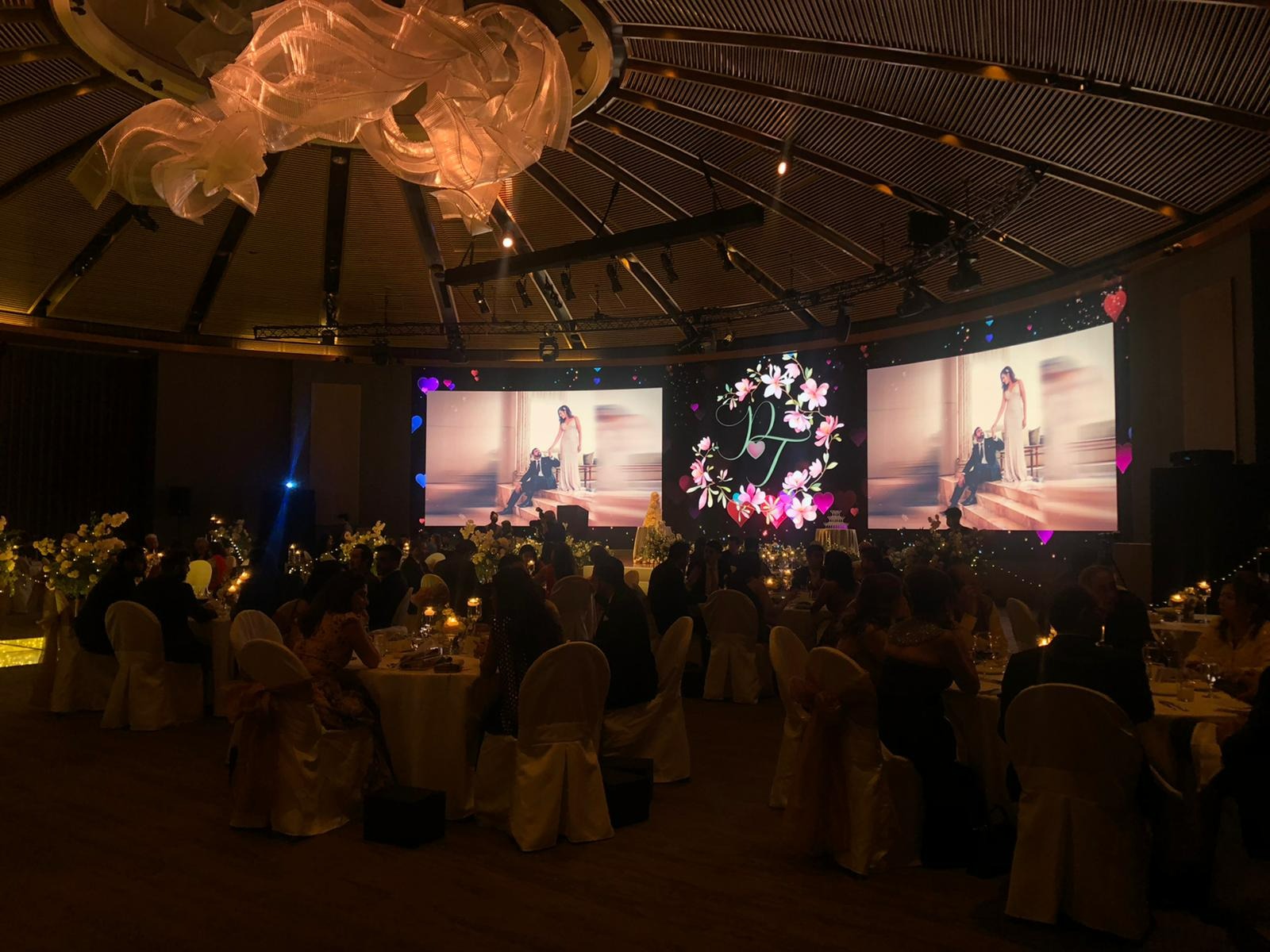
Tagbbox的社交墙让您的婚礼照片二维码不仅仅是一个照片库;它们是一次完整的体验,拥有能提升您婚礼档次的超赞功能。
- 互动功能让宾客可以与上传的内容互动,例如点赞、送心或评论#婚礼氛围照片,就像你的姐姐在舞池自拍时为你加油一样,从而提高参与度。它就像是你的私人相册版的Instagram,让社交氛围保持有趣。
- 照片亭功能将你的婚礼照片二维码变成一个虚拟照相亭,宾客扫描后可以上传经过滤镜处理的自拍照或有趣的合影,这些照片会实时显示在社交墙上,为你的招待会增添一丝俏皮。想象一下表兄弟姐妹们戴着道具拍摄#照片亭乐趣照片,点亮屏幕。
- 聚光灯功能让你能够突出展示最佳上传内容,例如感人的祝酒视频或孩子可爱的花童瞬间。它将成为你社交墙的焦点,并永久保留在那里,而其他上传内容则会在其周围获得展示机会。
结论
婚礼照片的二维码已经成为一种趋势,凭借其有效性、易用性和环保属性,它将继续流行下去。它还可以消除婚礼活动和照片之间的等待时间,同时让每个人在婚礼上都感到重要。人们可以想象不同的角度和大量的照片。那么还在等什么?立即尝试,让您的活动难忘。
Frequently Asked Questions
Nope, guests don’t need an app to upload photos with a QR code for wedding pictures! They just scan the wedding QR code with their phone’s camera, iPhone, or Android, and it opens a link to upload photos or videos directly. It’s so easy, even your tech-challenged uncle can join the #WeddingVibes fun!
Yes, you can grab Social Walls now and activate it later, perfect for stress-free wedding planning. Just sign up and get your QR code for wedding photos, and features like live Social Walls kick in. Plan ahead and keep the vibes chill!
Getting a QR code for wedding pictures is a cinch with Social Walls. Sign up for a free account, create an event, and generate a unique wedding QR code for photos linked to your Social Walls. No hassle, just memories!
To create a QR code for wedding photos, sign up with Social Walls and set up your account. With the snap up feature, it auto-generates a customizable wedding QR code that guests can scan to upload or view photos. Personalize it with your wedding colors using tools, then print it on signs or cards. Easy peasy!
With Social Walls, there’s no strict limit on uploads or guests for your QR code for wedding pictures, letting everyone from your bestie to your distant cousin share unlimited photos and videos.
Absolutely, you can download all photos and videos from your QR code for wedding photos with Social Walls. Everything uploaded to your Social Wall is available for individual or batch downloads, letting you save every memory.