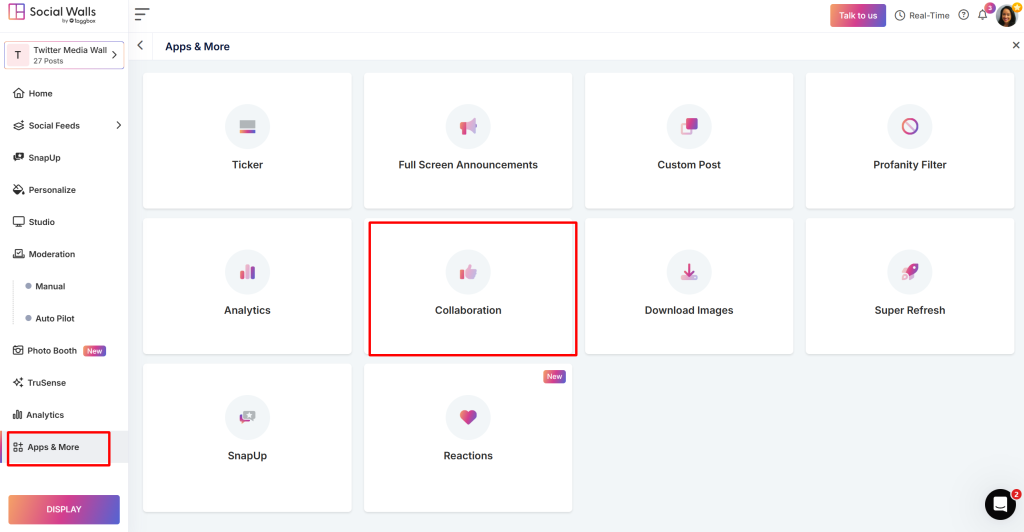
Collaborators – Bring Your Team Together for Seamless Content Management

Managing live events or multiple campaigns is always a team effort — and with Collaborators, you can make that collaboration effortless. This feature in Social Walls allows you to add team members and assign permissions so everyone can work together efficiently while maintaining full control over your content.

Whether you’re adding one moderator, a small creative team of five, or setting up a fully customized access structure, Collaborators adapts to your workflow. Each team member can be assigned specific roles – from content moderation and post approval to design customization and analytics review – ensuring every task is handled by the right person.

This organized setup minimizes errors, saves time, and enhances coordination. Teams can review, edit, and manage content simultaneously without overlapping responsibilities. For agencies or enterprises managing multiple events, it’s an especially powerful way to ensure consistency and accountability across all social walls.

Collaboration doesn’t just make management easier – it makes your walls smarter, faster, and more aligned with your goals. With shared access and clear permissions, everyone stays on the same page, driving smoother execution and better results.

With Collaborators, teamwork becomes effortless, organized, and efficient – exactly how modern event management should be.

Collaborator Feature

Use Cases of Collaborator Feature

  • Agencies & Marketing Teams: Distribute roles across designers, moderators, and analysts for better efficiency.
  • Corporate Teams: Assign access levels for different departments or event divisions.
  • Event Organizers: Let multiple moderators manage posts during live sessions without confusion.
  • Educational Institutions: Enable faculty or students to co-manage digital displays and event walls responsibly.

With Collaborators by Social Walls, you turn teamwork into a powerful advantage — building walls that reflect true coordination and creativity.

支持团队成员 1
支持团队成员 2
支持团队成员 3

24×7 现场活动专家随时为您服务

在您的活动之前、期间和之后获得专家支持,以确保每个社交墙都能顺利运行。

开始免费试用