







Come visualizzare il feed di LinkedIn su un sito web gratuitamente nel 2026
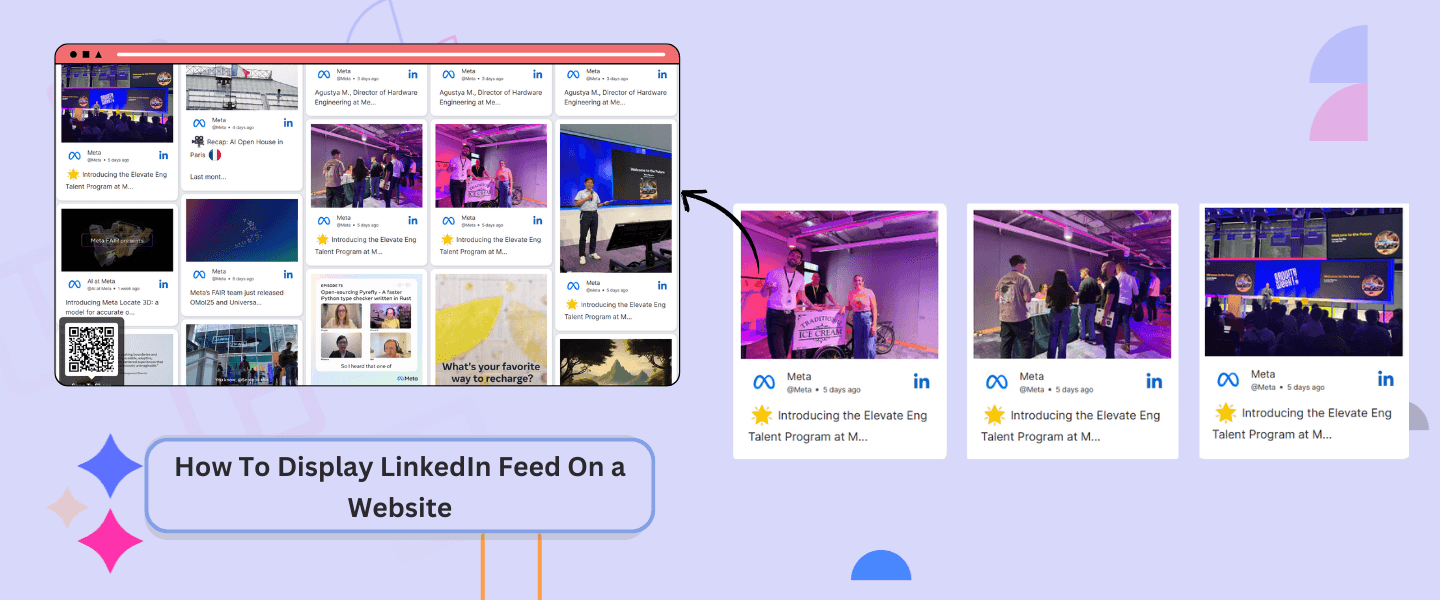
Your website is an online representation of your brand, and your online audiences and customers will determine the standard of your website. Hence, creating a website that not only attracts an audience but also impresses them remains a top priority. Choosing to display LinkedIn feed on website, fulfills that need, as it gives your site a professional look, helping you to impress your visitors. In this blog, you will learn the simplest way to embed LinkedIn feed on website, and discover all the other benefits of it.
Step Guide on Embedding LinkedIn Feed On a Website with Social Walls
Social Walls is a prominent tool for display LinkedIn feed on website. To embed LinkedIn feed on a website, you need to follow these steps.
Step 1: Sign up for Social Walls, and if you already have an account, sign in to it using your credentials.
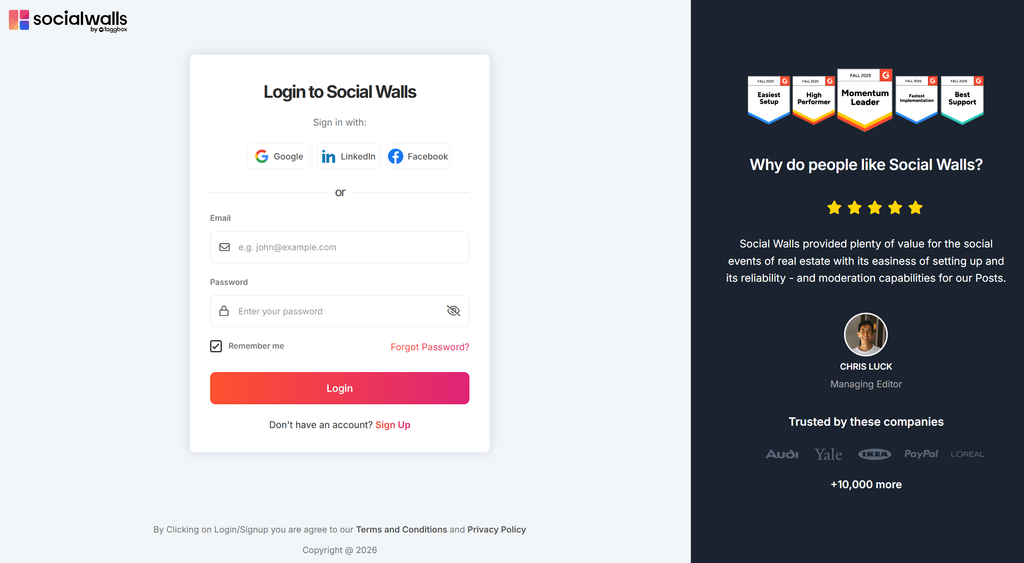
2: If you are an existing user, click on the “Create New Wall” button and give a name to your wall. New users can skip this step
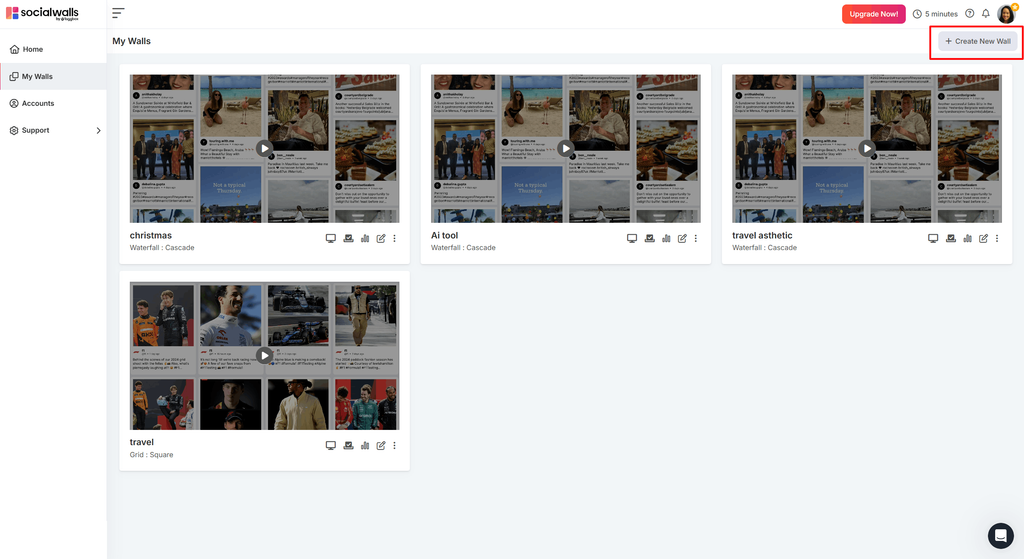
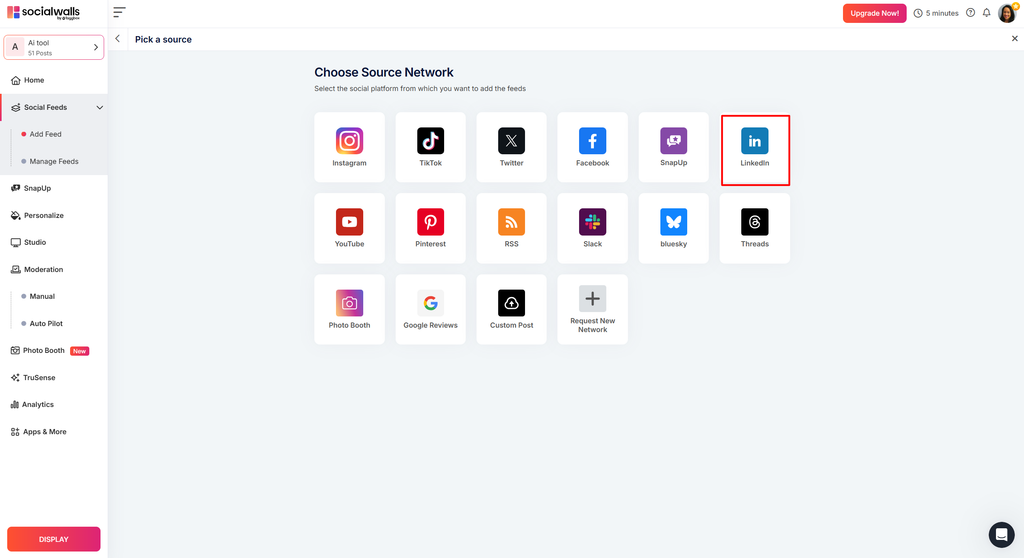
3: In the “Choose Source Network” window, select LinkedIn as your source.
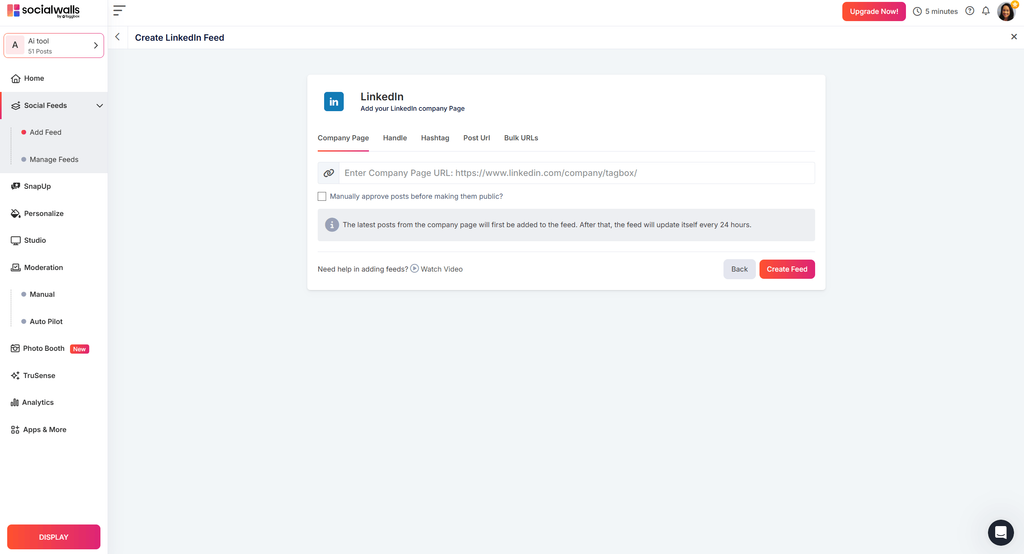
4: Choose the source to fetch, it can be “Company Page,” “Hashtag,” etc.
5: All your fetched content from your given source will now appear on your screen. You can now customize your feed and moderate it as per your need.
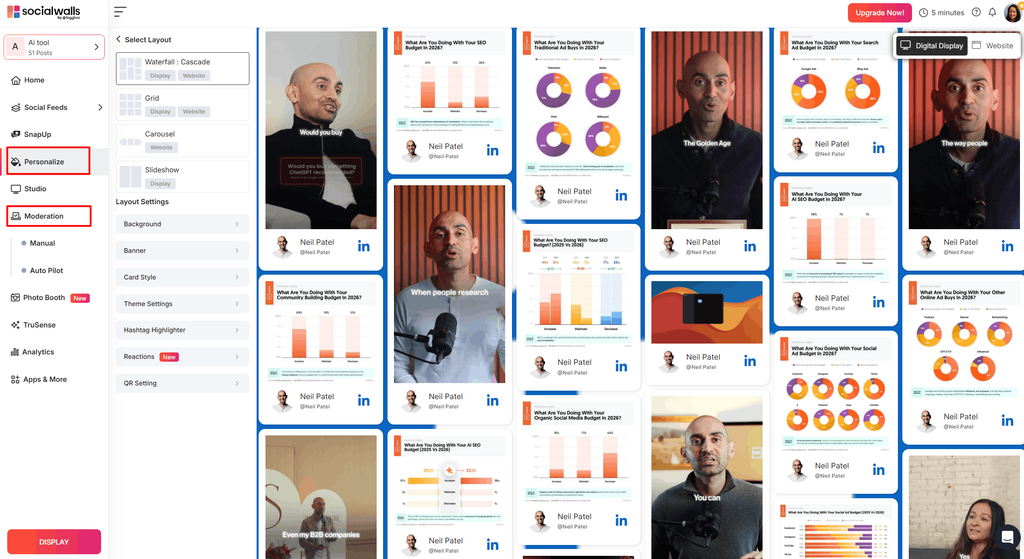
- Customization: To customize your content, click on the “Personalize” button on the left side of the screen. Here, you can change font style, banner, and more to make your feed pleasing to the eye and match your website aesthetics.
- Moderation: To moderate the content, click on the “Moderation” button. You have the option for the “Manual,” where you can manually remove the content that you think is inappropriate. Or you can click the “Auto Pilot” button, where you can apply some rules, and the tool, using AI, will remove content automatically. It will help you to maintain the quality of your website, and keep the content related to your brand and businesses only.
6: To begin the embedding process, click on the “Display” button, present on the bottom left corner.
If you are looking to add social media wall to website, Social Walls lets you collect, customize, and display a live LinkedIn feed. Here is how you can do it.
- For website
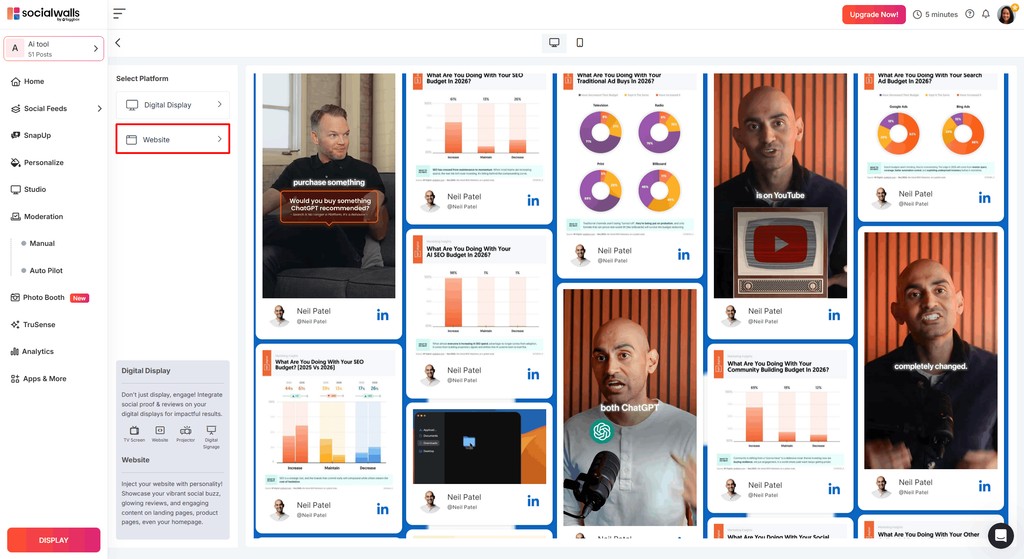
- Click on the “Website” option.
- From the window that appears on your screen, copy the embed code.
- On the new tab, open the backend of your website and paste the embed code.
- For display
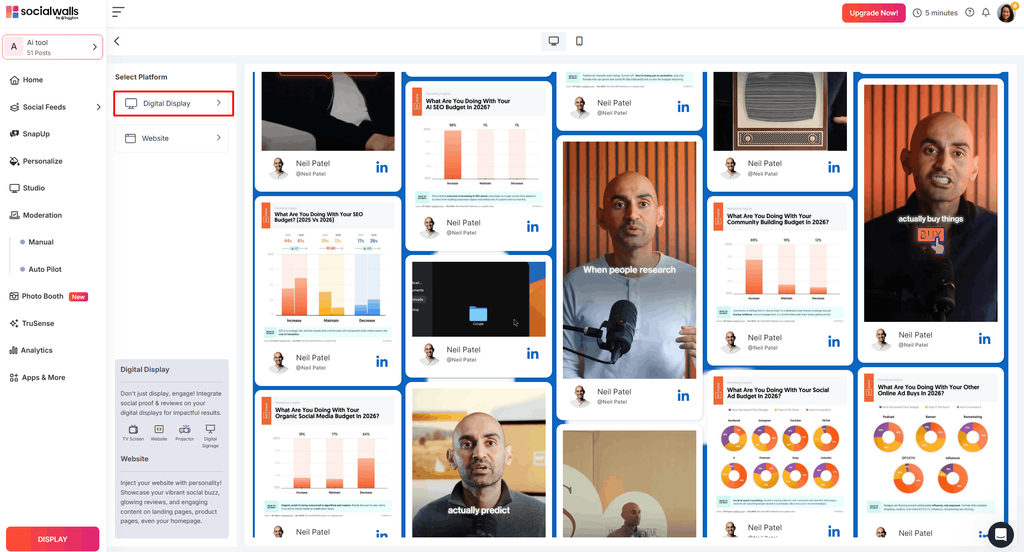
- Click on the “Digital display” option
- Select your device, then use the code to display.
And this is it, by following these simple steps, you can easily embed LinkedIn feed on your desired source. Like we mentioned, you don’t require any coding knowledge or experience.
Also Read: How To Display Instagram Feed On Website For Free
Why Adding a LinkedIn Feed to Your Website is a Game-Changer
Embedding a LinkedIn feed as you build and host a WordPress website can transform your online presence, making it more engaging, trustworthy, and dynamic. There are various benefits that you can enjoy by displaying LinkedIn feed on website. Here are some handful, notable features.
Builds Trust and Shows You’re the Real Deal
Displaying authentic updates on your website feels transparent and professional, like inviting visitors behind the scenes of your business especially if it is a part of your strategy when building and hosting a website from scratch. For example, a post about a happy customer’s experience can ease doubts, just like a five-star review. With Social Walls, you can handpick the best posts to showcase, ensuring your feed reflects your brand’s professionalism. Using the moderation feature from Social Walls, you can easily filter out the content that you want to showcase. This builds confidence in potential customers or partners, showing them you’re active, reputable, and worth their trust.
Keeps Visitors Hooked and Engaged
A LinkedIn feed on website keeps your site fresh and buzzing with real-time content, encouraging visitors to stick around. Imagine a sleek carousel highlighting your latest industry event or a leader’s insight, that people can like, comment on, or share right from your site. This lively vibe makes your website feel current and inviting, drawing visitors in. Plus, Social Walls offers cool layouts like grids or sliders, and analytics to track what’s clicking. It’s a simple way to keep your audience engaged and returning for more.
Aslo Read: Top 8 LinkedIn Aggregator Tools To Curate LinkedIn Content In 2026
Supercharges Your SEO
Adding a LinkedIn feed doesn’t just make your site look good, it helps it rank higher too. When visitors linger on your feed, exploring updates or industry insights, they spend more time on your site, which search engines love. Lower bounce rates and fresh content signal to Google that your website is active, boosting your SEO just like regularly updated reviews do. For agencies managing multiple client sites, white label SEO providers often use strategies like this to scale results efficiently. Social Walls updates your LinkedIn feed in real time, giving you a better shot at climbing search result rankings and getting noticed by more people.
Beautifies Website
No one likes to visit a dull and boring website, and adding to it creates a negative impression on visitors. By choosing to embed a LinkedIn feed on your website, you can add charm and beauty to it. Imagine this: Your visitors get to see the aesthetic of your website, while the LinkedIn feed consists of different posts and content, adding an allure to it. It shows that you care about your online presence and builds an impression.
Turns Visitors into Buyers with Smart CTAs
A LinkedIn feed can do more than inspire; it can drive action. By featuring posts with clear calls-to-action, like “Apply Now” for jobs, “Sign Up” for events, or “Shop Now” for promotions, you guide visitors toward the next step. Picture a post about a flash sale with a button linking straight to your store, it’s like a friendly nudge toward conversion. It’s a strategy that works as well as those eye-catching AI Image Ads, AI video ads, helping your business grow.
Conclusion
These benefits mentioned above are just the tip of the iceberg; there are a lot more to it, and you can enjoy them all by choosing to embed the LinkedIn feed on your website. Throw away that thought bubble that says adding the LinkedIn feed to website is a complex process. With Social Walls, you can easily Display LinkedIn feed on a website by following a few steps mentioned in this blog. So what are you waiting for? Adopt this strategy, follow the steps, and start embedding LinkedIn feed on website.