






Spotlight-Funktion: Ein Muss für Event-Marketer
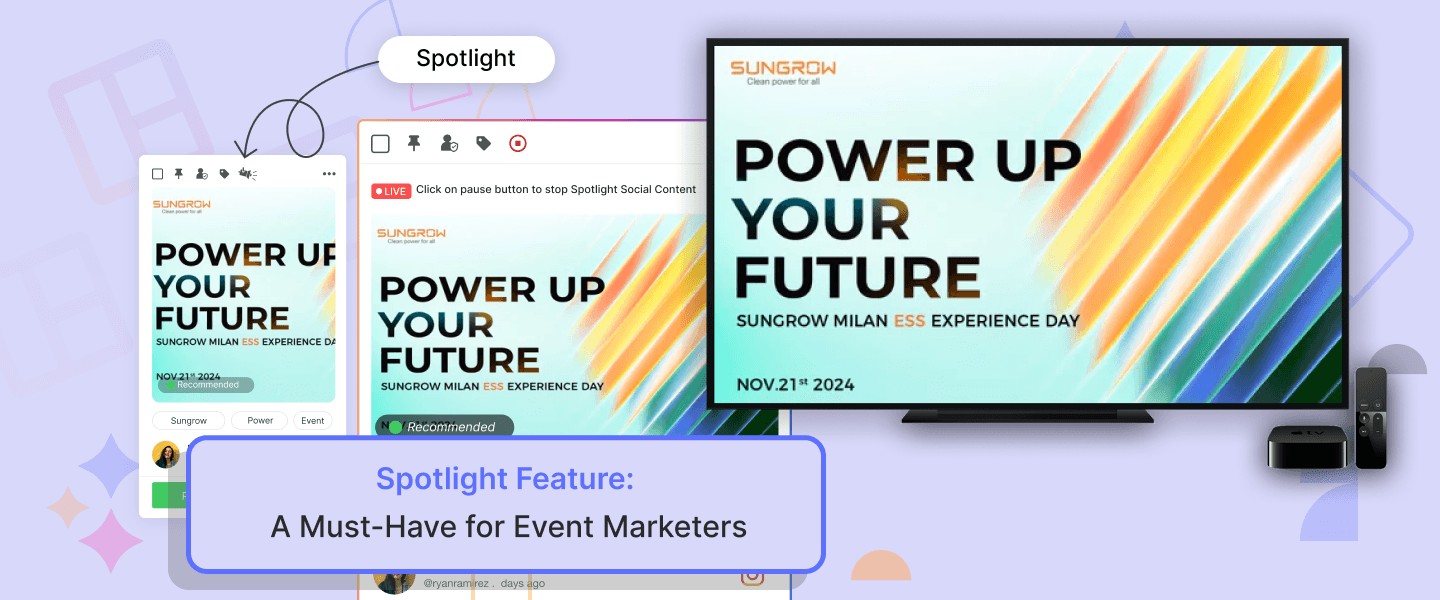
As an event marketer, your mission is clear – captivate your audience, amplify engagement, and ensure key moments resonate with attendees. Enter the Spotlight Feature on Social Walls, your secret weapon to make those crucial moments shine!
What is the Spotlight Feature?
The Spotlight Feature is a powerful tool designed to highlight specific posts—images or videos—on your social wall and keep them prominently displayed for as long as needed. This feature gives you full control, allowing you to start and stop the spotlight at your convenience. Whether it’s a stunning attendee photo, a sponsor message, or an announcement, the Spotlight Feature ensures it stays in the limelight, making it impossible for your audience to miss.
Why the Spotlight Feature is Perfect for Event Marketers?
1. Focus on What Matters Most:
Highlight key updates, featured speakers, or live audience reactions to keep your attendees hooked. The Spotlight Feature ensures the most impactful content takes center stage.
2. Drive Engagement:
By showcasing user-generated content (UGC) or brand highlights, you can inspire attendees to participate and create share-worthy moments.
3. Seamless Branding Opportunities:
Use the feature to spotlight branded posts, sponsors, or campaigns. This not only provides added value to your partners but also enhances your event’s branding efforts.
4. Real-Time Flexibility:
Events are dynamic, and so is the Spotlight Feature. Switch between spotlighted posts effortlessly to keep up with the flow of the event.
Innovative Ways Event Marketers Can Use the Spotlight Feature
1. Audience Interaction Moments
- Showcase attendee selfies or event hashtags shared on social media.
- Highlight live polls or Q&A responses to make your audience feel involved.
2. Speaker Highlights
- Spotlight bios or quotes of keynote speakers just before they take the stage.
- Display live tweets or mentions about their sessions to build excitement.
3. Sponsor Shoutouts
- Give your sponsors the limelight by spotlighting their posts or messages during scheduled intervals.
- Feature their hashtags or branded content for added visibility.
4. Product Launches and Announcements
- Use the Spotlight Feature to highlight new product images, videos, or key messages during product reveals.
5. Event Milestones
- Spotlight major achievements or moments, like hitting a donation goal or welcoming a record-breaking crowd.
How to Use the Spotlight Feature at Your Event
Step 1: Prepare in Advance
- Curate a selection of posts you might want to spotlight, such as sponsor content, UGC, or pre-scheduled announcements.
Step 2: During the Event
- Assign a team member to monitor the social wall and choose posts to spotlight in real time.
Step 3: Activate the Spotlight
- Go to the Moderation Section in your Social Walls account.
- Select the post you want to spotlight and click the Spotlight icon.
Step 4: Manage Dynamically
- Use the Stop button when the spotlight is no longer needed or switch seamlessly to another post.
Why Event Marketers Love the Spotlight Feature
- Adds a Personal Touch: Showcasing attendee content makes your event feel more inclusive and engaging.
- Maximizes Sponsor ROI: Providing prime visibility to sponsors strengthens partnerships and future opportunities.
- Boosts Social Media Buzz: Encourages attendees to share content, knowing it could be spotlighted for everyone.
Take Your Events to the Next Level
With the Spotlight Feature, you’re no longer just managing an event but creating an experience. Whether amplifying user content, boosting brand presence, or highlighting unforgettable moments, this feature is your go-to tool for delivering high-impact results.